
Reschedule or cancel an appointment
- Admin and clinic owner
- Receptionist
- Telecaller
Short answer
In Clinizy Care, open Appointments and find the booking in the Calendar or Upcoming tab. Press the ⋯ button beside it. Choose Reschedule, pick a new date and press Move here on a free time, or choose Cancel, pick a reason and confirm.
Before you start
- Know which patient and which booking you need to change.
- Know the new day and time, if you are moving it.
Steps
Open Appointments. The Calendar tab opens on today’s bookings. For other days, use the arrows or the Upcoming tab.
Tip:In Upcoming, search by name, phone or UHID. It lists the next 14 days.
Press the ⋯ button (More actions) beside the booking.
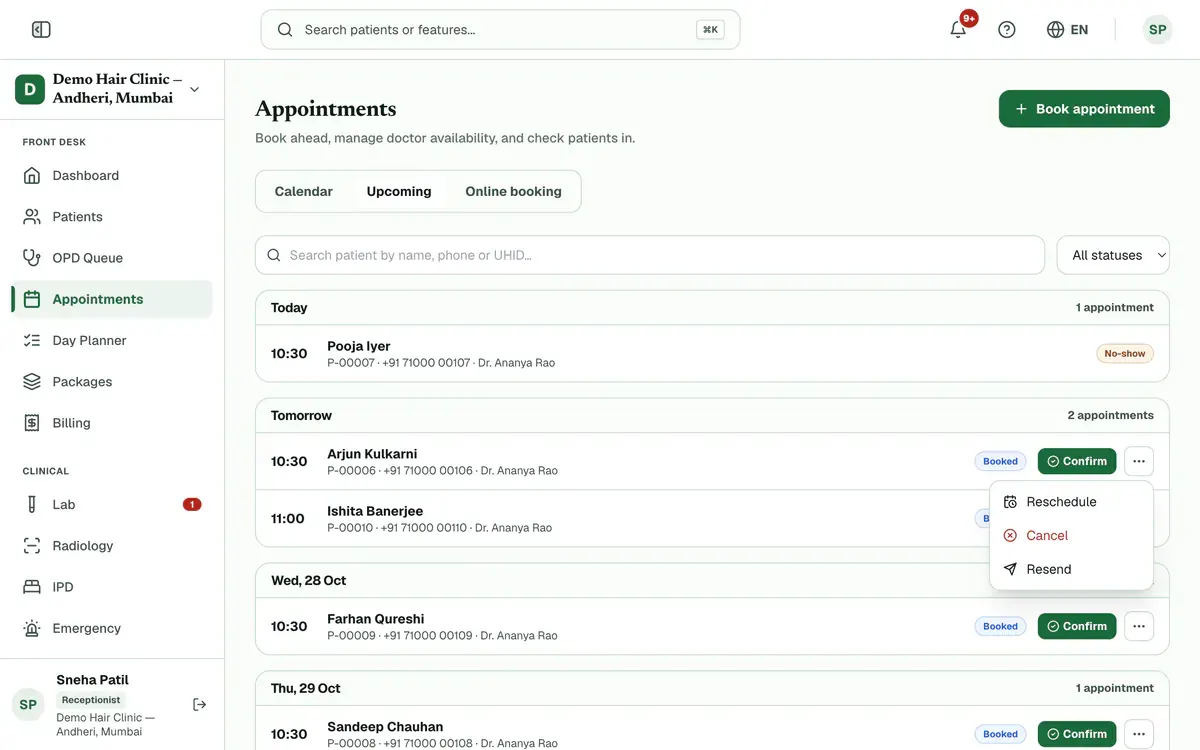
Step 2 of 6 Careful:Reschedule and Cancel show only for bookings that are not checked in and not on a past day.
Choose Reschedule to move the booking.
Pick a new date, then press Move here on a free time. The booking moves at once.
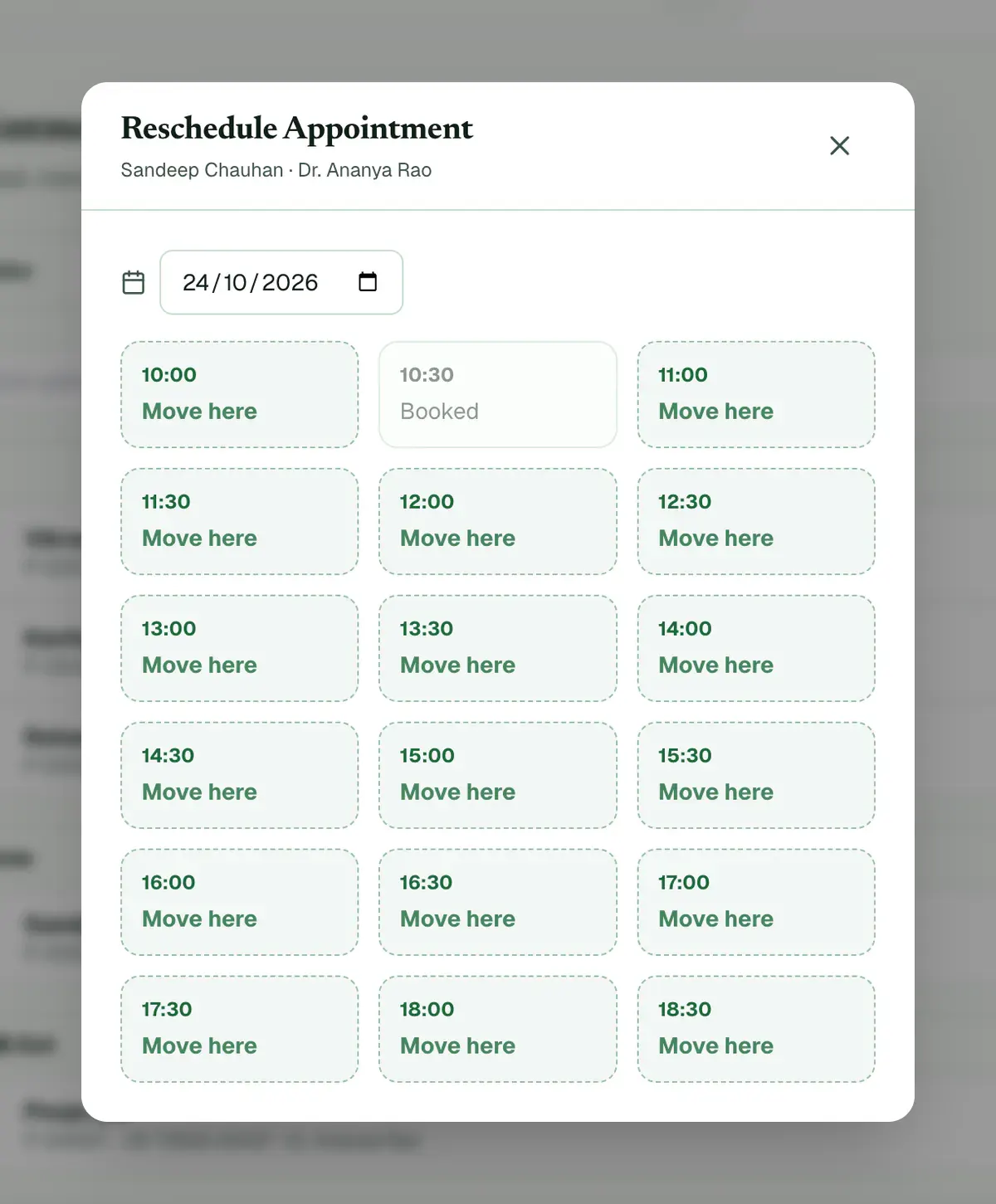
Step 4 of 6 Tip:The doctor stays the same. Booked and past times cannot be chosen. Neither can times marked Opens when they clock in.
Choose Cancel from the same menu to cancel the booking instead.
Pick a reason, then press Cancel appointment.
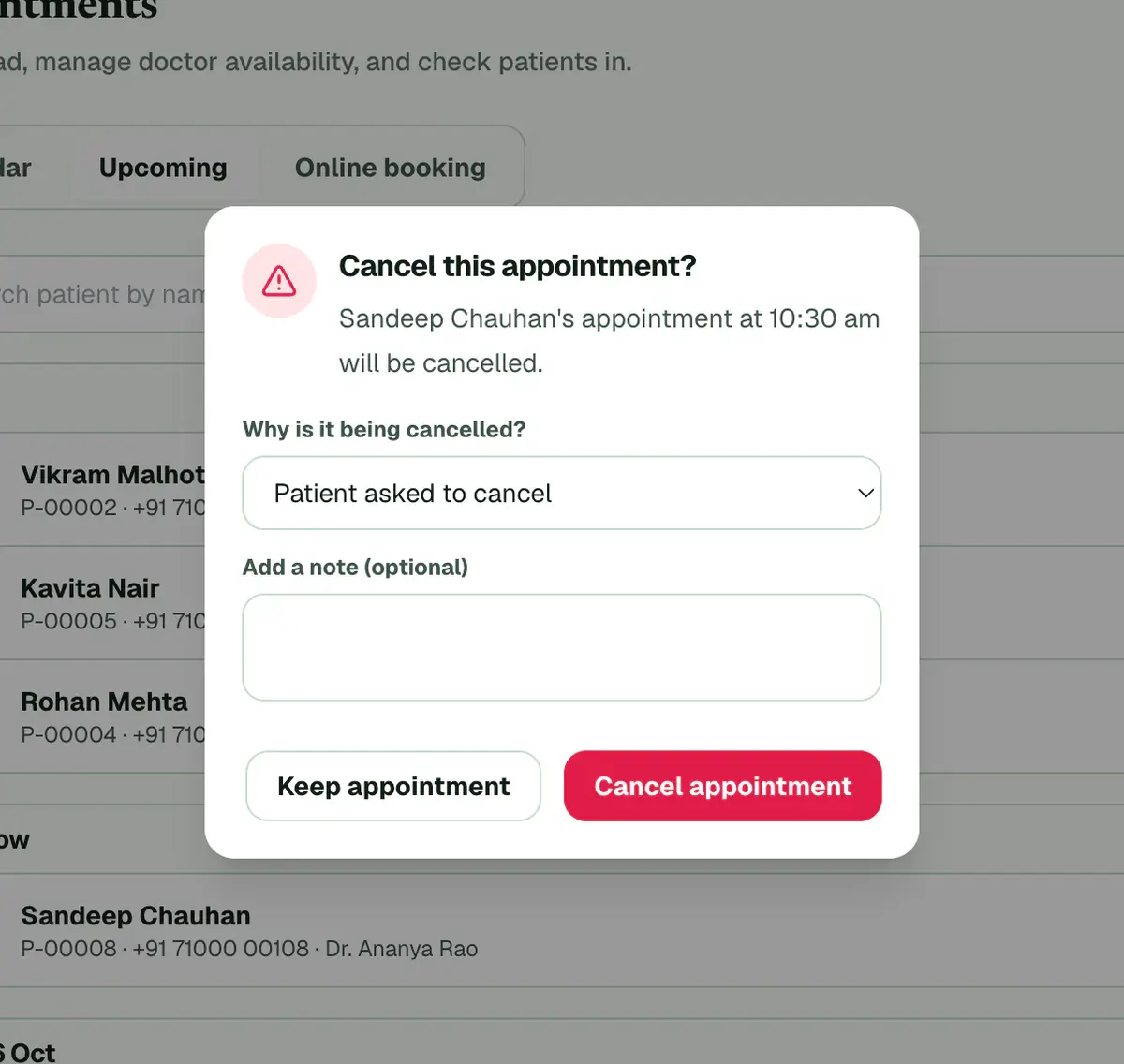
Step 6 of 6 Careful:If you pick Other, add a short note. You can undo a cancellation for ten seconds.
If something goes wrong
Can I reschedule after the patient has checked in?
No. Once a patient has checked in, the menu no longer offers Reschedule or Cancel. Open that visit in the OPD queue instead.
What if the patient does not come?
Choose No-show from the ⋯ menu. It shows on the day of the visit and after it. You can undo it for ten seconds.
Can I undo a cancellation?
Yes, but only for ten seconds. Press Undo in the message that appears, and the appointment comes back.
Related guides
Book an appointment
Open Appointments and press Book appointment. Choose the doctor and the date, then press Select on a free time. Search for the patient, add a reason if you want one, and press Confirm Booking. The booking then shows on the calendar.
3 minIncluded in Clinic and aboveFind a patient fast
Open Patients and type a name, phone number or UHID in the search box. The list updates as you type. Check the name, age and UHID on the row, then press the patient’s name to open the record. Use the filters when the list is long.
2 minIncluded in Clinic and aboveLog and follow up an enquiry
Open Enquiries and press Add enquiry for each new caller. After every call press Log call, choose what happened and set a call-back time. Press Book when the caller is ready to come in. Start each day with the Callbacks due chip.
4 minAdd-on: Enquiries & callbacks
Was this guide helpful?
Last updated 26 Oct 2026By the Clinizy Care product teamSee the feature page