
Act on a critical result
- Admin and clinic owner
- Doctor
- Lab technician
Short answer
In Clinizy Care, a number badge on Lab counts critical results waiting for review. Press Lab to open Orders showing only those orders. Open one, read the flagged values and tell the ordering doctor. A doctor or admin then verifies the result in Verification, and the count goes down.
Before you start
- Be ready to tell the ordering doctor.
- Only a doctor or admin can sign a result off.
Steps
Look for the number badge on Lab in the left menu. It counts critical results awaiting review.
Press Lab. The Orders list opens with only the orders that have a critical result.
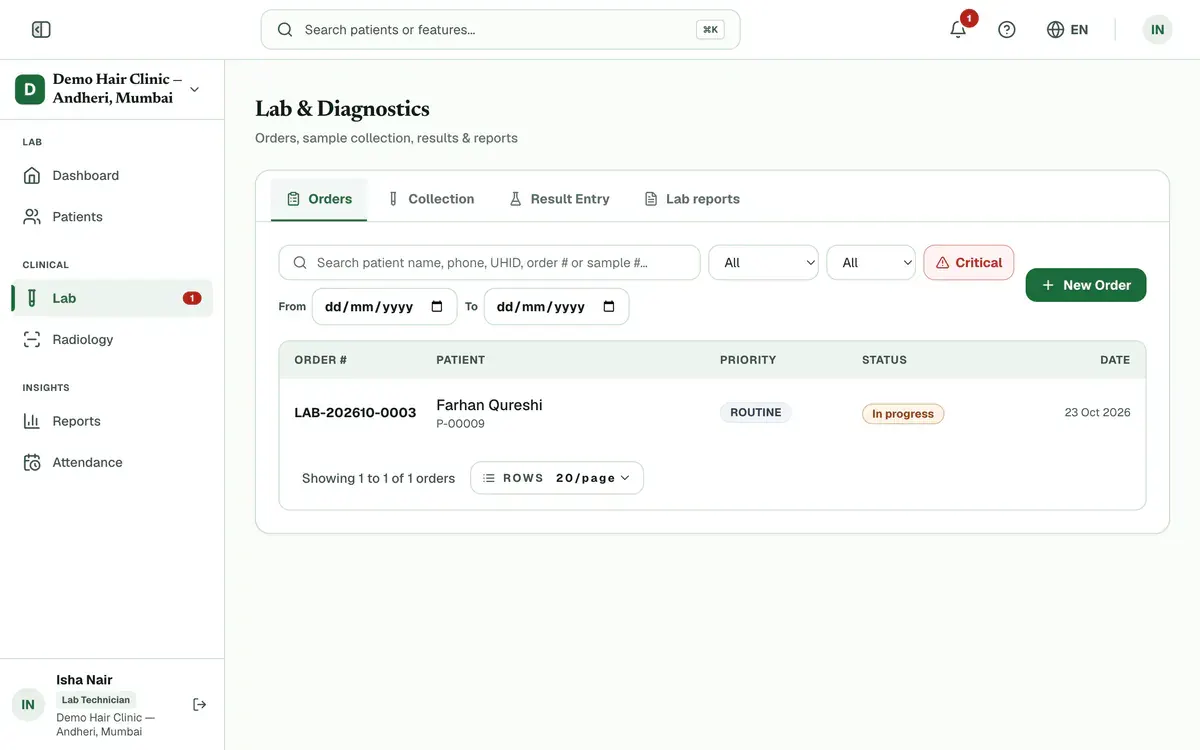
Step 2 of 6 Tip:The lab dashboard has a Critical results card too. Press a result there to open its order.
Open the order to see the flagged values with their units and reference ranges.
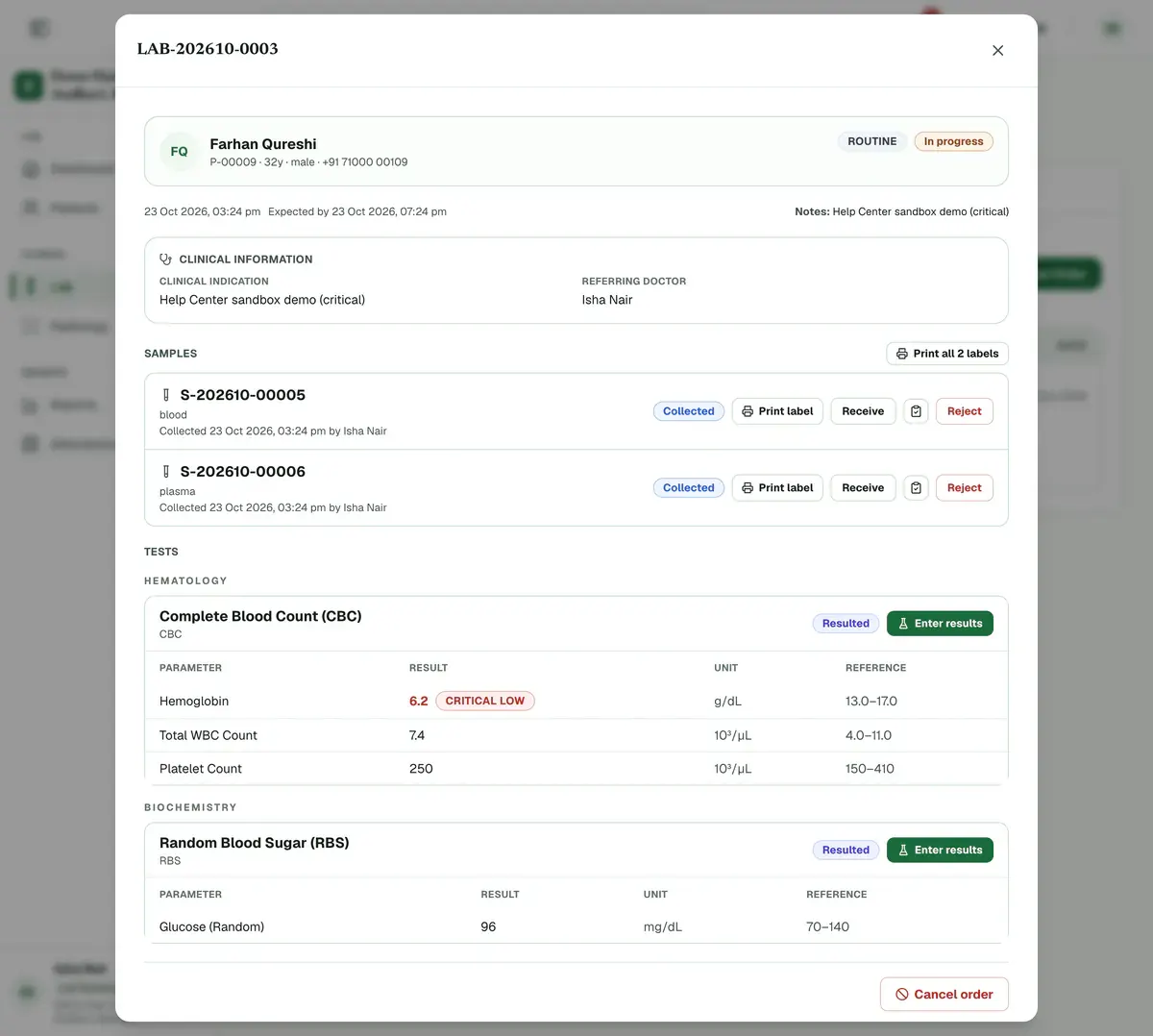
Step 3 of 6 Tell the ordering doctor about each critical value.
Open Verification and press Verify once the value is checked. Only a doctor or admin can verify.
Careful:A critical result is never verified automatically, even if your clinic uses auto-release.
Check that the badge count goes down. A signed-off result no longer counts.
If something goes wrong
What counts as a critical result?
A value beyond the critical limit set for that test, or a text result such as Positive that the lab marked as critical. It shows a critical badge beside the value.
Does auto-release send a critical result to the patient?
No. Even when your clinic uses auto-release, a critical result is not verified automatically. A doctor or admin must verify it first.
Why does the badge still show a count?
A result stays counted until it is verified or its test is cancelled. Open the order and check the status of each test.
Related guides
Collect a sample
Open Lab and choose Collection. Find the patient’s order, print a label for each tube and take the sample. Press Collect, and some tests ask you to confirm details such as fasting first. When the sample reaches the lab, press Receive. Press Reject with a reason if it is unusable.
3 minIncluded in Nursing Home and aboveEnter lab results
Open Lab and choose Result Entry. Find the patient’s test and press Enter results. Type each value. A badge shows High, Low or Critical when a value leaves the normal range. Add an interpretation if needed and press Save. The saved test leaves your list.
4 minIncluded in Nursing Home and aboveVerify and release a report
Open Lab and choose Verification. Check each value against its reference range, then press Verify, or Reject back with a reason. When every test in an order is verified, open it in Orders, press Release report and send the report to the patient.
4 minIncluded in Nursing Home and above
Was this guide helpful?
Last updated 23 Oct 2026By the Clinizy Care product teamSee the feature page