
Bill a company and collect its payment
- Admin and clinic owner
- Billing staff
Short answer
In Clinizy Care, open Billing, press the Corporates tab and add the company with Add corporate. Then open an unpaid bill and press Bill to corporate to move its balance to the company’s credit. When the company pays, open its page and press Record payment. The oldest bills are settled first.
Before you start
- Have the company’s name, and its credit limit and payment terms if you agreed them.
- Know the Employee ID if the bill is for an employee.
Steps
Open Billing and press the Corporates tab.
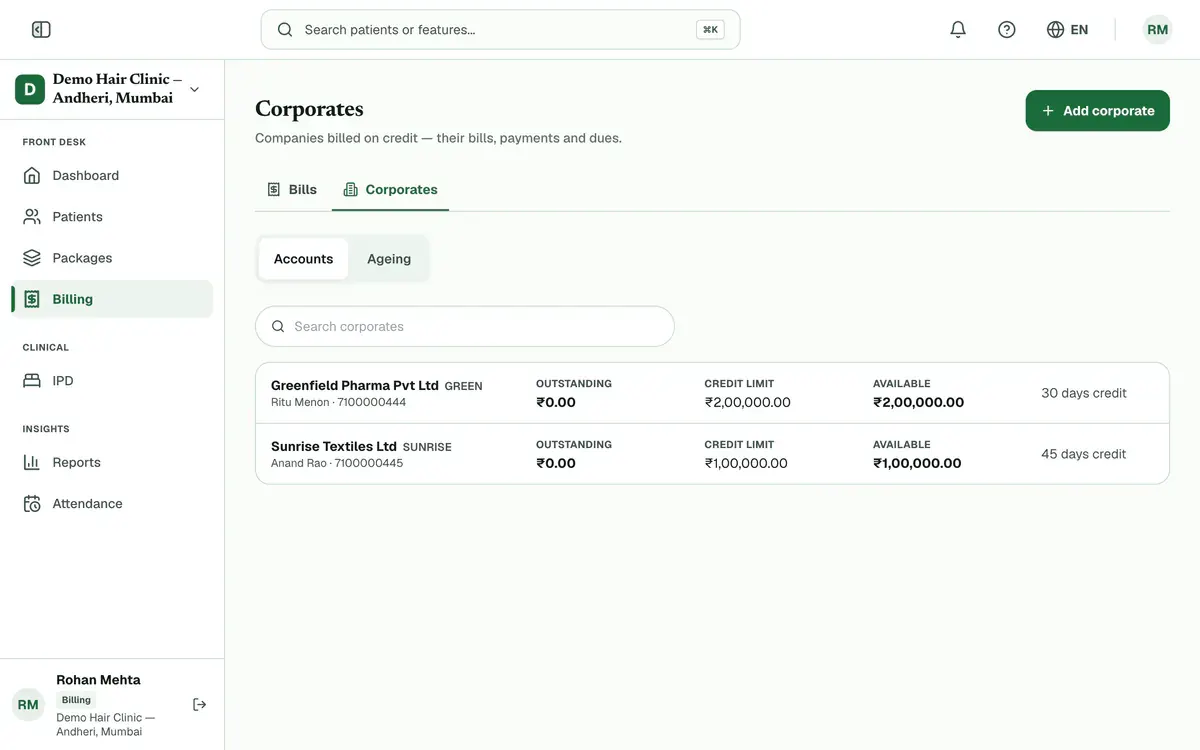
Step 1 of 8 Press Add corporate and type the Company name.
Tip:Only the name is needed. A GSTIN, if you add one, must be 15 characters.
Set the Credit limit (₹) and Payment terms (days), then press Save.
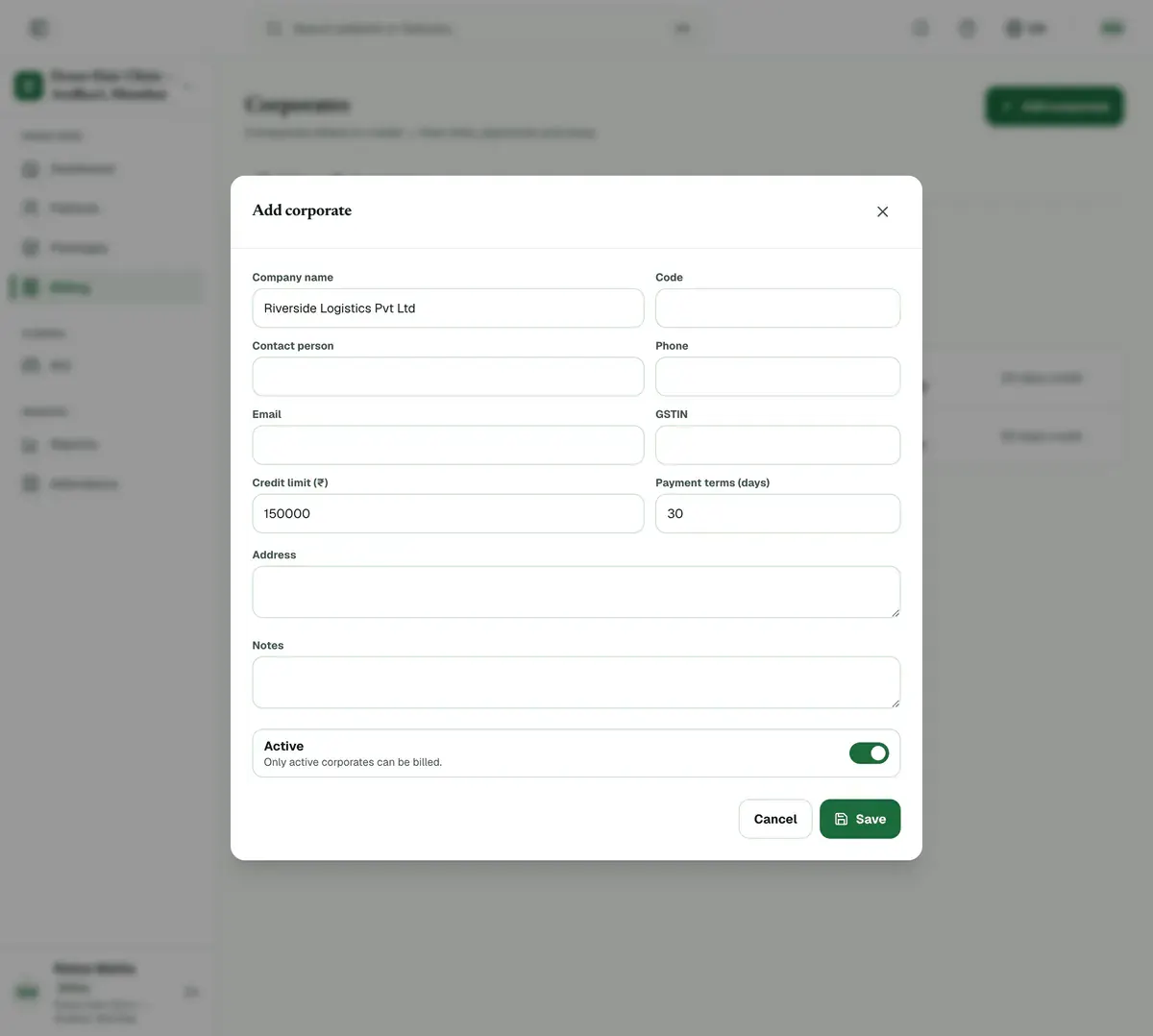
Step 3 of 8 Tip:Leave the limit blank for no limit. Terms are filled in as 30 days and can be 0 to 365.
Open an unpaid or part-paid bill and press Bill to corporate.
Tip:For a registered patient, you can also set Bill to to the company when you create the bill.
Careful:The button shows only on a bill with an amount due. A draft or a fully paid bill does not show it.
Pick the company, add the Employee ID if you have it, and press Bill to corporate.
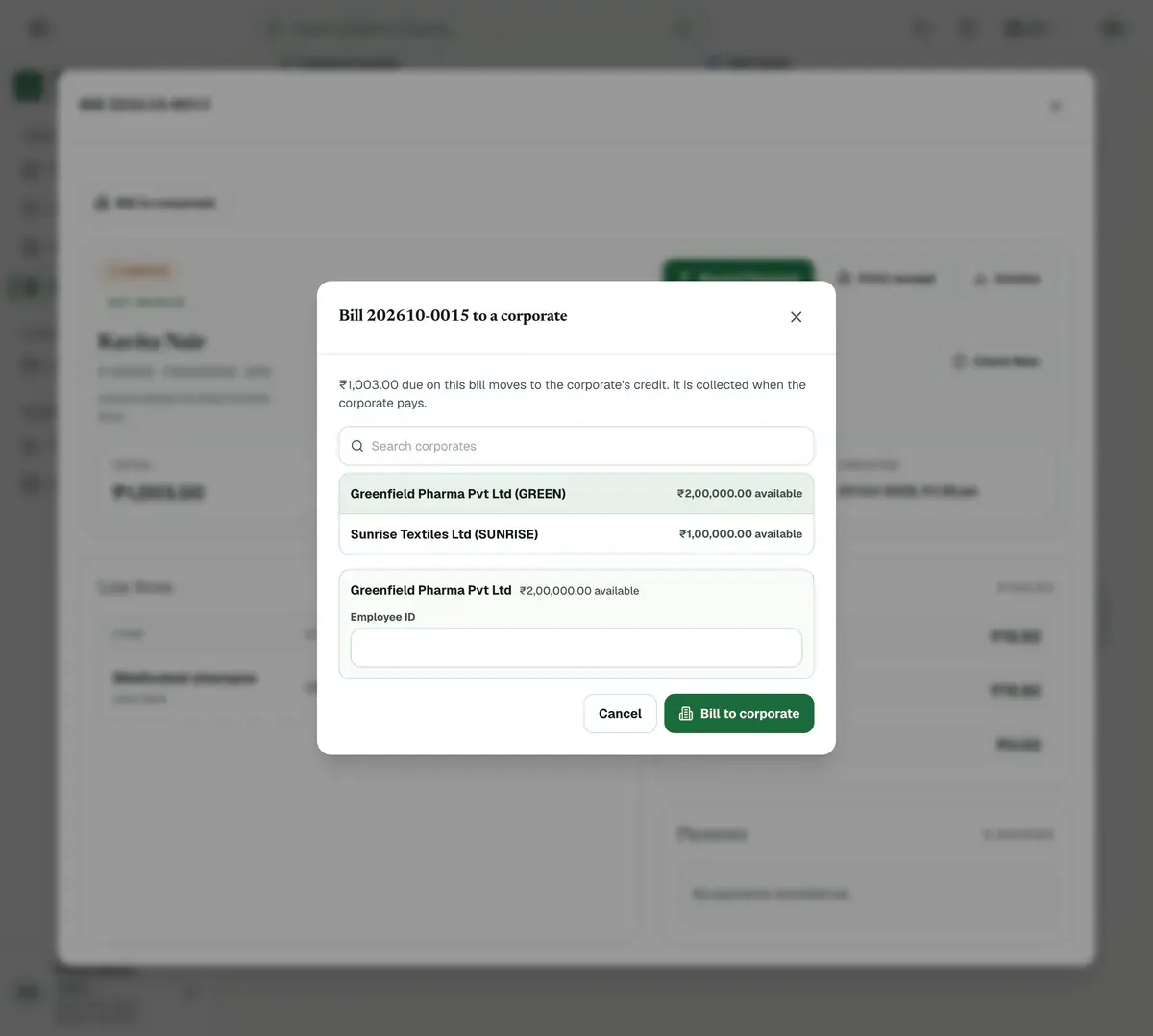
Step 5 of 8 Tip:The amount due moves to the company’s credit. Link the patient under Employees and their company is listed first.
Careful:If the bill takes the company over its credit limit, only someone allowed to override limits can post it, usually an admin.
Press Ageing to see which company owes money and for how many days.
Tip:Dues are grouped as 0–30, 31–60, 61–90 and 90+ days.
Open the company when it pays, press Record payment and enter the amount, mode and cheque or UTR number.
Press Record payment. The oldest bills are settled first unless you choose Split by hand.
Careful:The amount cannot be more than the company owes, and the date cannot be in the future.
If something goes wrong
Why can’t I take a normal payment on a company bill?
A bill on a company’s credit is paid by the company, not the patient. Record the money from the company’s page with Record payment.
Can I move a bill back to the patient?
Yes, until the company has paid towards it. Open the bill, press Move back to patient and give a reason.
Who can add companies and record their payments?
By default, admin and billing staff. Reception staff can press Bill to corporate on a bill, but cannot add a company or record its payment.
Related guides
Approve or reject a discount request
Open Billing and press the Approvals tab. Choose Waiting for approval, read the amount, percentage and reason, then press Approve or Reject. Rejecting needs a note. An approved bill discount goes onto the draft bill, which the desk then finalises.
3 minIncluded in Nursing Home and abovePay a referral or consultant fee
Open Billing and press the Referral fees tab. Pick the month, press a referrer’s name to see the bills behind their share, and press Finalise statement once the month has ended. Then pay the referrer and press Record payout with the reference.
5 minIncluded in Nursing Home and aboveCreate a GST invoice
Open Billing, press New Bill, choose the patient or tick Walk-in customer, and type each item with its quantity, rate and GST percentage. Check the total, press Create Bill and confirm. The bill opens straight away so you can press Record Payment and take cash, UPI or card.
4 minIncluded in Clinic and above
Was this guide helpful?
Last updated 23 Oct 2026By the Clinizy Care product team