
Book a theatre and record a surgery
- Admin and clinic owner
- Doctor
- Nurse
- Receptionist
Short answer
In Clinizy Care, open Operation theatre, press Book surgery and fill in the patient, theatre, time and surgeon. On the day, open the case, complete the Safety checklist, chart the anaesthesia and write the operation notes. Then press Complete surgery. Completing adds theatre fees to the bill as set in OT settings.
Before you start
- The front desk or admin books the surgery. Doctors and nurses start at step 3.
- Theatres must be added first, on the Theatres & settings tab.
Steps
Open Operation theatre and pick the day. Switch between Day and Week to plan.
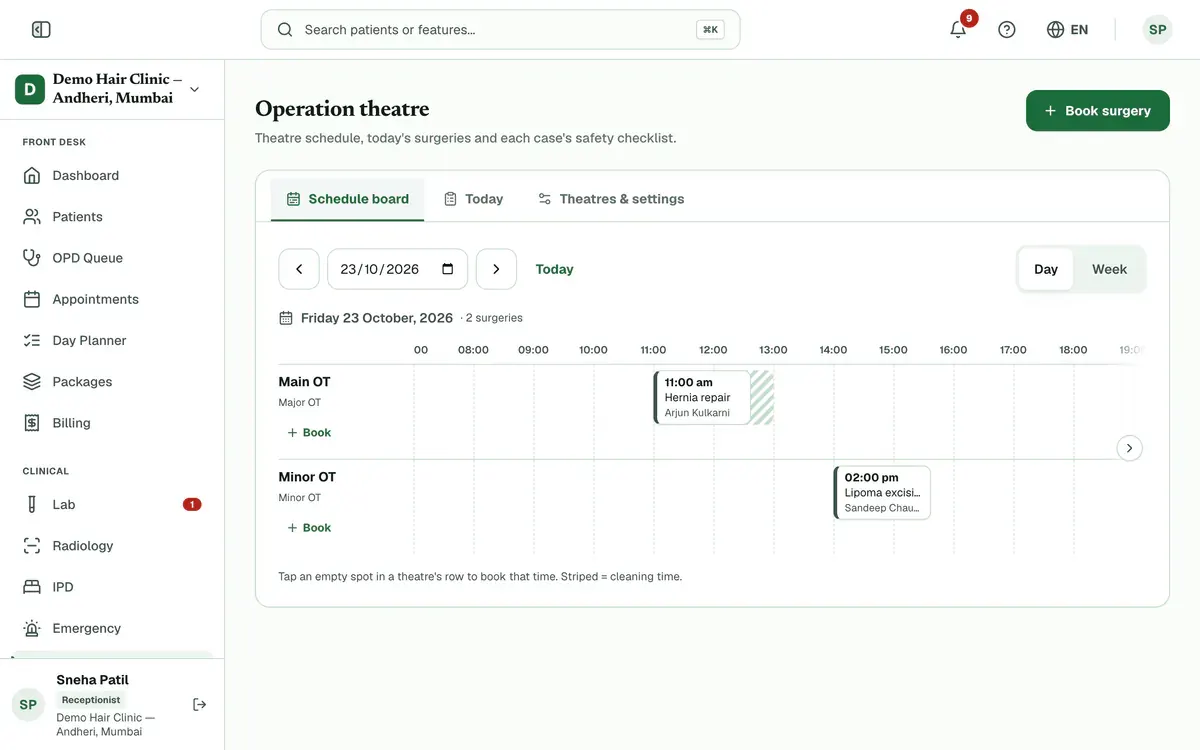
Step 1 of 8 Tip:On a phone, the page opens on the Today tab.
Press Book surgery. Fill in the patient, theatre, date, time, duration, procedure and surgeon, then press Book surgery.
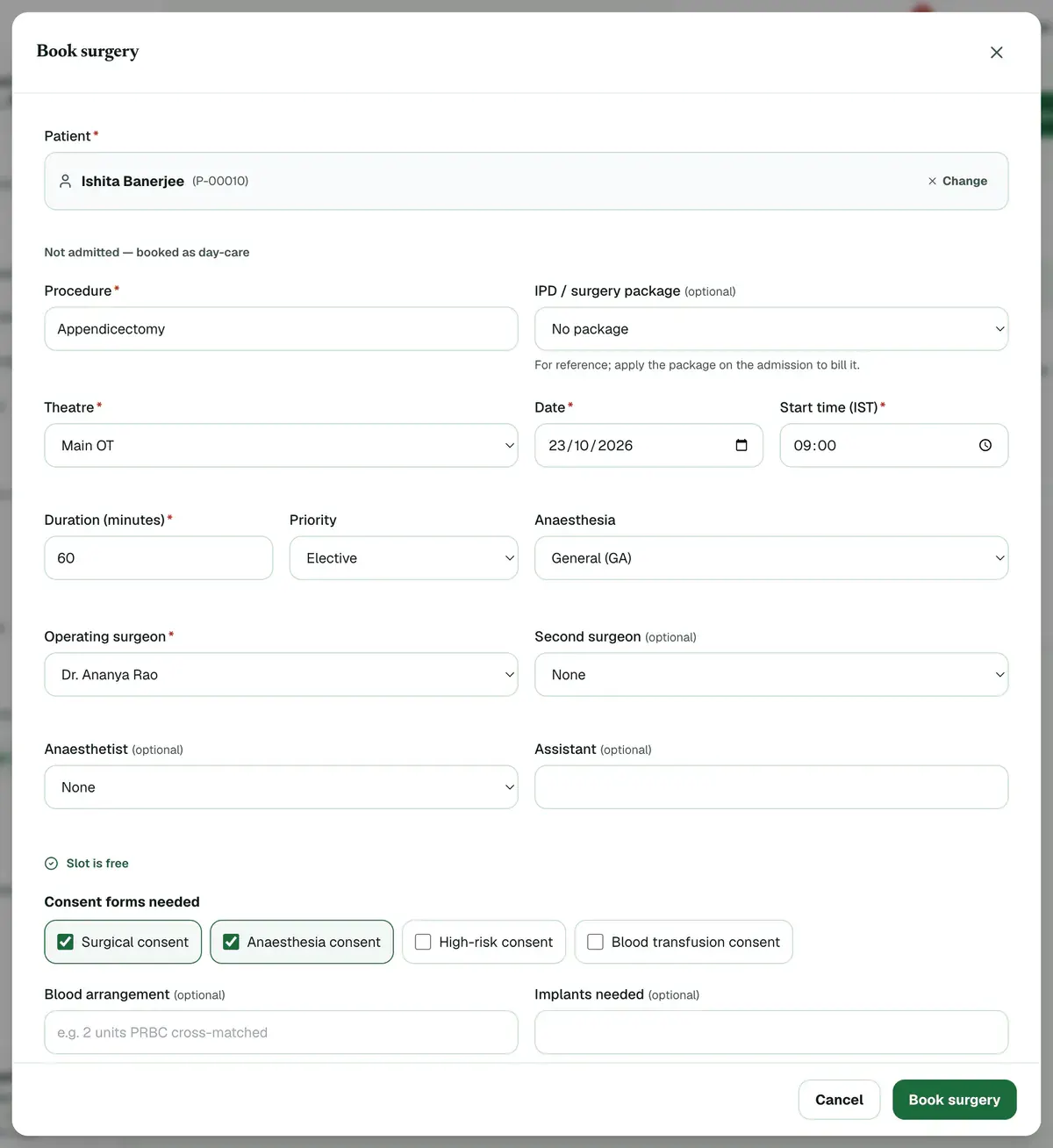
Step 2 of 8 Tip:The form checks the theatre, its cleaning time and the team as you type. Fix any clash it shows.
Open the case from the board or from the Today tab.
Tip:The overview tab holds the pre-op checklist and the consents the surgery needs.
Complete Sign in on the Safety checklist tab, then press Patient in OT.
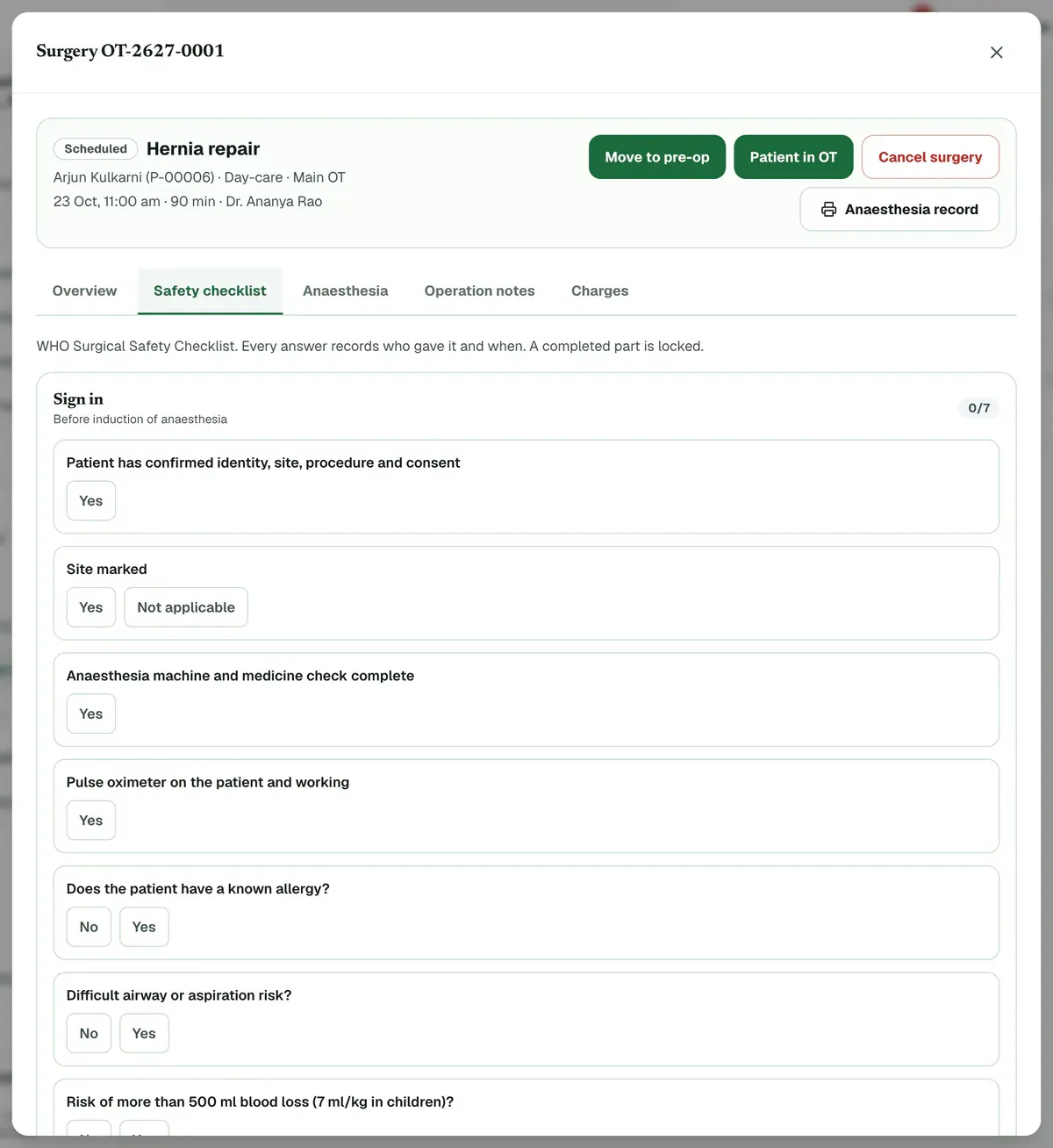
Step 4 of 8 Careful:The patient cannot be marked in theatre until Sign in is complete.
Record the anaesthesia on the Anaesthesia tab: vitals, fluids and events, each with its time.
Tip:Doctors add the drugs. Nurses add vitals, fluids and events.
Complete Time out before the incision and Sign out before the patient leaves the theatre.
Careful:These two open only after the patient is marked in theatre. A completed part is locked.
Write the Operation notes: findings, implants with batch numbers and specimens.
Careful:Operation notes are written by doctors.
Press Shift to recovery if the patient goes to recovery, then Complete surgery to finish.
Tip:Completing a case adds theatre time and fees to the bill, as set in your OT settings.
If something goes wrong
Can I book straight from the board?
Yes. Tap an empty spot in a theatre’s row, or press the Book link beside its name. The theatre, date and time are filled in for you. Striped areas are cleaning time.
Why can I not mark the patient in theatre?
Sign in must be complete first. Open the Safety checklist tab, complete every Sign in item and save. Then Patient in OT works.
Who sees what on a surgery?
The front desk books and edits the schedule but does not see the clinical tabs. Doctors and nurses see the checklist and anaesthesia. Doctors write the operation notes.
Related guides
Admit a patient
Open IPD, press New Admission, search for the patient and choose the doctor. Pick a ward and a free bed, add the diagnosis and the attendant’s details, then enter the deposit and confirm. The bed turns red on the bed map, and you can manage the stay later from the same list.
4 minIncluded in Nursing Home and aboveDischarge a patient and finish the bill
Open IPD, press Manage on the admission and add any deposits or charges. Open the Discharge tab and check the final bill. Give a discount if needed, choose the discharge type, press Discharge Patient and confirm. The bed is freed and the final bill is created.
6 minIncluded in Nursing Home and aboveGet a consent signed
Open the admission with Manage, go to the Consents tab and press Take consent. Choose the form, fill in its details and pick who signs. Let the patient read it in English or Hindi, then collect the signatures on the pad and press Save signed consent.
5 minIncluded in Nursing Home and above
Was this guide helpful?
Last updated 23 Oct 2026By the Clinizy Care product team