
Discharge a patient and finish the bill
- Admin and clinic owner
- Receptionist
- Billing staff
Short answer
In Clinizy Care, open IPD, press Manage on the admission and add any deposits or charges. Open the Discharge tab and check the final bill. Give a discount if needed, choose the discharge type, press Discharge Patient and confirm. The bed is freed and the final bill is created.
Before you start
- Have the amount, payment mode and receipt number ready for any new deposit.
- Complete or cancel any open surgery first, because it blocks the discharge.
Steps
Open IPD, find the admission and press Manage.
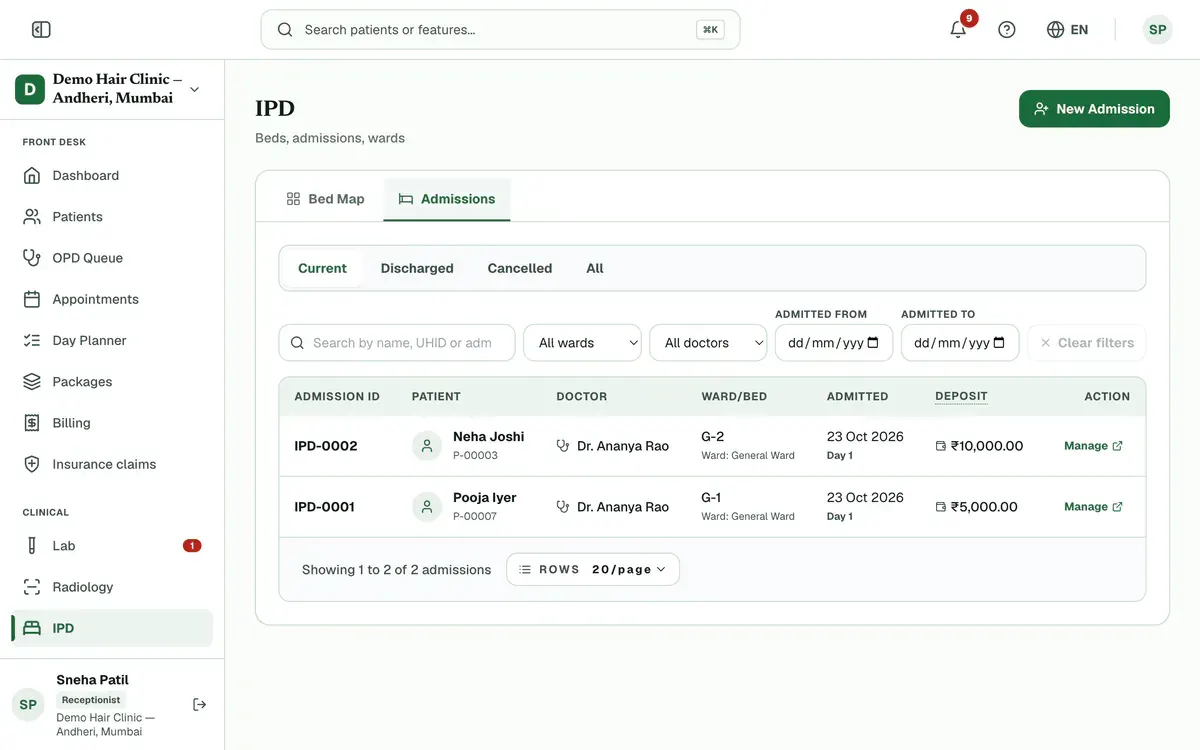
Step 1 of 8 Tip:You can also press Manage on the patient’s bed in the bed map.
Add any new deposit in the Deposit Ledger on Admission Details: amount, mode, receipt number, then Add.
Open Daily Charges, choose the stay day, list the services and medicines, then press Add Charges.
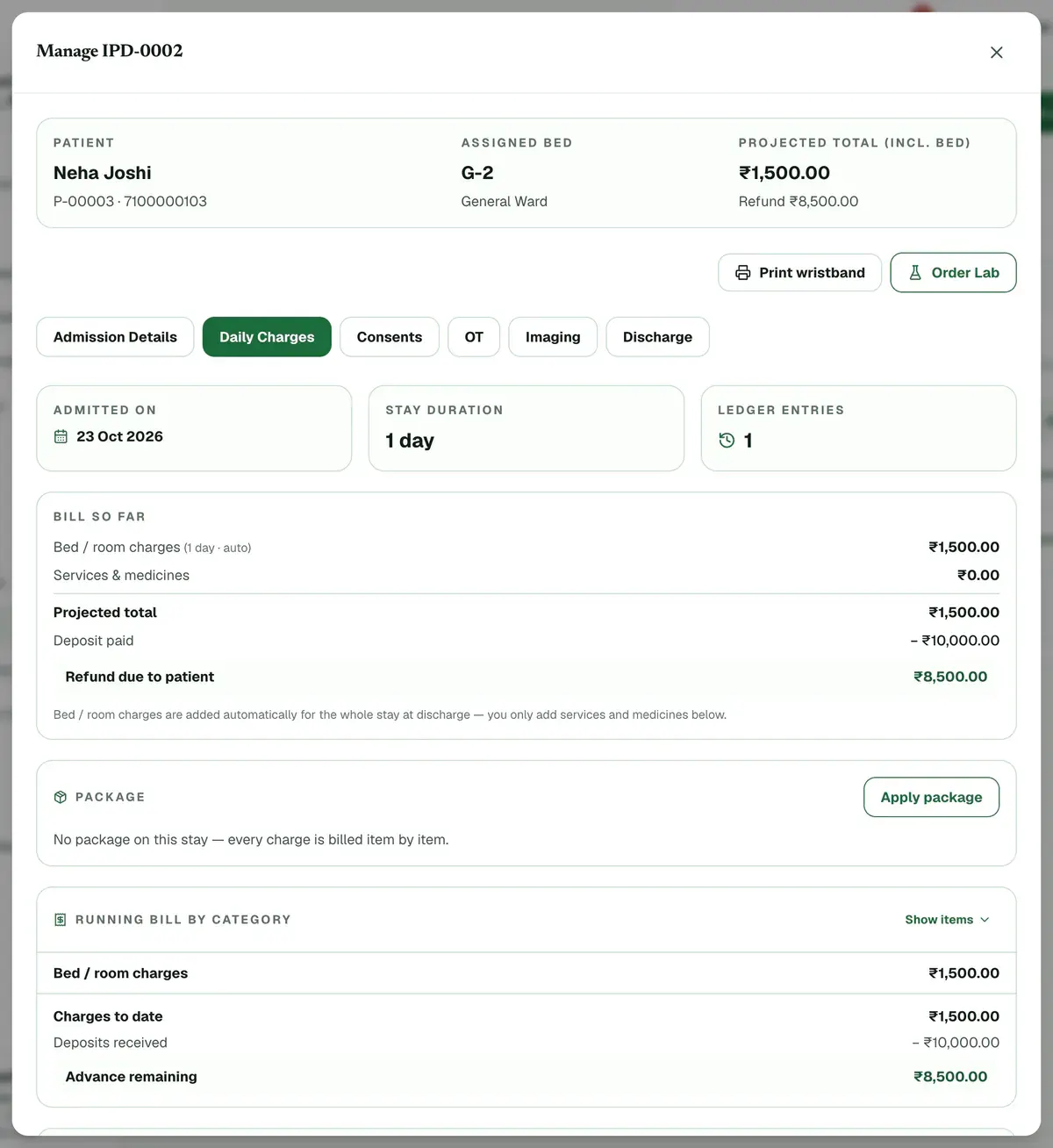
Step 3 of 8 Tip:Bed charges for the whole stay are added by themselves at discharge. Do not add them here.
Press Apply package if the patient has a package. Covered charges then bill at zero.
Tip:Press Generate interim bill at any time for a numbered running bill to print or send.
Open the Discharge tab and check the Final Bill Preview: charges, deposit, and balance or refund.
Tip:Add anything extra, such as an ambulance, under Add Extra Charges.
Enter a discount in Discount / concession if you are giving one, as ₹ or %.
Careful:A discount above 20% of the bill needs a reason. A discount above your limit needs an approver first.
Choose the Discharge type and, if there is one, the Follow-up date.
Press Discharge Patient, check the figures, then press Yes, discharge patient.
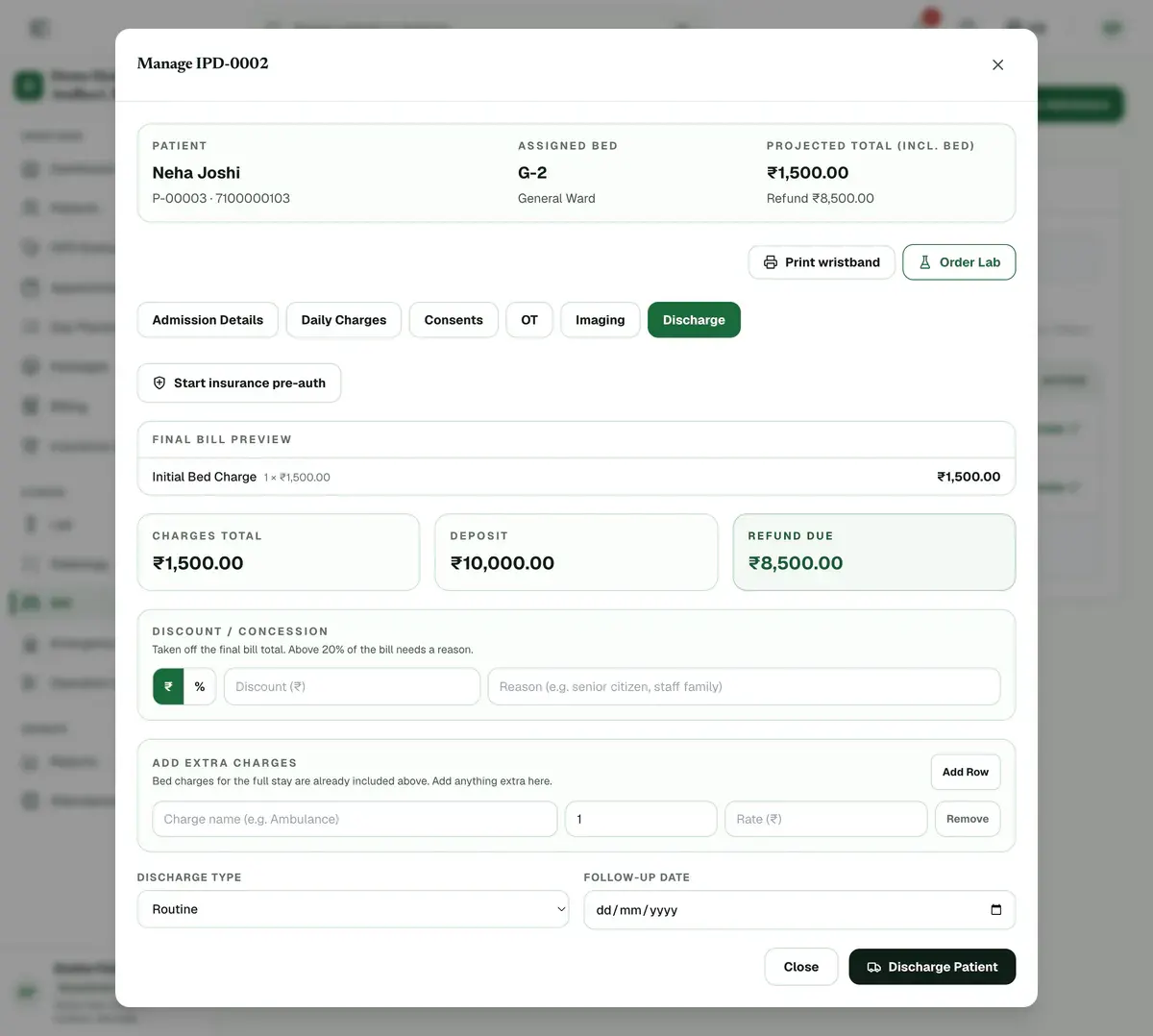
Step 8 of 8 Careful:A mistaken discharge can be reversed only within 48 hours, while the bed is free and no payment beyond the deposit is taken.
If something goes wrong
Do I add the bed charges myself?
No. Bed and room charges for the whole stay are added by themselves when you discharge. You only add services, medicines and any extras.
What if I discharge the wrong patient?
Open the admission, go to the Discharge tab and press Reverse discharge. It works only within 48 hours, while the bed is still free and no payment beyond the deposit was collected.
Why can I not discharge the patient?
Check three things. The final bill must load. A discount above 20% needs a reason, and one above your limit needs approval. Any open surgery must be completed or cancelled first.
Related guides
Admit a patient
Open IPD, press New Admission, search for the patient and choose the doctor. Pick a ward and a free bed, add the diagnosis and the attendant’s details, then enter the deposit and confirm. The bed turns red on the bed map, and you can manage the stay later from the same list.
4 minIncluded in Nursing Home and aboveGet a consent signed
Open the admission with Manage, go to the Consents tab and press Take consent. Choose the form, fill in its details and pick who signs. Let the patient read it in English or Hindi, then collect the signatures on the pad and press Save signed consent.
5 minIncluded in Nursing Home and aboveMove a patient to another bed
Open IPD, find the patient’s red bed on the bed map and press Transfer. Choose the new ward, then a free bed, and press Save Changes. If your clinic asks for cleaning, the old bed stays amber until someone presses Mark ready after housekeeping.
3 minIncluded in Nursing Home and above
Was this guide helpful?
Last updated 23 Oct 2026By the Clinizy Care product teamSee the feature page