
Get a consent signed
- Admin and clinic owner
- Doctor
- Nurse
- Receptionist
Short answer
In Clinizy Care, open the admission with Manage, go to the Consents tab and press Take consent. Choose the form, fill in its details and pick who signs. Let the patient read it in English or Hindi, then collect the signatures on the pad and press Save signed consent.
Before you start
- The patient must be admitted. Consents are taken on an open stay.
- The doctor or counsellor who explains the form signs too, so they should be present.
Steps
Open IPD, press Manage on the admission, then open the Consents tab.
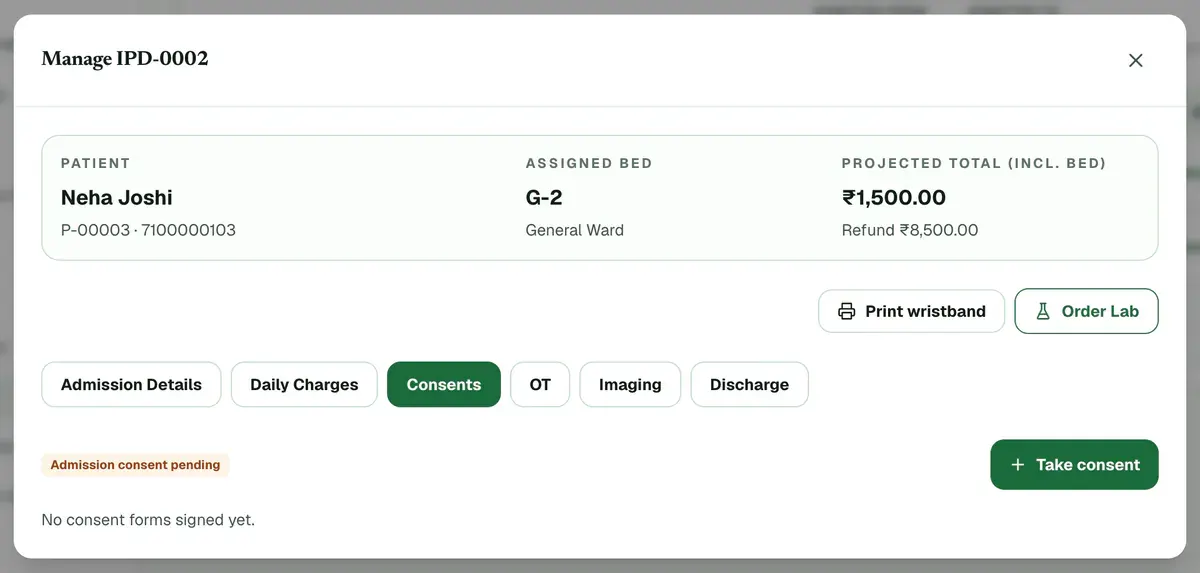
Step 1 of 8 Tip:The tab shows whether the admission consent is signed or still pending.
Press Take consent and choose the consent form.
Fill in the details the form asks for. Boxes marked * are required.
Choose Who is signing?: the Patient or a Guardian / relative.
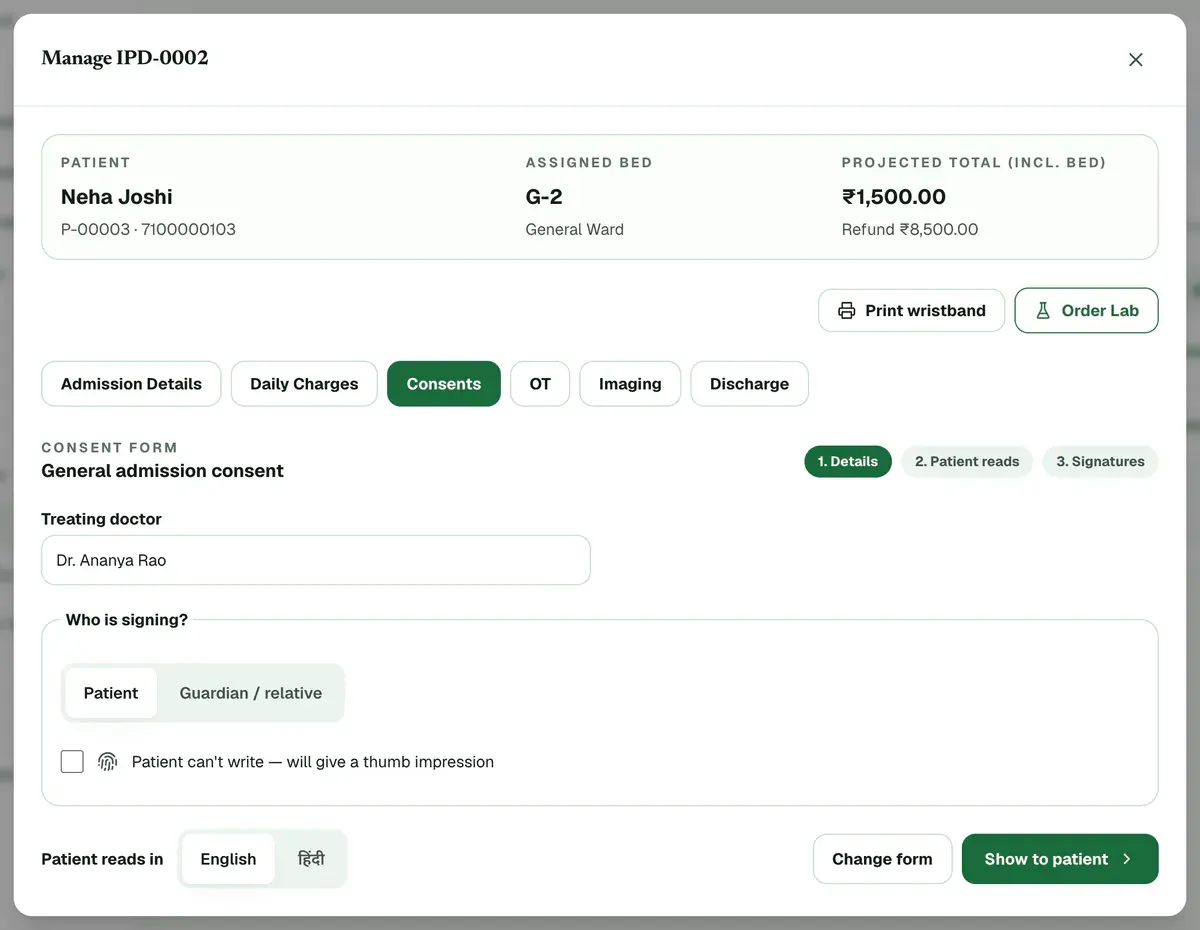
Step 4 of 8 Tip:For a guardian, fill in the name, the relation and why the patient cannot sign.
Pick the language, then press Show to patient so the patient can read the form.
Tip:Press Full screen for large type.
Tick the box that says the form was read or explained, then press Go to signatures.
Collect the signatures on the pad: the patient or guardian, a witness if needed, and the doctor or counsellor.
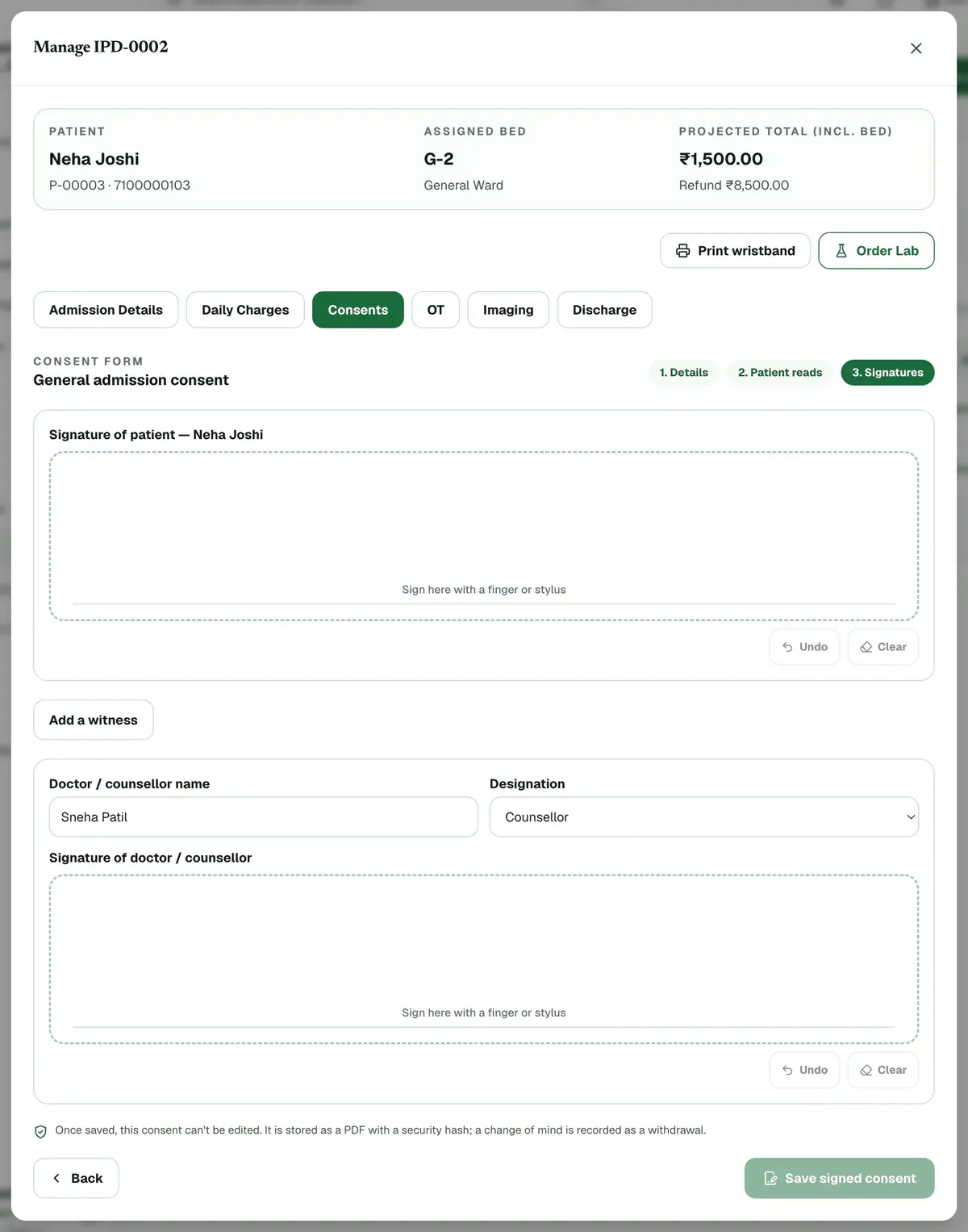
Step 7 of 8 Careful:A witness is required when the form needs one, or when the patient gives a thumb impression.
Press Save signed consent. The signed PDF is ready to print or save.
Careful:Once saved, a consent cannot be edited. A change of mind is recorded as a withdrawal.
If something goes wrong
What if the patient cannot sign?
Choose Guardian / relative and give the reason, or tick the thumb impression box. A thumb impression needs a witness. Print the PDF and take the thumb mark in the marked box.
Can I change a signed consent?
No. A signed consent is locked. If the patient changes their mind, press Withdraw on it. The signed form stays on record and a withdrawal is added.
Why does it say the form is not set up?
The form is switched off or missing. Ask an admin to turn it on under Settings, then Consent forms.
Related guides
Admit a patient
Open IPD, press New Admission, search for the patient and choose the doctor. Pick a ward and a free bed, add the diagnosis and the attendant’s details, then enter the deposit and confirm. The bed turns red on the bed map, and you can manage the stay later from the same list.
4 minIncluded in Nursing Home and aboveDischarge a patient and finish the bill
Open IPD, press Manage on the admission and add any deposits or charges. Open the Discharge tab and check the final bill. Give a discount if needed, choose the discharge type, press Discharge Patient and confirm. The bed is freed and the final bill is created.
6 minIncluded in Nursing Home and aboveGive medicines on the MAR
Open IPD and the Nursing tab, then press the patient’s card. The chart opens on Medications, which is the MAR. Press a dose marked due or overdue, add a note if needed, then choose Given, Held or Refused.
4 minIncluded in Nursing Home and above
Was this guide helpful?
Last updated 23 Oct 2026By the Clinizy Care product team