
Mark your attendance: clock in and out
- Admin and clinic owner
- Doctor
- Nurse
- Receptionist
- +6
Short answer
In Clinizy Care, open Attendance. The My Attendance tab opens first. Press Clock In when you start work and Clock Out when you leave, then confirm. The same tab shows your month and this week’s shifts. If you forget to clock in or out, ask your clinic admin to correct the day.
Before you start
- Sign in with your own account. Every role can clock in.
- You can clock in without a shift. If your admin has given you one, the tab shows it.
Steps
Open Attendance from the left menu. The My Attendance tab opens first.
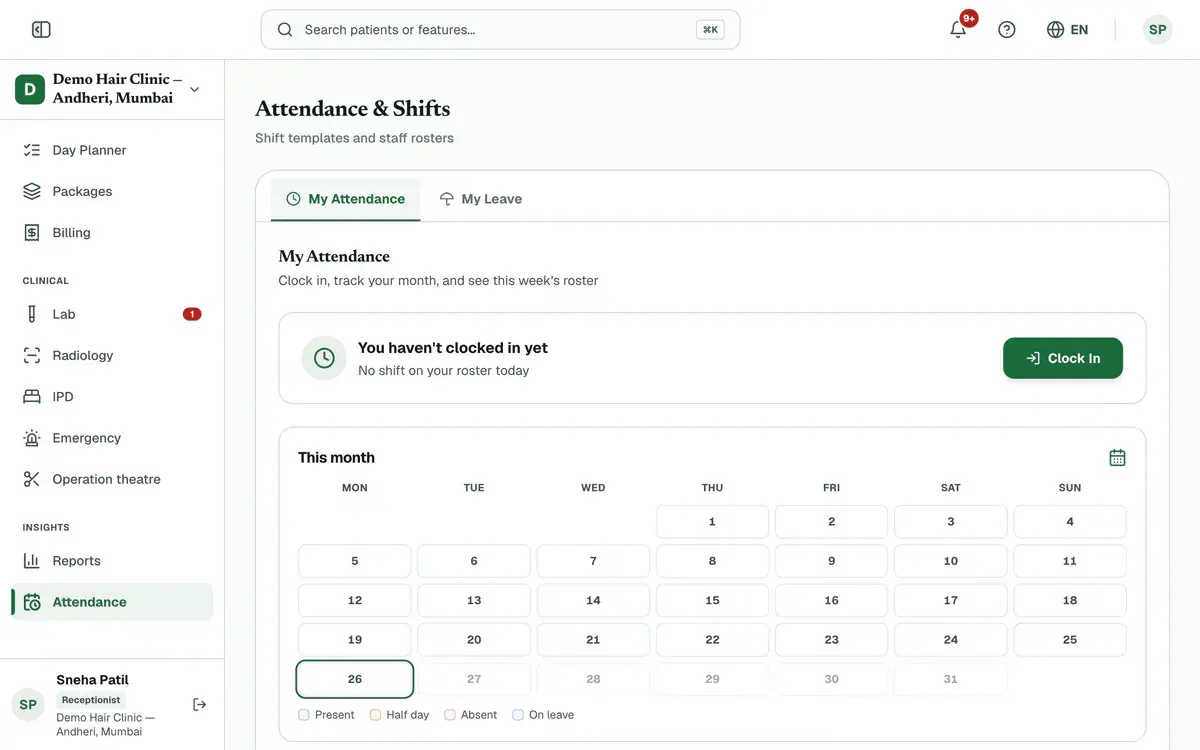
Step 1 of 5 Tip:The card under the title shows today’s shift from your roster, if you have one.
Press Clock In when you start work. The card then shows the time you clocked in.
Tip:A late badge appears if you clock in after your shift start and its grace time.
Read This month for each day so far, and This week's roster for your shift on each day this week.
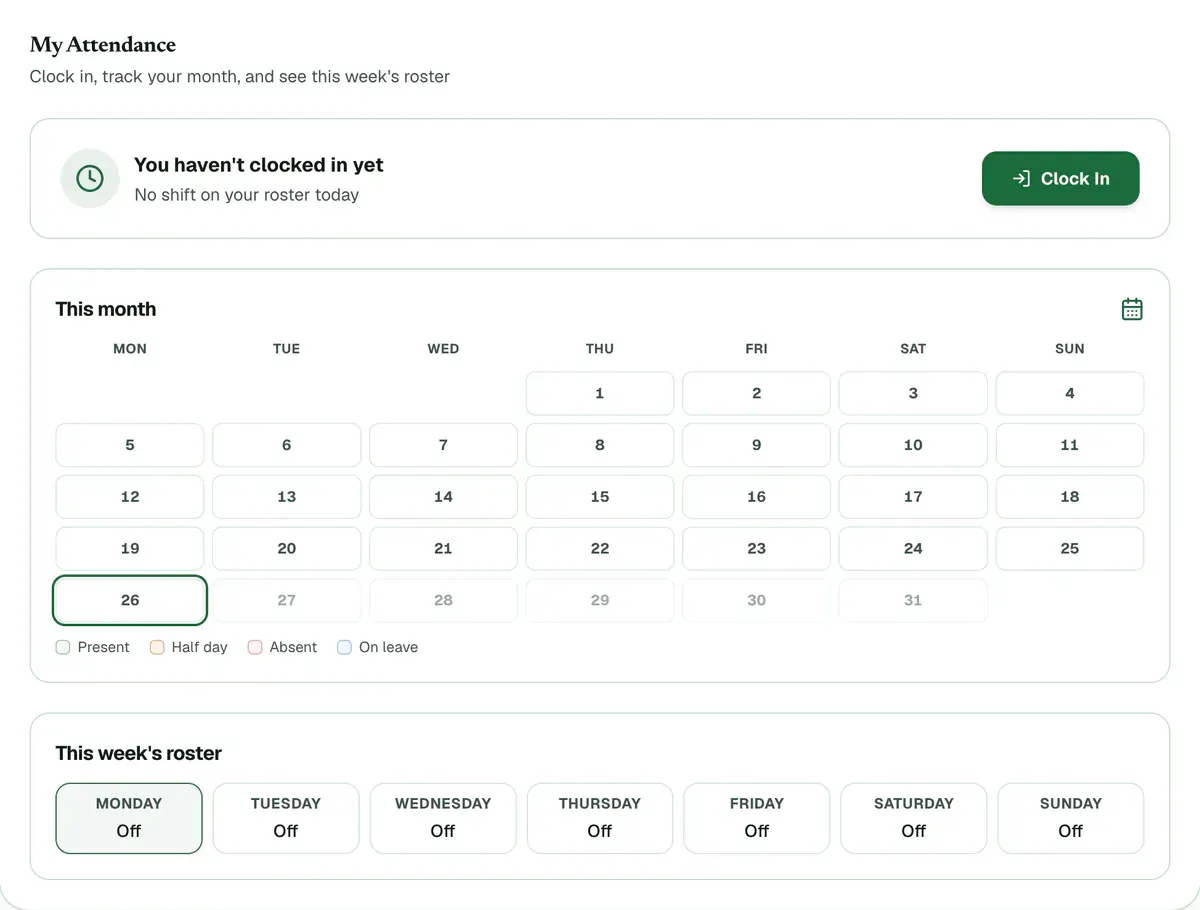
Step 3 of 5 Tip:The colours show present, half day, absent and on leave. Today has a green ring.
Press Clock Out when you leave, then confirm. The card shows how long you worked.
Careful:After you clock out, today is closed. You cannot clock in again until tomorrow.
Open My Leave and press Request leave to ask for time off.
Tip:On a day of approved leave, the card says you are on leave and has no clock-in button.
If something goes wrong
What if I forget to clock in or out?
Ask your clinic admin to correct the day. They can set your times in the attendance register and note the reason. If you were on the roster and never clocked in, the day shows absent until then.
Can I clock out after midnight on a night shift?
Yes. If you clocked in the evening before, Clock Out closes that shift the next morning.
Why are my appointment slots closed today?
Your admin has set your slots to follow your clock-in. Today’s slots open when you clock in and close when you clock out. Other days follow your weekly hours.
Related guides
Manage attendance and shifts
Open Attendance and create your shifts first. Then give each person a weekly pattern in Roster, check and correct each day in Register, and approve or reject requests in Leave Approvals. Use Summary for monthly totals and a CSV file.
5 minIncluded in Clinic and aboveSign in and find your way around
Open clinizy.in/login in your browser, type your phone number or email and your password, and press Sign in. Clinizy Care then opens your dashboard, built for your role. Use the left menu to move between pages, the top bar for search and alerts, and the help button whenever you are stuck.
3 minIncluded in Clinic and abovePlan the day with the Day Planner
Open Day Planner to see every doctor and technician on one screen. Check who is free in Team now, then press + Book on a free time and fill in the side panel. Press the one button on each card as the patient arrives, and work through the follow-ups on the right.
4 minAdd-on: Today board
Was this guide helpful?
Last updated 26 Oct 2026By the Clinizy Care product team