
Manage attendance and shifts
- Admin and clinic owner
Short answer
In Clinizy Care, open Attendance and create your shifts first. Then give each person a weekly pattern in Roster, check and correct each day in Register, and approve or reject requests in Leave Approvals. Use Summary for monthly totals and a CSV file.
Before you start
- Know your shift timings, such as a morning shift.
- Add your staff in Staff Management first.
Steps
Open Attendance from the left menu.
Tip:Everyone, you too, clocks in and out on the My Attendance tab and asks for time off in My Leave.
Open the Shifts tab and press Add shift. Enter a name and the start and end time, then save.
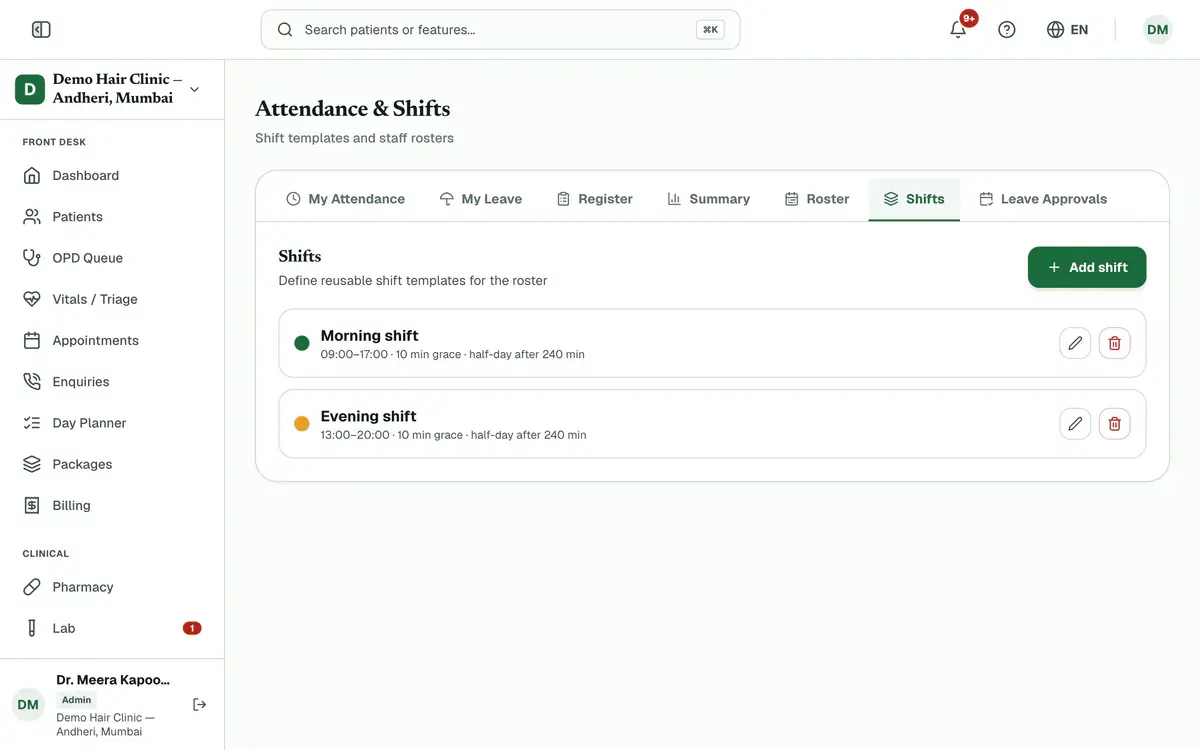
Step 2 of 6 Tip:You can also set a grace period and a half-day limit, both in minutes.
Open the Roster tab, choose a staff member, pick a shift for each day and press Save pattern.
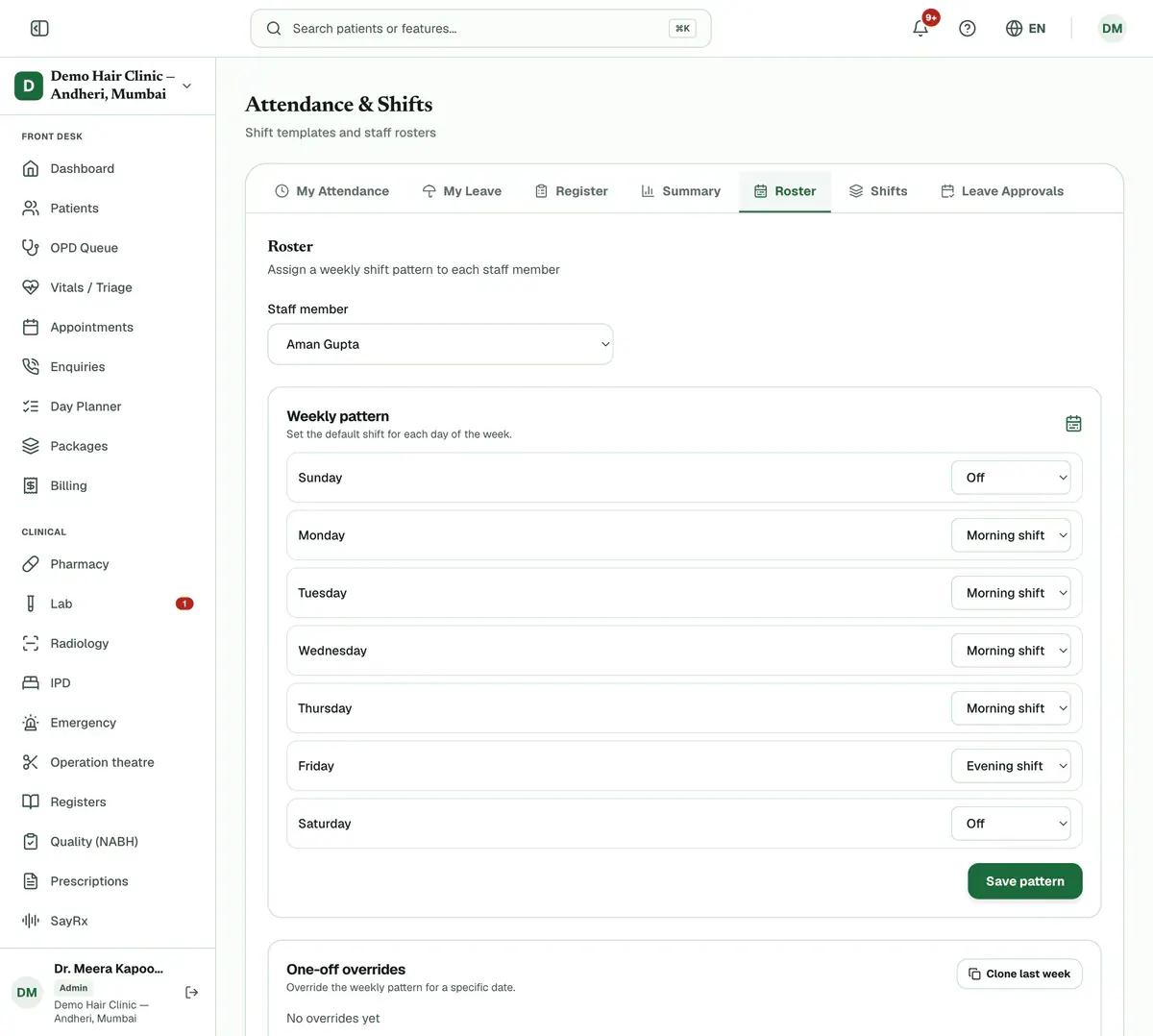
Step 3 of 6 Tip:For one date only, add a one-off override. Clone last week copies last week onto this week.
Open the Register tab and pick a day or month. Press a row to mark or correct that person’s attendance.
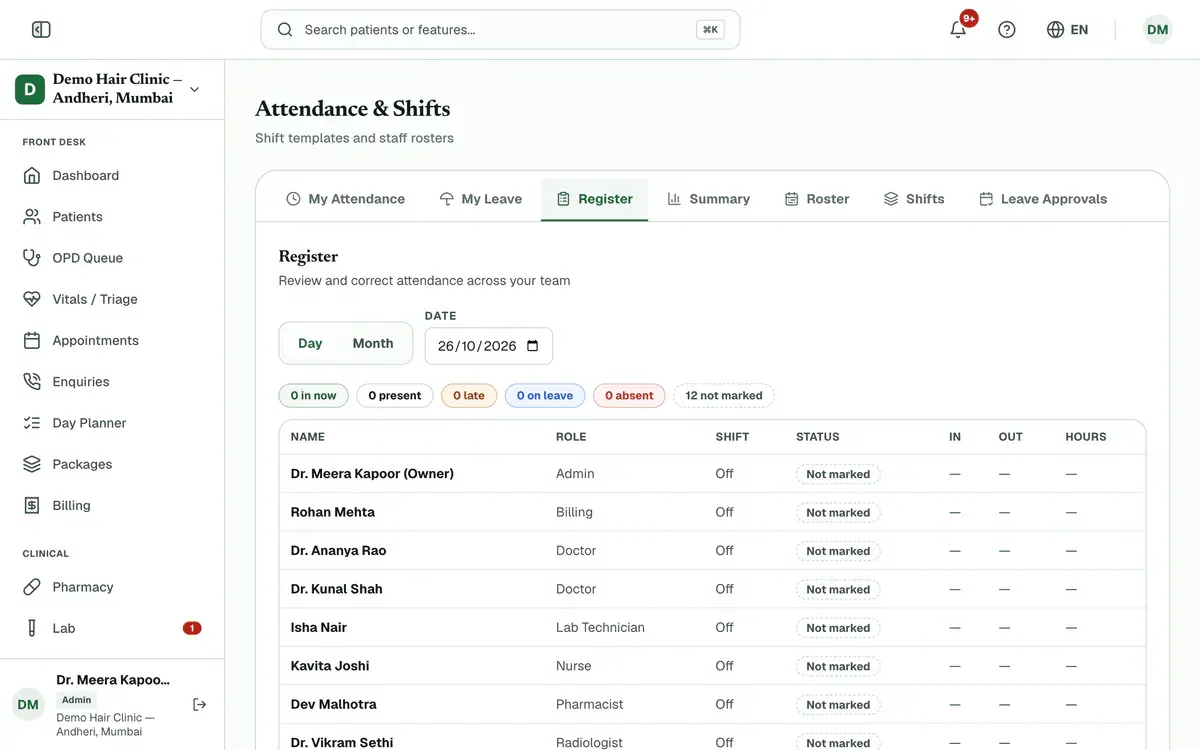
Step 4 of 6 Tip:The day view counts who is in now, late, on leave, absent or not marked yet. Add a note that gives the reason for any change.
Open the Leave Approvals tab. Press Approve or Reject on each pending request.
Tip:Set each person’s yearly leave under Leave balances, on the same tab.
Open the Summary tab and choose a month. Press Export CSV to download the table.
If something goes wrong
Why does a person show as Not marked?
They have not clocked in and nobody has marked them. If they were on the roster and never clock in, Clinizy Care marks them absent in the evening. Press their row in Register to correct it.
What happens if I delete a shift?
Days that used the shift become Off on the roster, so give those people a new shift. Clinizy Care asks you to confirm before it deletes the shift.
Can a doctor’s appointment slots follow their clock-in?
Yes. In Staff Management, edit the doctor and choose Weekly hours, only while clocked in. Today’s slots then open when they clock in and close when they clock out.
Can I tell staff why I rejected their leave?
Yes. The reject box has an optional note, and the staff member can see it.
Related guides
Mark your attendance: clock in and out
Open Attendance. The My Attendance tab opens first. Press Clock In when you start work and Clock Out when you leave, then confirm. The same tab shows your month and this week’s shifts. If you forget to clock in or out, ask your clinic admin to correct the day.
2 minIncluded in Clinic and aboveAdd staff and give them roles
Open Staff Management and press Add Staff. Enter the person’s name, mobile number and role, then save. Clinizy Care sends them a WhatsApp welcome and shows, live, whether it arrived. The welcome has no password, so copy the temporary password and share it with them. Edit, reset or deactivate staff on the same page.
5 minIncluded in Clinic and aboveRead your reports
Open Reports and press the report you need. Set the dates and check the preview table. Then press Export and choose CSV or Excel. The file is made in the background, so open Exports to download it. You see only the reports your role can use.
4 minIncluded in Clinic and above
Was this guide helpful?
Last updated 26 Oct 2026By the Clinizy Care product team