
Correct a wrong patient detail
- Admin and clinic owner
- Nurse
- Receptionist
Short answer
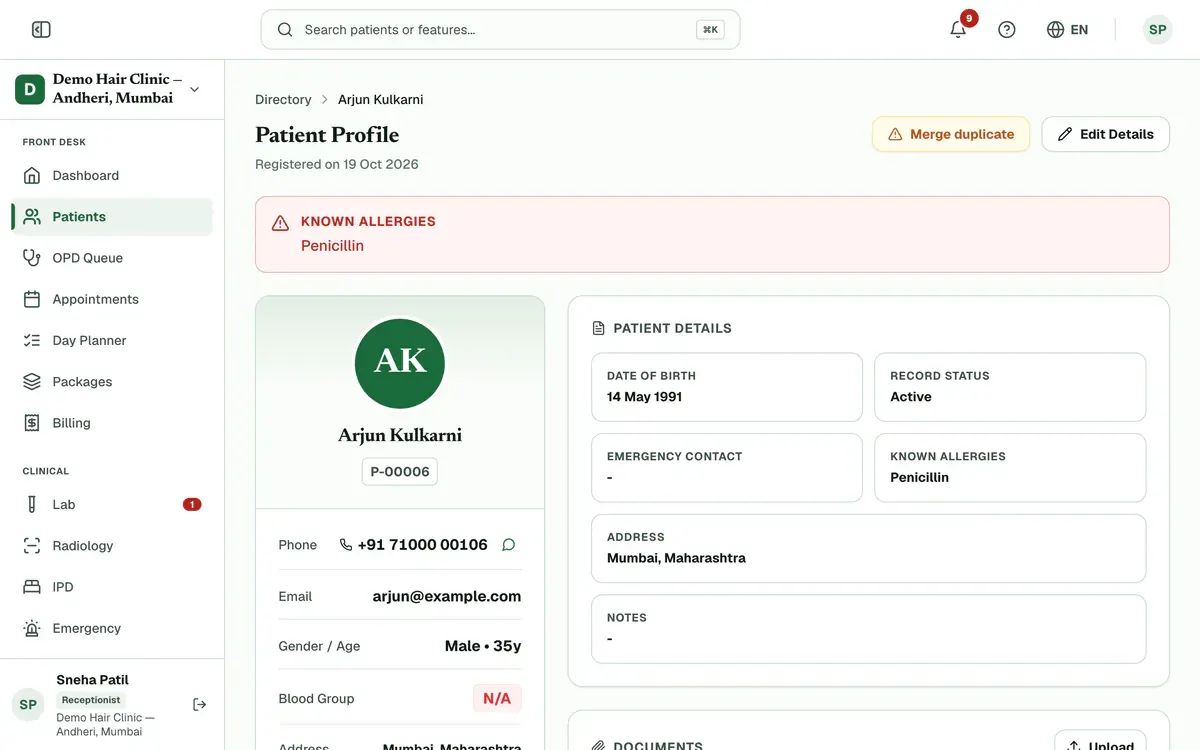
In Clinizy Care, open the patient’s record and press Edit Details. Change the wrong detail, such as the phone number, date of birth or allergies, then press Save Changes. If someone else saved the record first, Clinizy Care tells you and keeps what you typed, so nothing is lost.
Before you start
- Open the right patient. Check the name and UHID first.
- Have the correct detail ready, such as the phone number or date of birth.
Steps
Open the patient’s record from Patients by pressing their name.
Tip:If a row says Age not set, press Add to open the edit form at once.
Press Edit Details on the record.
Step 2 of 5 Correct the wrong field. The name, phone, date of birth and gender must stay filled in.
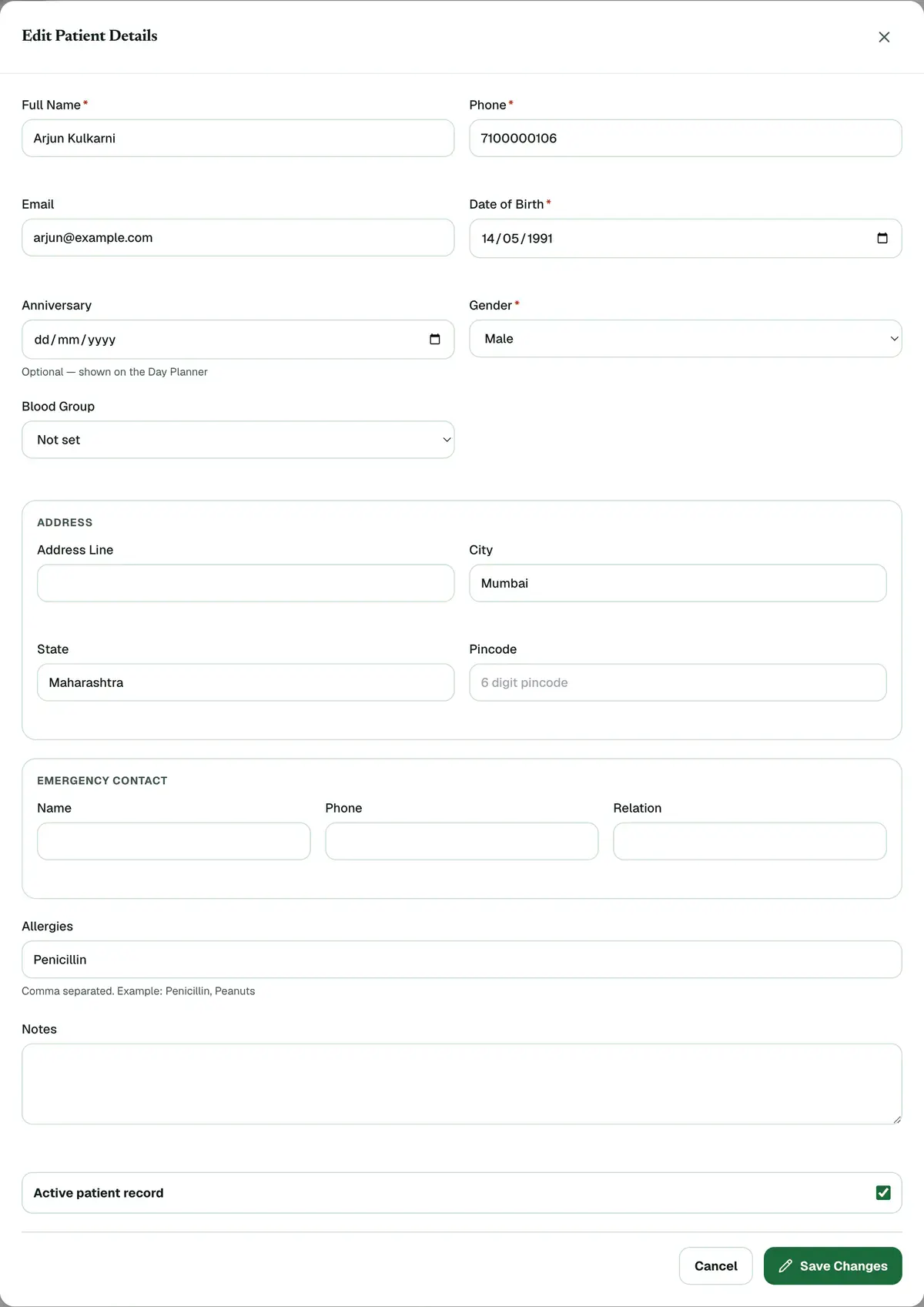
Step 3 of 5 Tip:Use a 10-digit mobile number that starts with 6, 7, 8 or 9.
Update Allergies if they changed. Separate each one with a comma.
Tip:Keep allergies up to date. The doctor sees them when writing a prescription.
Press Save Changes. A message confirms that the details were updated.
Careful:If you close the form with unsaved changes, Clinizy Care asks before it throws them away.
If something goes wrong
What if two people edit the record at once?
Clinizy Care shows a banner that says who changed it and when. Press Reload to see their changes, or Overwrite to save yours instead. Your typed values stay in the form.
Can I change a patient’s UHID?
No. The edit form has no UHID field, so a UHID never changes. If a patient was registered twice, merge the two records instead.
What if the patient is registered twice?
Open the extra record and press Merge duplicate. Enter the ID or UHID of the record to keep, and a reason. Only admins and receptionists see this button.
Related guides
Read a patient’s full record
Open Patients, search for the patient and press their name. The card on the left shows who they are and warns about allergies. On the right you will find the visit history, documents, prescriptions, lab orders, appointments and bills. You see only the parts your role needs.
4 minIncluded in Clinic and aboveRecord hair vitals and watch progress
Open the patient’s record and find the Hair progress card. Press Record hair vitals, enter the readings you have, such as grade, density or pull test, and press Save hair vitals. The first reading is the baseline. From the next one, the card shows what changed.
4 minAdd-on: Hair vitalsTake and compare clinical photos
Open the patient’s record, find the Photos card and press Add photos. Take or choose a photo for each view, then press Save photos. Once there are two sessions, press Compare to look at any two together. The card shows only if your clinic has the photo gallery, which comes with the hair and skin packs.
5 minAdd-on: Clinical photo gallery
Was this guide helpful?
Last updated 23 Oct 2026By the Clinizy Care product teamSee the feature page