
Dispense medicines
- Admin and clinic owner
- Pharmacist
Short answer
In Clinizy Care, open Point of Sale from the left menu. Pick the patient or a walk-in customer, then scan or search each medicine to add it. Check the batch and quantity, enter the payment, and press Complete Sale. Stock goes down at once, and the receipt is ready to print or send.
Before you start
- Know who the medicines are for, or the walk-in customer’s name.
- Keep the doctor’s prescription ready if there is one.
- Have the payment ready: cash, UPI or card.
Steps
Open Point of Sale from the left menu.
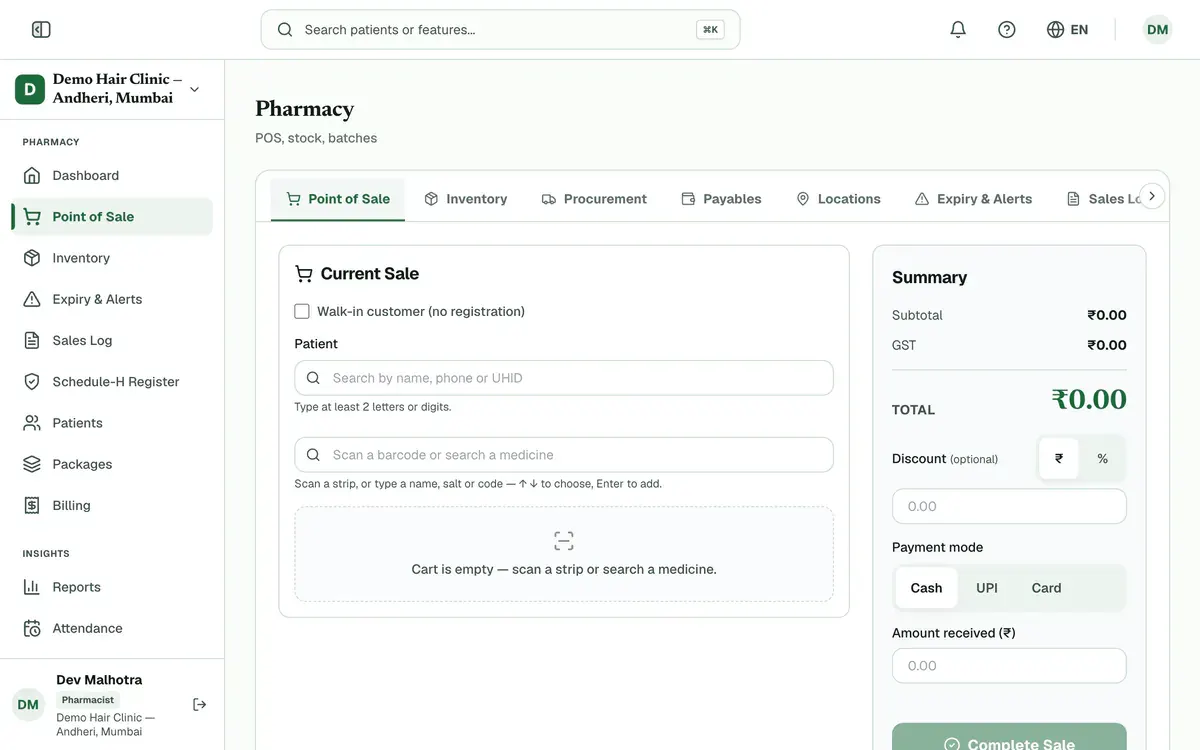
Step 1 of 8 Tip:If your menu shows Pharmacy instead, open it and choose Point of Sale.
Search for the patient by name, phone or UHID. For someone not registered, tick Walk-in customer (no registration) and type the name.
Press Load from Rx on the patient’s waiting prescription to add its medicines.
Tip:Only a finalized prescription can be loaded. Skip this step for an over-the-counter sale.
Scan the strip, or type the name, salt or code in the medicine search box, then pick the medicine.
Tip:The Recently sold buttons add a medicine in one tap.
Check the batch, expiry and quantity on each line. The batch that expires first is used first.
Careful:A Schedule H, H1 or X medicine needs the prescriber’s name, registration number and prescription date under Prescription details.
Enter a discount in ₹ or % if you are giving one.
Careful:A discount above 20% of the bill needs a reason. Your clinic’s finance rules may also ask an approver to agree.
Choose Cash, UPI or Card, then enter the Amount received (₹).
Tip:If you enter less than the total, the balance stays due. Any change to give back is shown.
Press Complete Sale and confirm. Stock goes down, and the receipt is ready to print or send.
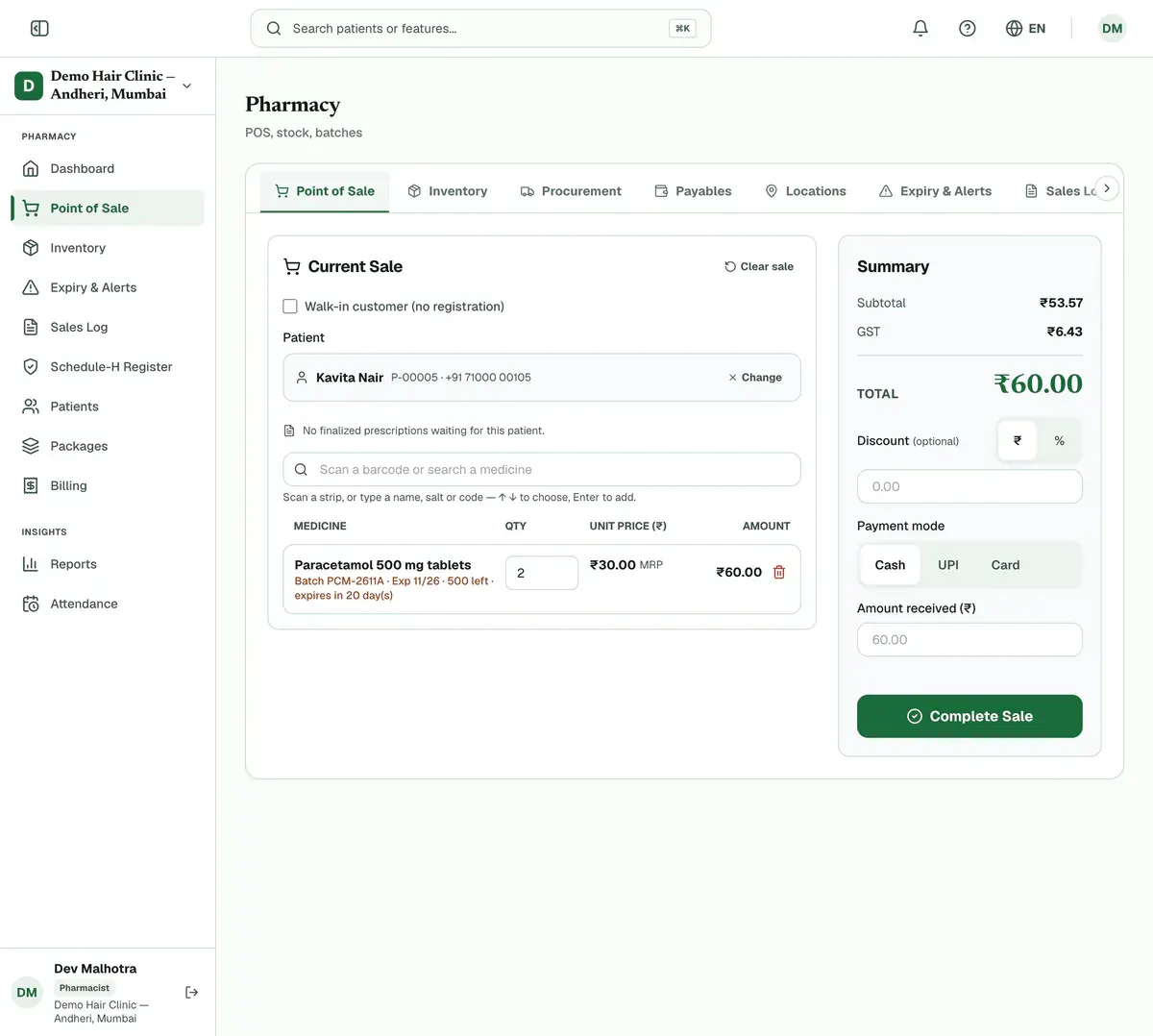
Step 8 of 8 Tip:If the sale will not complete, read the hint under the button. It says what is missing.
If something goes wrong
Can I sell to someone who is not registered?
Yes. Tick Walk-in customer (no registration), type the customer’s name and add a phone number if you want. You do not need to register them first.
What if a medicine is out of stock?
The line shows Out of stock, and Clinizy Care lists other brands with the same salt that you have. Pick one to swap it. If the prescriber asked for that brand only, no swap is offered.
Can I change the price of a medicine?
Prices come from the batch MRP. Only people allowed to edit prices, usually the admin, can lower one, and it needs a reason. A price can never go above the MRP.
Related guides
Find stock that is expiring
Open Expiry & Alerts. It groups batches that have already expired and those expiring in 30 days, 31 to 60 days and 61 to 90 days. Use the ⋯ menu on a batch to view it in stock, sell it at a discount, or send it back to the supplier.
3 minIncluded in Clinic and aboveReceive stock and add batches
Open Inventory and search for the medicine. If it is new, press Add Medicine first. Then press Add Batch on its row and enter the batch number, expiry date, quantity, MRP and purchase price. The stock is ready to sell as soon as you save.
4 minIncluded in Clinic and aboveAdjust or return stock
Open Procurement. To remove damaged, expired or miscounted units, press Write off stock, choose the batch and quantity, and give a reason. To send goods back to a supplier, press Purchase return, choose the receipt and batch, and give a reason. Both are saved with a record.
4 minIncluded in Nursing Home and above
Was this guide helpful?
Last updated 23 Oct 2026By the Clinizy Care product teamSee the feature page