
Give a discount or record a refund
- Admin and clinic owner
- Billing staff
- Receptionist
Short answer
In Clinizy Care, type the rupee amount in Discount (₹) when you create a bill, and add a reason once it is above 20% of the bill. If your clinic uses approvals, a discount above your limit waits for an approver. To refund, open the bill with a refund due, press Record refund and confirm.
Before you start
- Know how much discount you may give. Your clinic can set a limit.
- For a refund, have the cash, UPI or bank details ready to pay the patient back.
Steps
Add the items on New Bill, then type the rupee amount in Discount (₹).
Careful:The discount cannot be more than the bill total.
Write why in Discount Reason. A reason is needed once the discount is more than 20% of the bill.
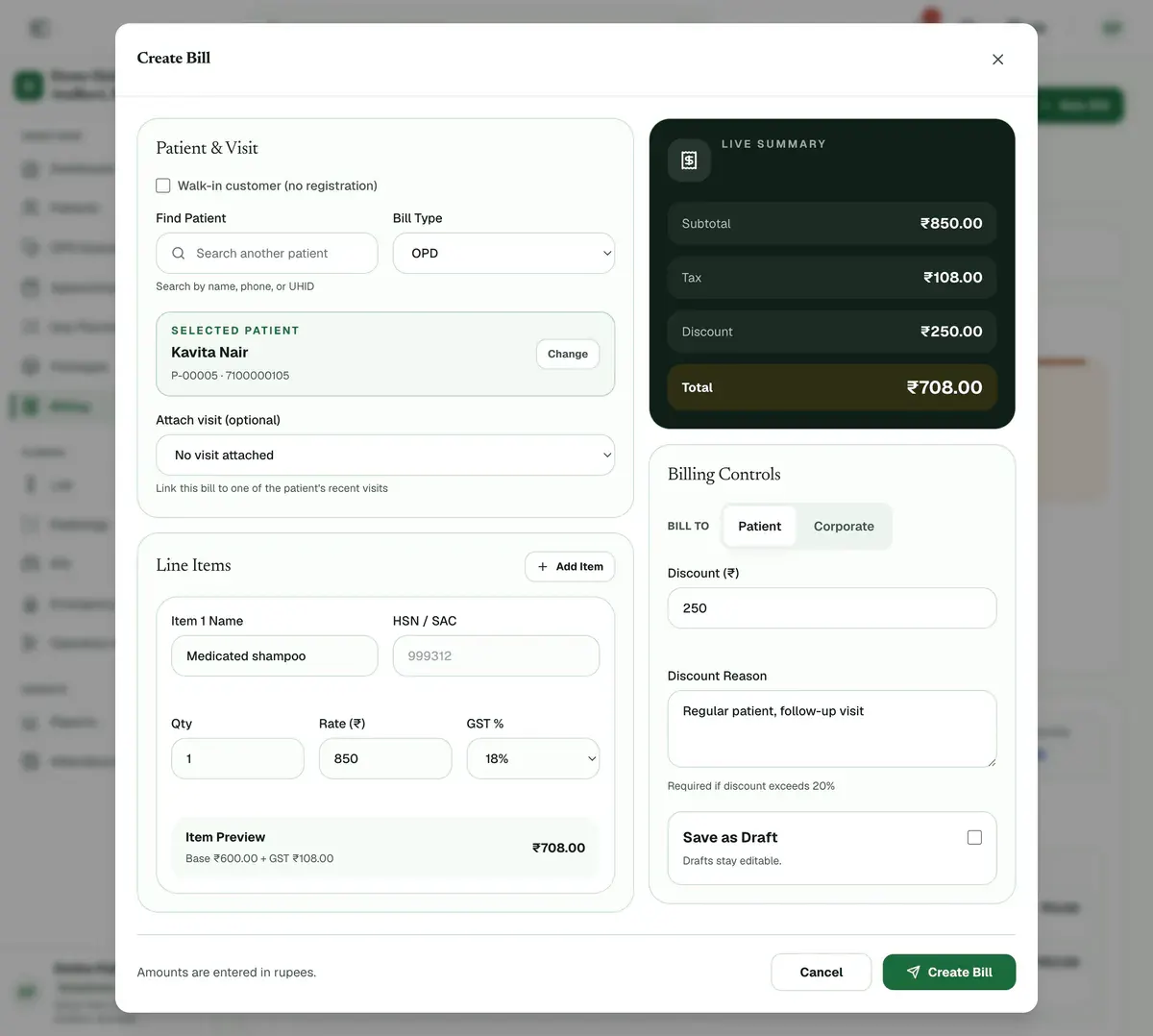
Step 2 of 7 Press Create Bill and confirm.
Tip:If approvals are on and the discount is above your limit, the bill saves as a draft at full price and goes to an approver.
Open a draft that was waiting for approval and press Finalize this draft once the approver says yes.
Tip:The approved discount is already on the draft. The bill cannot be finalized while it waits.
Open the bill that shows a refund badge. The Refunds Due total lists them when any are waiting.
Press Record refund. Check the amount, or press Refund full due to fill it in.
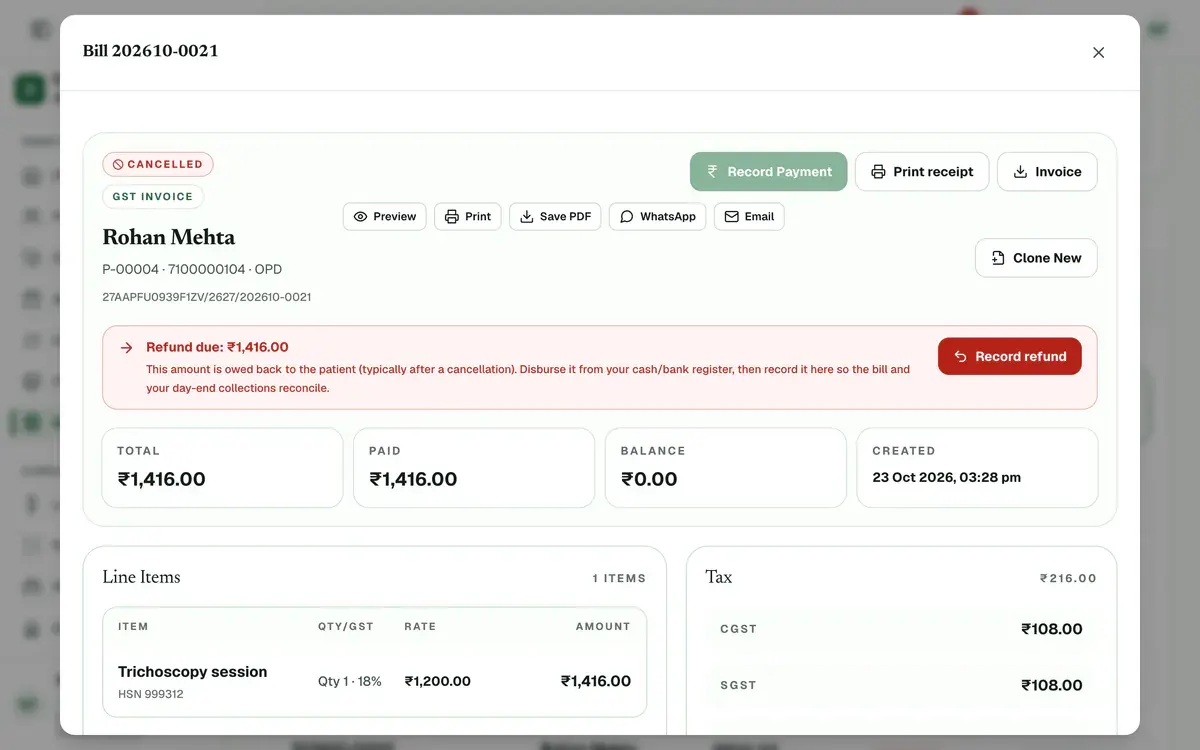
Step 6 of 7 Careful:Give the money back from your cash or bank register first, then record it here.
Choose the refund mode, add a reference and confirm. The refund is listed under Refunds settled.
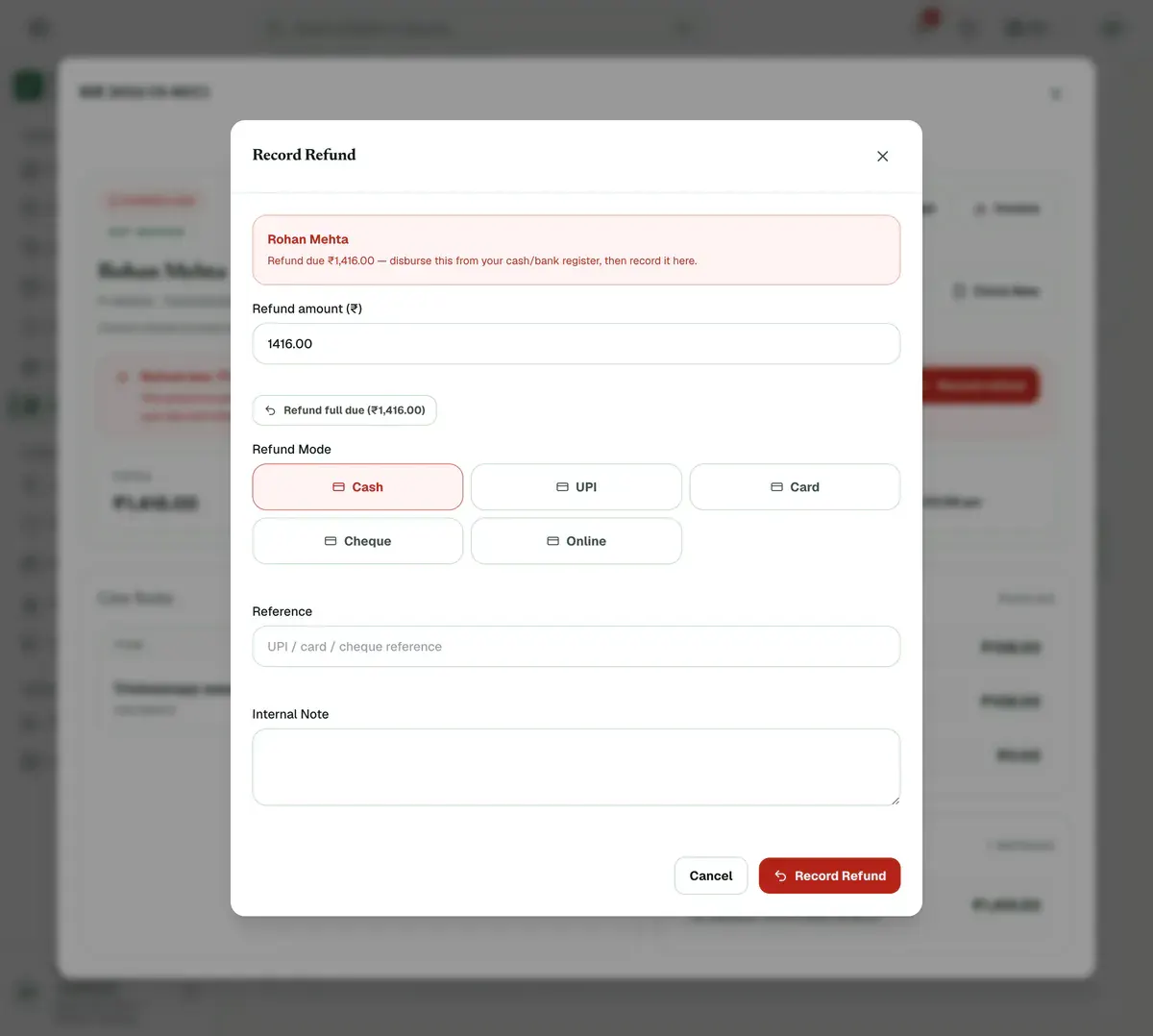
Step 7 of 7 Tip:You can refund part now and the rest later. The amount must be above ₹0 and not more than the refund due.
Careful:If the day was closed, ask an admin to press Reopen day first.
If something goes wrong
When does a discount need an approver?
Only when your clinic has switched on discount approvals and the discount is above your limit. With no limit set, the starting limit is 10% of the bill or ₹500, and anything above either needs approval. An admin changes it in Finance controls.
When does a bill show a refund due?
Usually after a paid bill is cancelled. The bill then shows a refund badge. Open it and press Record refund after you hand the money back.
Can I refund only part of the amount?
Yes. Type a smaller amount in Refund amount (₹). The rest stays as refund due until you record it.
Related guides
Create a GST invoice
Open Billing, press New Bill, choose the patient or tick Walk-in customer, and type each item with its quantity, rate and GST percentage. Check the total, press Create Bill and confirm. The bill opens straight away so you can press Record Payment and take cash, UPI or card.
4 minIncluded in Clinic and aboveFind a bill and collect payment
Open Billing and type a bill number, patient name, UHID or phone number in the search box. Press a status chip such as Unpaid to narrow the list. Open the bill, press Record Payment, enter the amount and how it was paid, and confirm. The bill moves to Partial or Paid.
4 minIncluded in Clinic and aboveBill a company and collect its payment
Open Billing, press the Corporates tab and add the company with Add corporate. Then open an unpaid bill and press Bill to corporate to move its balance to the company’s credit. When the company pays, open its page and press Record payment. The oldest bills are settled first.
5 minIncluded in Nursing Home and above
Was this guide helpful?
Last updated 23 Oct 2026By the Clinizy Care product teamSee the feature page