
Keep the birth and death registers
- Admin and clinic owner
- Doctor
Short answer
In Clinizy Care, open Registers, choose births or deaths and check the 21-day CRS due dates. After you register an entry on the CRS portal, press Mark reported and enter the registration number. You can also export a CSV in the CRS form’s column order.
Before you start
- Record each birth or death on the patient’s admission first, in its Documents tab.
- Have the CRS registration number from the portal ready.
Steps
Open Registers and choose Births or Deaths.
Set the From and To dates, and a Status if you want one.
Tip:The list opens on the last 60 days.
Check each entry’s due date and days left. Overdue entries show in red.
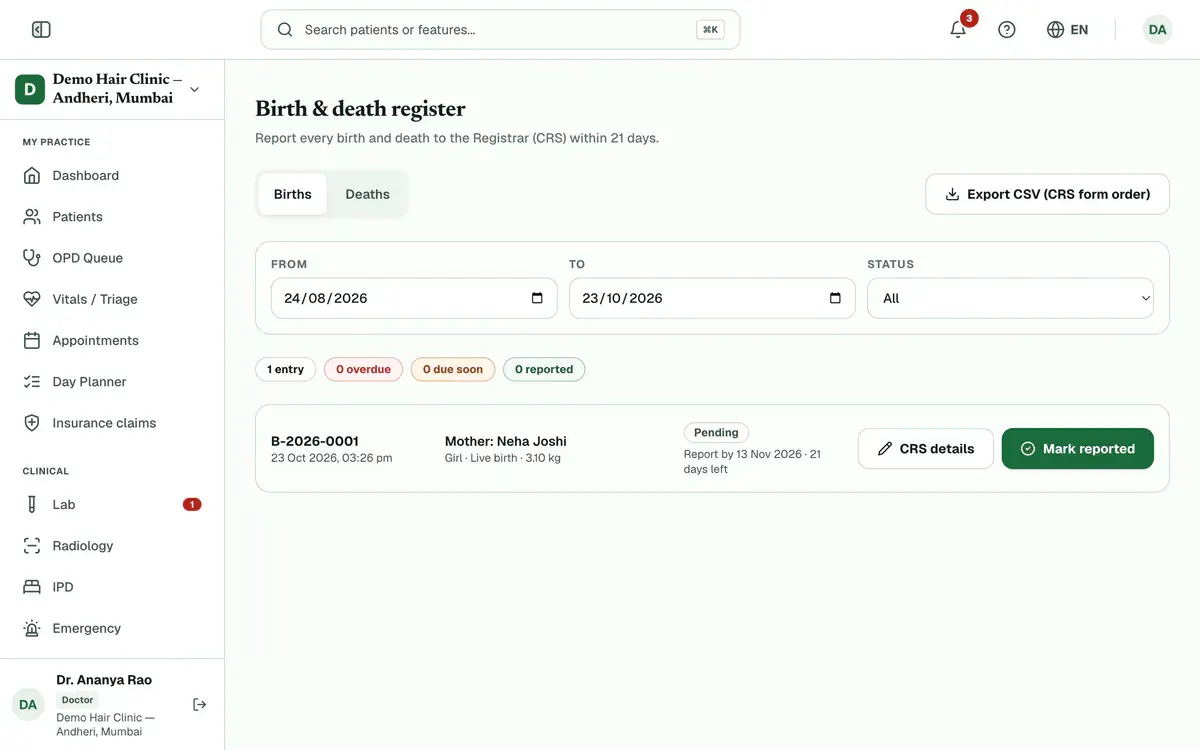
Step 3 of 7 Register the birth or death on the CRS government portal.
Press Mark reported on that entry in Clinizy Care.
Enter the CRS registration no. and the Reported on date, then press Mark reported.
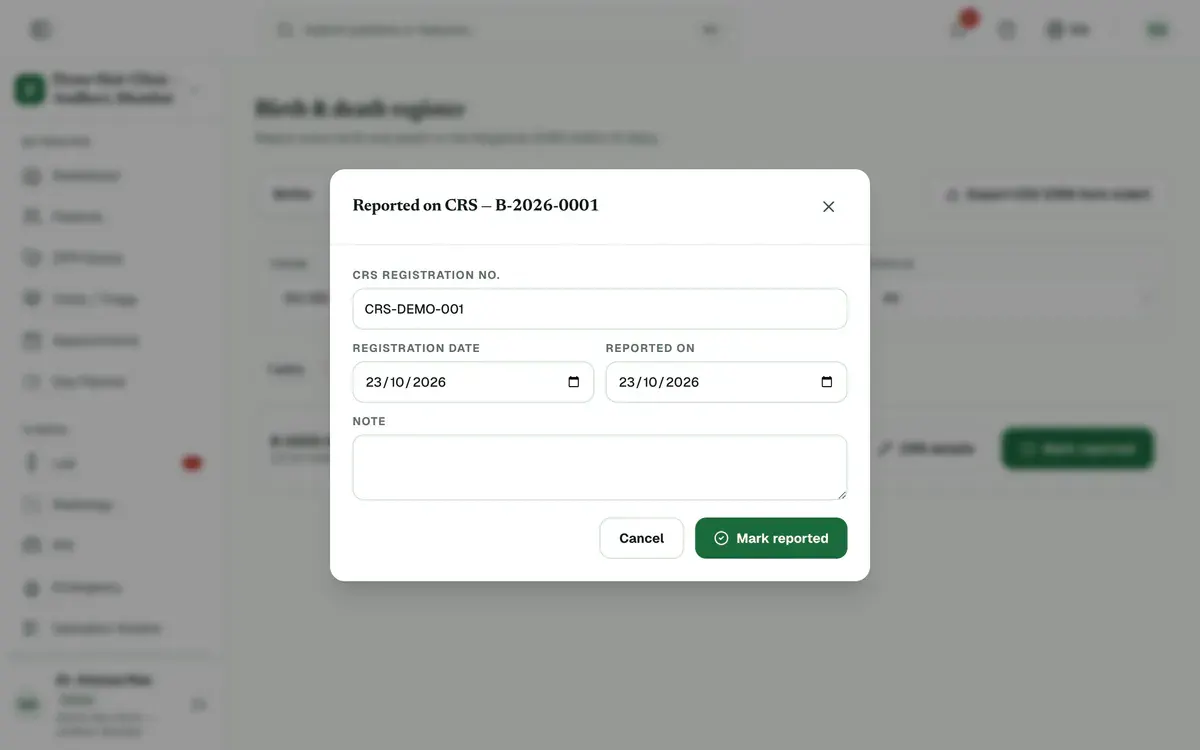
Step 6 of 7 Tip:The button stays off until you type the registration number.
Press Export CSV (CRS form order) to download a CSV in the CRS form’s column order.
Tip:The file uses the dates you set above.
If something goes wrong
What is the 21-day window?
Every birth and death must be reported to the CRS within 21 days. Each entry shows its due date and the days left. It turns red when it is late.
Where do register entries come from?
From the patient’s admission. Open its Documents tab to record a birth on the mother’s stay, or a death with its certified cause.
How do I undo a report I marked by mistake?
Press Undo reported on that entry. It is then no longer marked as reported.
Related guides
Book a theatre and record a surgery
Open Operation theatre, press Book surgery and fill in the patient, theatre, time and surgeon. On the day, open the case, complete the Safety checklist, chart the anaesthesia and write the operation notes. Then press Complete surgery. Completing adds theatre fees to the bill as set in OT settings.
6 minIncluded in Nursing Home and aboveGet a consent signed
Open the admission with Manage, go to the Consents tab and press Take consent. Choose the form, fill in its details and pick who signs. Let the patient read it in English or Hindi, then collect the signatures on the pad and press Save signed consent.
5 minIncluded in Nursing Home and aboveGive medicines on the MAR
Open IPD and the Nursing tab, then press the patient’s card. The chart opens on Medications, which is the MAR. Press a dose marked due or overdue, add a note if needed, then choose Given, Held or Refused.
4 minIncluded in Nursing Home and above
Was this guide helpful?
Last updated 23 Oct 2026By the Clinizy Care product team