
Read your reports
- Admin and clinic owner
- Doctor
- Nurse
- Receptionist
- +3
Short answer
In Clinizy Care, open Reports and press the report you need. Set the dates and check the preview table. Then press Export and choose CSV or Excel. The file is made in the background, so open Exports to download it. You see only the reports your role can use.
Before you start
- Know which report you need, such as Revenue Summary or Outstanding Dues.
- Decide which dates you want to look at.
Steps
Open Reports from the left menu.
Press the button for the report you want.
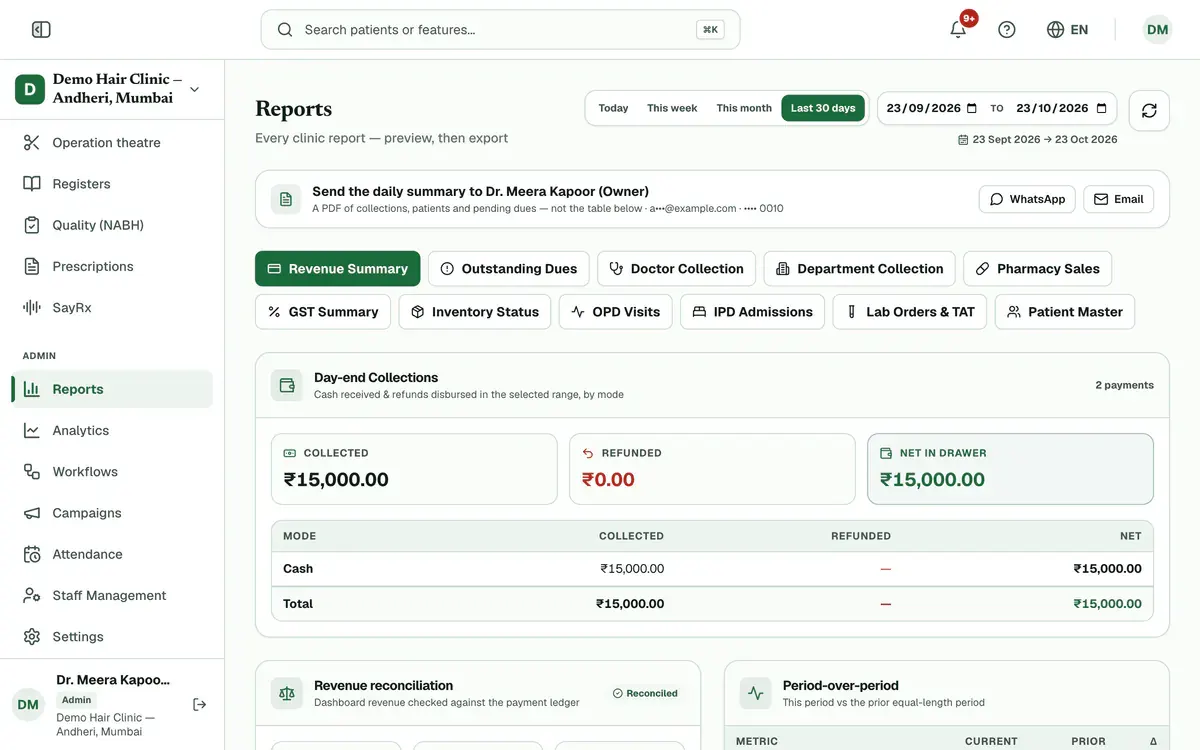
Step 2 of 6 Tip:Hover over a button to read what that report shows.
Choose Today, This week, This month or Last 30 days, or pick your own dates.
Tip:Outstanding Dues and Inventory Status show everything as of now, so they have no dates.
Check the preview table. It shows every row, page by page.
Tip:Money reports end with a totals row.
Press Export and choose CSV or Excel (.xlsx).
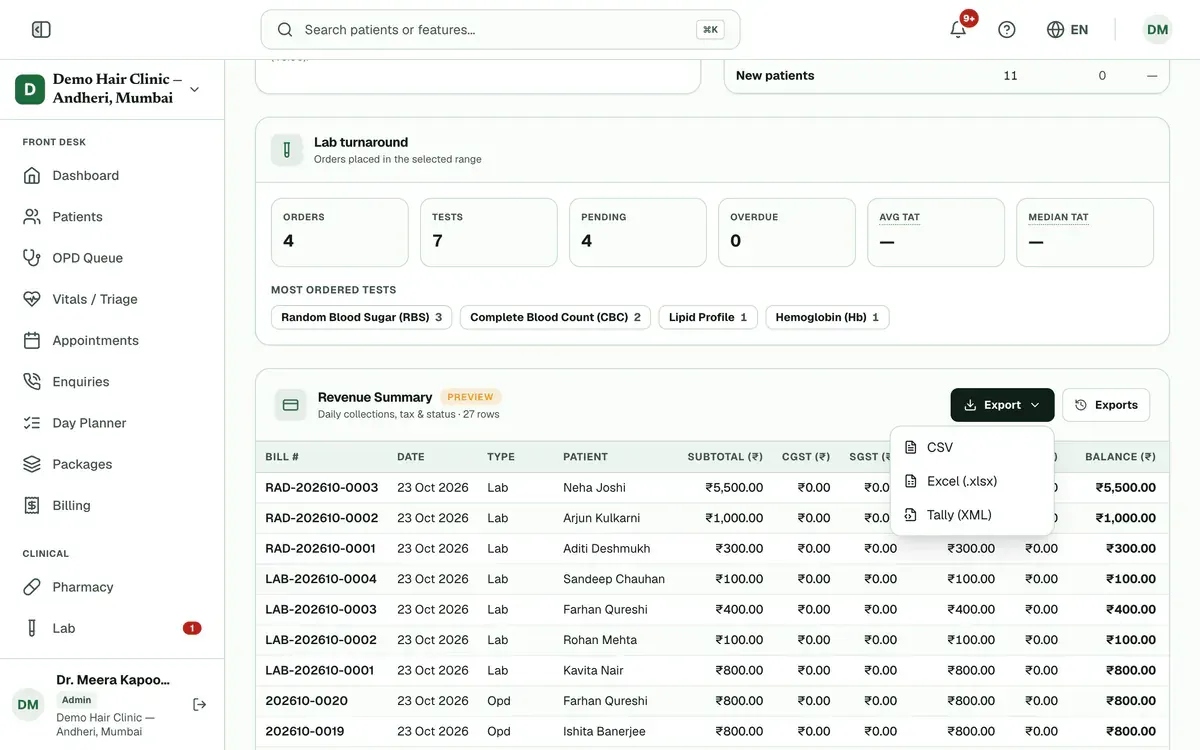
Step 5 of 6 Tip:Revenue Summary also offers Tally (XML).
Press Exports, then press the download button on the finished file.
Tip:A new file shows as processing for a moment. Wait until its status says done.
If something goes wrong
Why can I not see Revenue Summary?
Each role sees only the reports for its own desk. An admin can change this in Settings, under Roles & permissions.
How many days can one report cover?
A custom range can cover up to 366 days. If you pick more, the other date moves and a short note explains why.
Why is my report empty?
No records match your dates. Try a wider date range. New records appear as soon as they are added.
Related guides
Compare collections and revenue
Open Reports and set your dates. Three panels sit under the report buttons. Day-end Collections shows money received and refunded. Revenue reconciliation checks revenue against the payment ledger. Period-over-period compares your dates with the days right before. Your role and plan decide which panels you see.
5 minIncluded in Nursing Home and aboveManage add-ons
Open Settings and press Add-ons. See how many branches and doctor and staff seats you use. Choose the extra ones you need with the plus button, check the total and pay securely online. The add-on switches on as soon as the payment is confirmed.
4 minIncluded in Clinic and aboveManage attendance and shifts
Open Attendance and create your shifts first. Then give each person a weekly pattern in Roster, check and correct each day in Register, and approve or reject requests in Leave Approvals. Use Summary for monthly totals and a CSV file.
5 minIncluded in Clinic and above
Was this guide helpful?
Last updated 23 Oct 2026By the Clinizy Care product teamSee the feature page