
Order lab tests for a patient
- Admin and clinic owner
- Doctor
- Receptionist
- Lab technician
Short answer
In Clinizy Care, open Lab, go to the Orders tab and press New Order. Pick the patient and the tests, choose the priority and press Create Order. The order then moves through the lab from Ordered to Completed, and you can follow it in the same list.
Before you start
- Know the patient’s name, UHID or phone number.
- Know which tests the doctor wants and how soon they are needed.
Steps
Open Lab, go to Orders and press New Order.
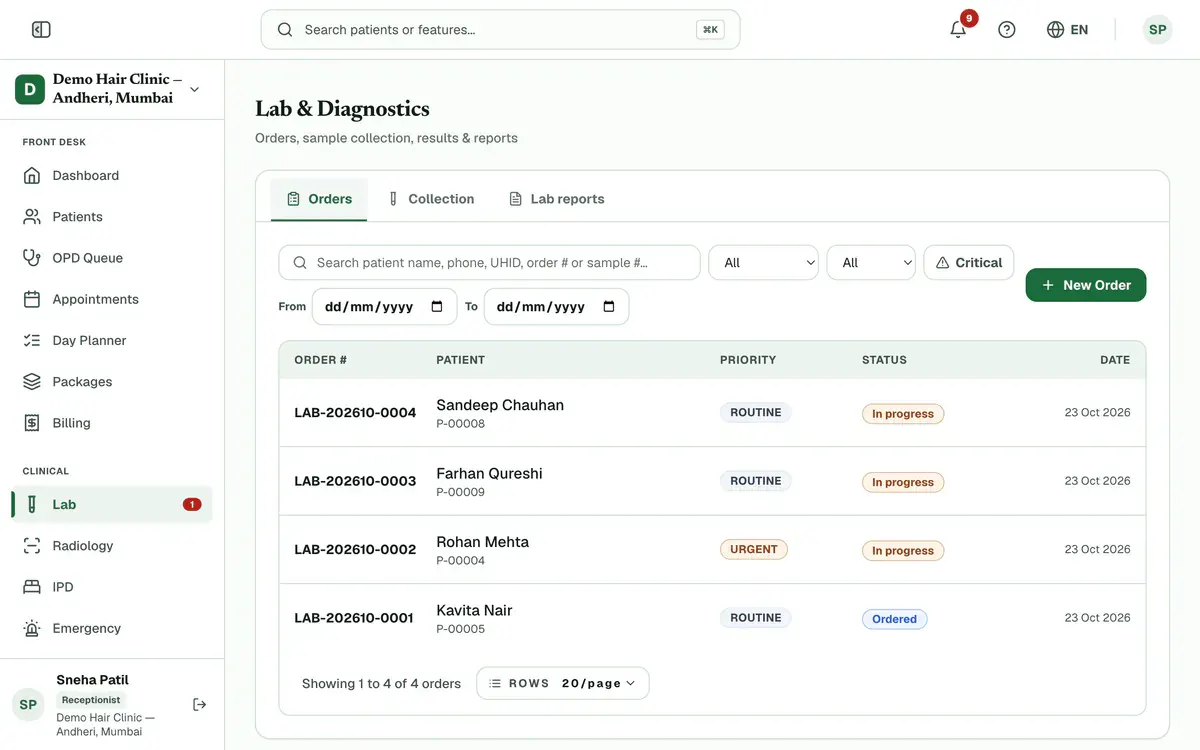
Step 1 of 7 Tip:Doctors can also add lab tests inside a prescription. If any are not ordered when you finalize, press Send to Lab on that prescription.
Search by name, UHID or phone and pick the patient.
Search tests by name or code and pick each one you need.
Tip:If a test is not in the list, you can add what you typed as a custom test.
Choose Routine, Urgent or STAT for the order.
Add Clinical notes and answer any questions under Clinical details for the lab.
Tip:Those questions appear only when the chosen tests or the patient make them relevant.
Check the Estimated total and press Create Order.
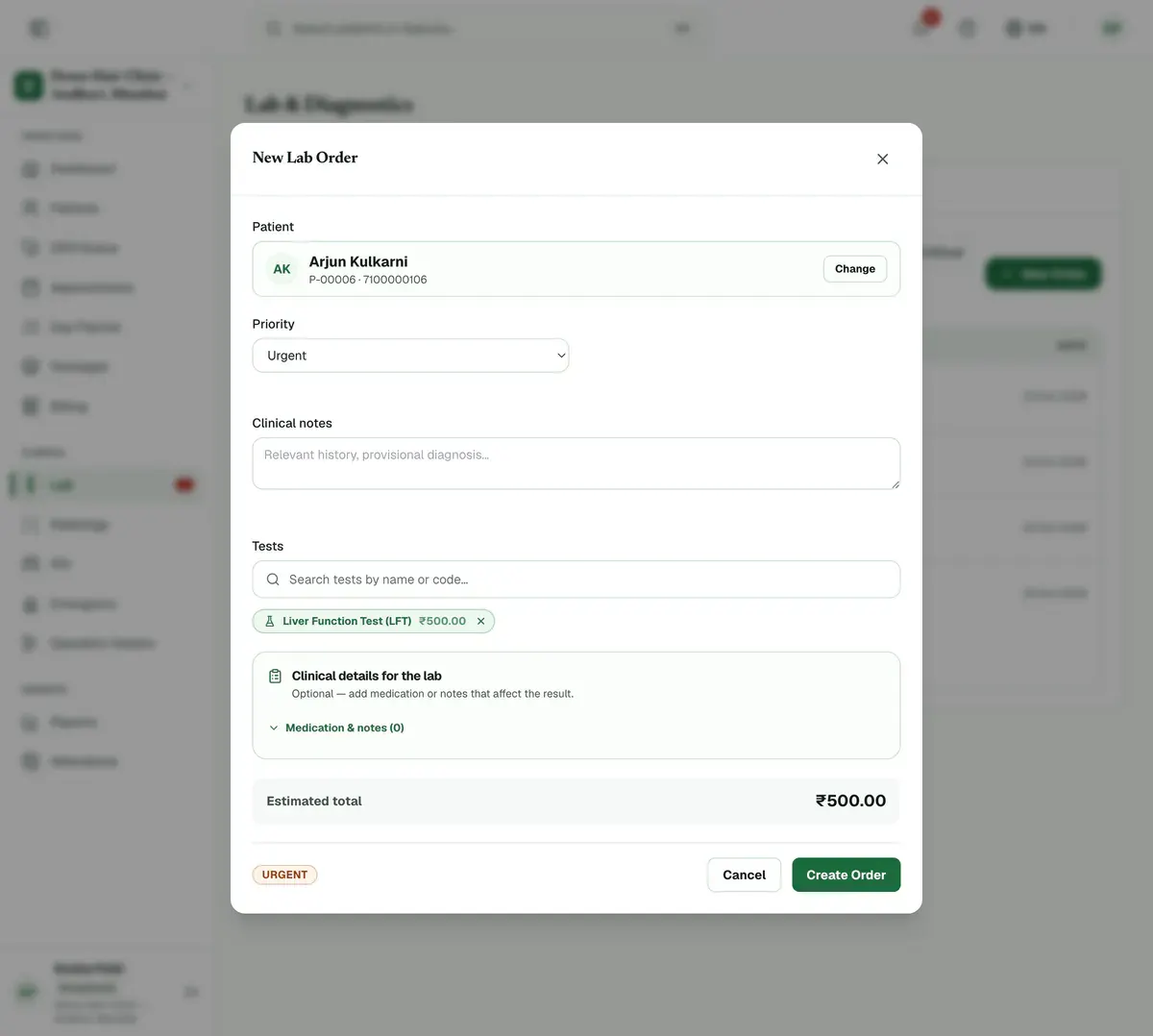
Step 6 of 7 Careful:The total is only an estimate.
Find the order in the list. Its status moves from Ordered to Completed. Press a row to see the details.
If something goes wrong
How do I find an order later?
Search by order number or patient name in the Orders tab. You can also narrow the list by status or priority.
Can a doctor order tests from a prescription?
Yes. Add the tests in the prescription. If any are not ordered when you finalize, press Send to Lab on that prescription.
Why can’t I see New Order?
Only admins, doctors, receptionists and lab technicians can order tests. The Lab module must also be switched on for your clinic.
Related guides
Act on a critical result
A number badge on Lab counts critical results waiting for review. Press Lab to open Orders showing only those orders. Open one, read the flagged values and tell the ordering doctor. A doctor or admin then verifies the result in Verification, and the count goes down.
3 minIncluded in Nursing Home and aboveCollect a sample
Open Lab and choose Collection. Find the patient’s order, print a label for each tube and take the sample. Press Collect, and some tests ask you to confirm details such as fasting first. When the sample reaches the lab, press Receive. Press Reject with a reason if it is unusable.
3 minIncluded in Nursing Home and aboveEnter lab results
Open Lab and choose Result Entry. Find the patient’s test and press Enter results. Type each value. A badge shows High, Low or Critical when a value leaves the normal range. Add an interpretation if needed and press Save. The saved test leaves your list.
4 minIncluded in Nursing Home and above
Was this guide helpful?
Last updated 23 Oct 2026By the Clinizy Care product teamSee the feature page