
Read your dashboard
- Admin and clinic owner
- Doctor
- Nurse
- Receptionist
- +6
Short answer
In Clinizy Care, open Dashboard to see the work for your role. Read the number cards at the top, then start with your main list, such as today’s queue, vitals to record or lab orders. Check what needs action, and use the quick buttons to start common jobs.
Before you start
- Sign in to Clinizy Care first.
- Each role gets its own dashboard, so yours may look different from a colleague’s.
Steps
Open Dashboard from the left menu. On a phone, press Home in the bottom bar.
Tip:Telecallers and technicians land on Enquiries or Day Planner instead. That page is their dashboard.
Read the number cards at the top. They count today’s work, such as visits, money collected, samples waiting or studies to report.
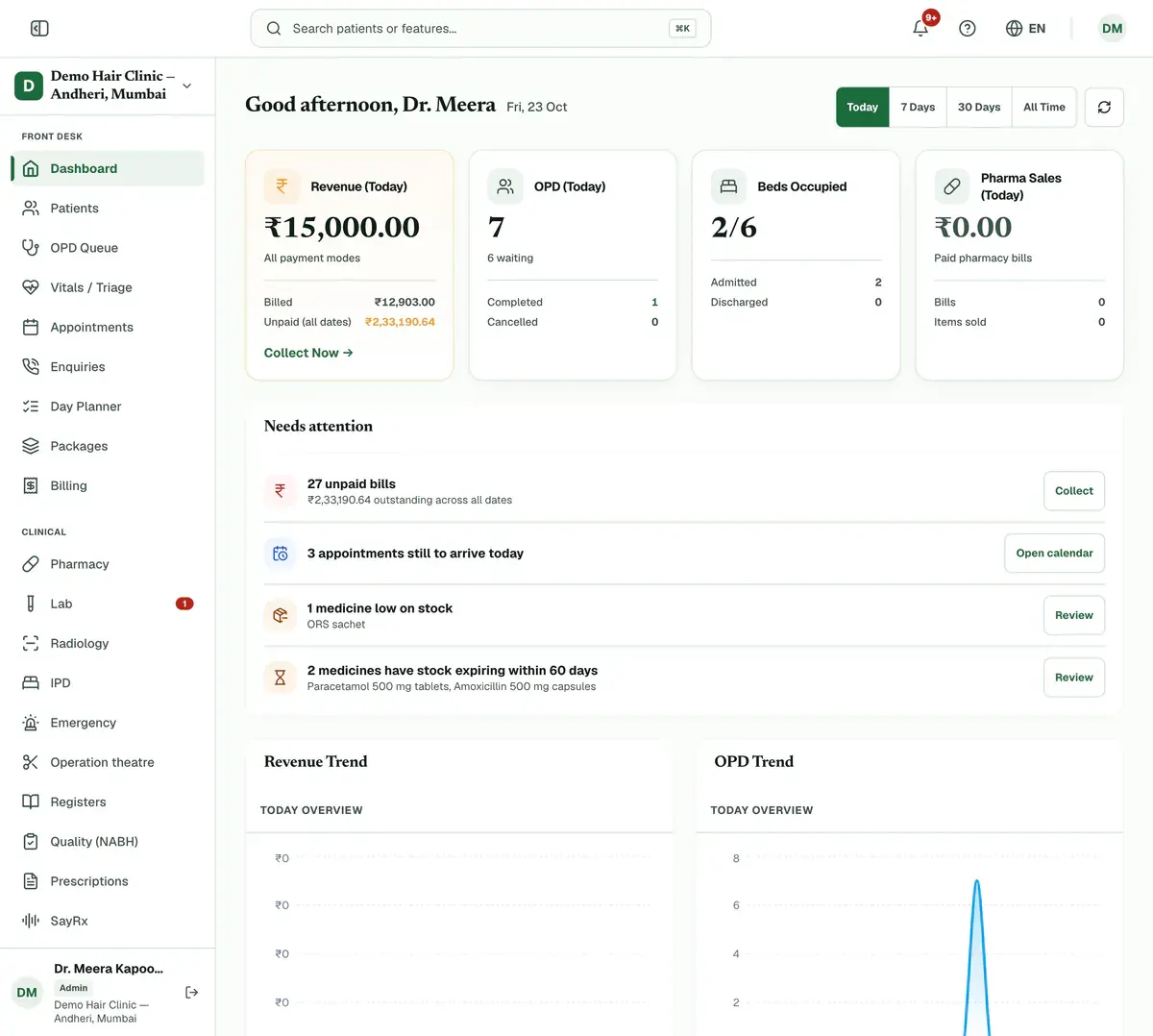
Step 2 of 7 Tip:Admin, doctor, lab and billing dashboards have period buttons above the cards, such as Today or 7 Days.
Start with your main list. Reception and doctors see today’s queue, nurses see vitals still to record, and the lab sees pending orders.
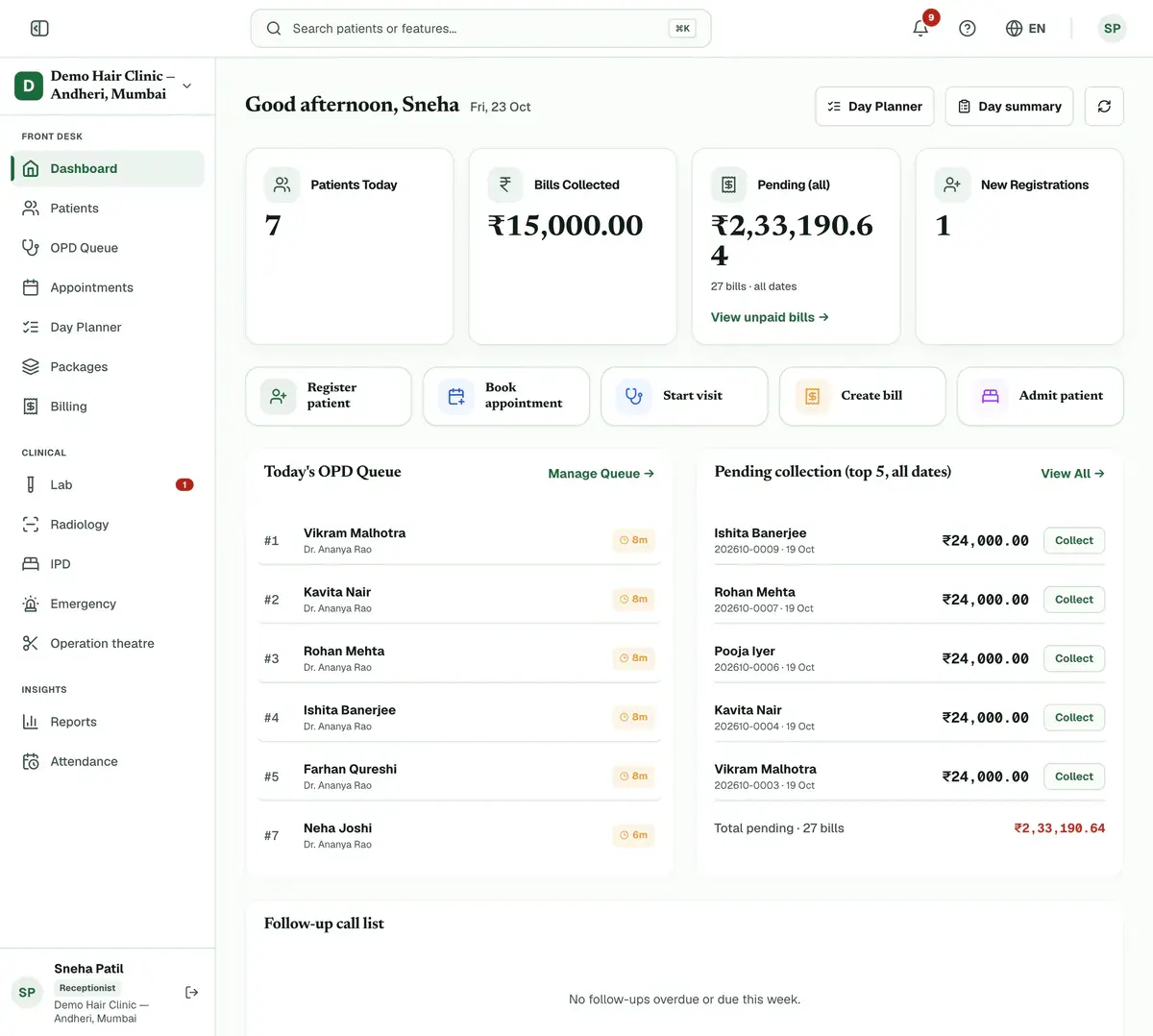
Step 3 of 7 Tip:Pharmacists see prescriptions to dispense. Radiologists see studies to report, with urgent and STAT first.
Check what needs action, like unpaid bills, overdue follow-ups, low stock or critical lab results. Press a row’s button to deal with it.
Tip:Overdue items show in red. On the front desk page, Collect opens the bill in Billing.
Use the quick buttons to start common jobs, like Register patient, Start visit or Create bill.
Tip:Doctors press Call next patient, then Start Prescription. Nurses press Record vitals beside a name.
Finish the setup checklist at the top of the page if you are an admin. It lists staff, patients, services and your GSTIN.
Press the round ? button at the bottom right to replay the short tour for your dashboard.
If something goes wrong
Why does my dashboard look different from my colleague’s?
Each role gets its own dashboard. A doctor sees the queue and consultations, a pharmacist sees stock and expiry, and an admin sees the whole clinic’s numbers.
Where do telecallers and technicians find their dashboard?
Their dashboard is their working page. A telecaller lands on Enquiries and a technician lands on the Day Planner board.
How do I change the period for the numbers?
Press a period button above the number cards, such as Today or 7 Days. Admin, doctor, lab and billing dashboards have them. The other dashboards do not.
Related guides
Add staff and give them roles
Open Staff Management and press Add Staff. Enter the person’s name, mobile number and role, then save. Clinizy Care sends them a WhatsApp welcome and shows, live, whether it arrived. The welcome has no password, so copy the temporary password and share it with them. Edit, reset or deactivate staff on the same page.
5 minIncluded in Clinic and aboveChange the language
Press the globe button in the top bar. On a phone, press More and use the Language row instead. Choose English, Hinglish or हिन्दी. The menus and buttons change straight away. Your choice is saved in that browser only, so repeat it on any other device you use.
2 minIncluded in Clinic and aboveCheck your notifications
Press the bell in the top bar to open Notifications. Press an alert to mark it read, or press its link to go to the right page. Use the tabs and Unread only to find what matters, and press Mark all read when you have seen everything.
2 minIncluded in Clinic and above
Was this guide helpful?
Last updated 23 Oct 2026By the Clinizy Care product team