
Record a medico-legal case
- Admin and clinic owner
- Doctor
Short answer
In Clinizy Care, open the patient’s case on the Emergency page and go to the MLC tab. Choose the category and press Mark as MLC. Fill in the police details, injuries and opinion, then press Finalise & lock. The record is locked, and later changes go in as addenda.
Before you start
- Only doctors and admins can fill in an MLC. Other staff see only the MLC flag and number.
- Have the police station, the time the police were told and the doctor’s opinion ready.
Steps
Open Emergency, open the patient’s case, then the MLC tab.
Tip:For an admitted patient, press Manage on the admission and open the MLC tab.
Choose the MLC category, then press Mark as MLC. The case gets the next MLC number.
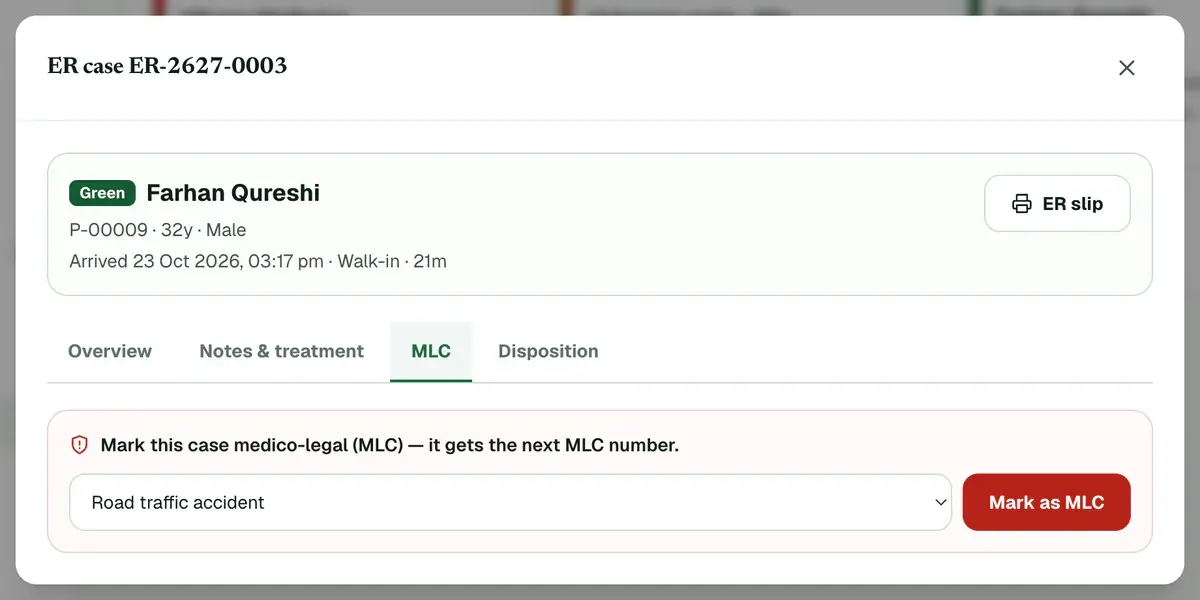
Step 2 of 8 Fill in the Police intimation: the Police station and when the police were told.
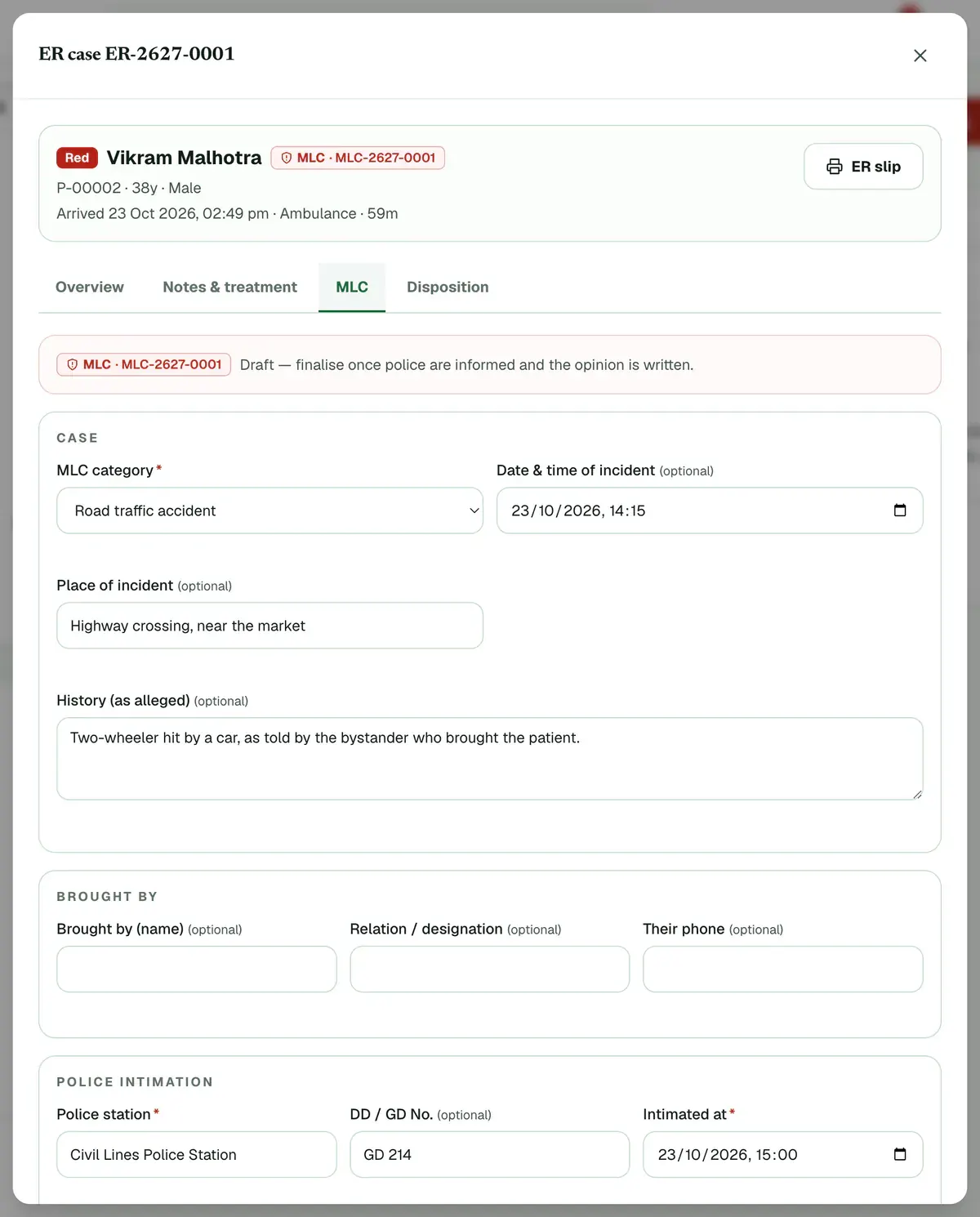
Step 3 of 8 Tip:You need both to finalise. Add the DD / GD No. and the officer if you know them.
Write down the incident, add identification marks and list each injury with its site.
Tip:You can add up to four identification marks.
Careful:An injury row without a site is not saved.
Write the Opinion and choose who gave it in Opinion given by.
Add any belongings or samples handed over, with the name of who received them.
Careful:An item needs both what was handed over and who received it, or it is not saved.
Press Finalise & lock and confirm. Use Save draft any time before that.
Tip:The form lists what is still needed before you can finalise.
Careful:A finalised MLC is locked. Later changes can only be added as addenda.
Find any MLC later on the MLC register tab. Press Print register or Export CSV.
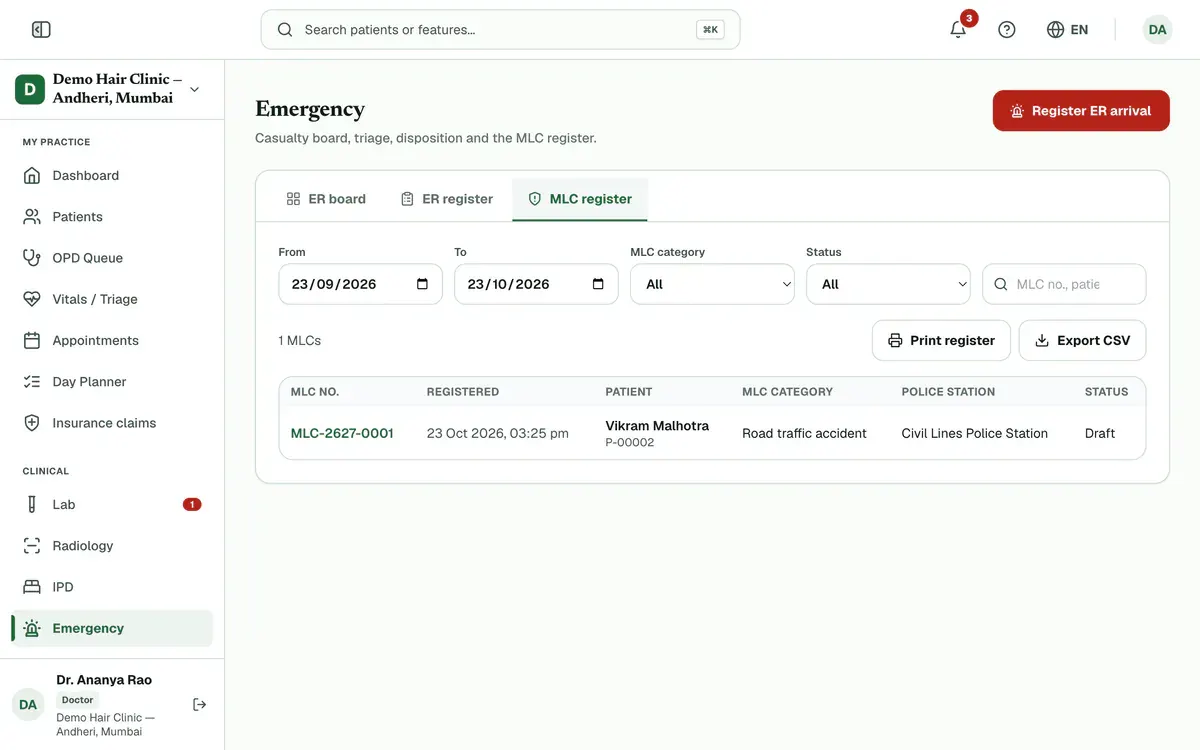
Step 8 of 8 Tip:Choose dates, category or status first, or search by MLC number, patient or police station.
If something goes wrong
Who can mark a case as MLC?
Doctors and admins. Other staff can see only the MLC flag and number on the case. The details stay hidden from them.
Can I change a finalised MLC?
No. A finalised MLC is locked. Press Add addendum to add anything new, for example a report that came later. The original stays as it was.
Can I print the injury certificate?
Yes, once the MLC is final. Open the record and press Injury certificate.
Related guides
Register and triage an emergency arrival
Open Emergency and press Register ER arrival. Choose the triage colour, pick an existing, new or unidentified patient, and enter how they arrived and the main complaint. Add the triage vitals if you have them, then press Register. The case joins the live board, red cases first.
5 minIncluded in Nursing Home and aboveBook a theatre and record a surgery
Open Operation theatre, press Book surgery and fill in the patient, theatre, time and surgeon. On the day, open the case, complete the Safety checklist, chart the anaesthesia and write the operation notes. Then press Complete surgery. Completing adds theatre fees to the bill as set in OT settings.
6 minIncluded in Nursing Home and aboveGet a consent signed
Open the admission with Manage, go to the Consents tab and press Take consent. Choose the form, fill in its details and pick who signs. Let the patient read it in English or Hindi, then collect the signatures on the pad and press Save signed consent.
5 minIncluded in Nursing Home and above
Was this guide helpful?
Last updated 23 Oct 2026By the Clinizy Care product team