
Record vitals for an admitted patient
- Admin and clinic owner
- Doctor
- Nurse
Short answer
In Clinizy Care, open IPD and the Nursing tab, then press the patient’s card. Open the Vitals tab, type the readings you have, add a note if needed and press Save Vitals. You need at least one reading. The new entry joins the trend list below the form.
Before you start
- Have the readings ready, such as blood pressure, pulse, temperature in °F, SpO₂ and breathing rate.
- The patient must be admitted to a bed.
Steps
Open IPD, then the Nursing tab. Patients with medicines or vitals due are listed here.
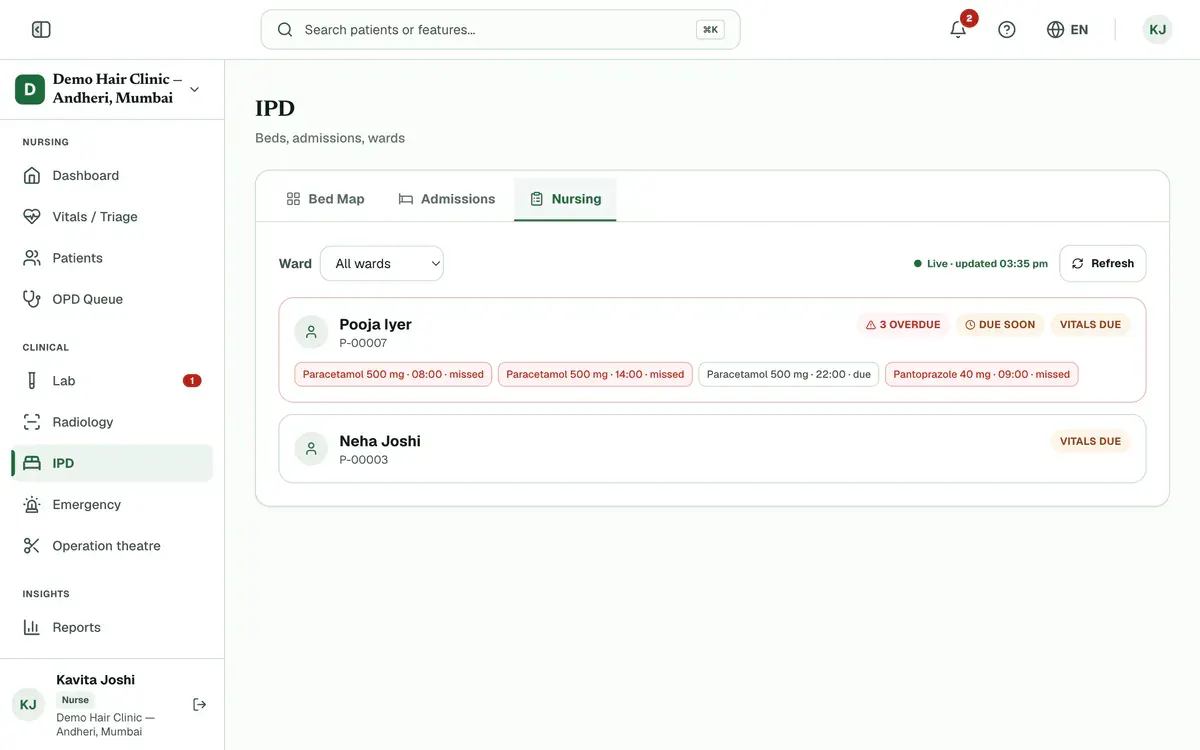
Step 1 of 7 Tip:Not listed? Press Manage on their bed in the bed map, then open the Vitals tab.
Press the patient’s card. A Vitals due badge shows who is waiting for a reading.
Open the Vitals tab. The chart first opens on Medications.
Type the readings you have, such as blood pressure, pulse, temperature, SpO₂ or breathing rate.
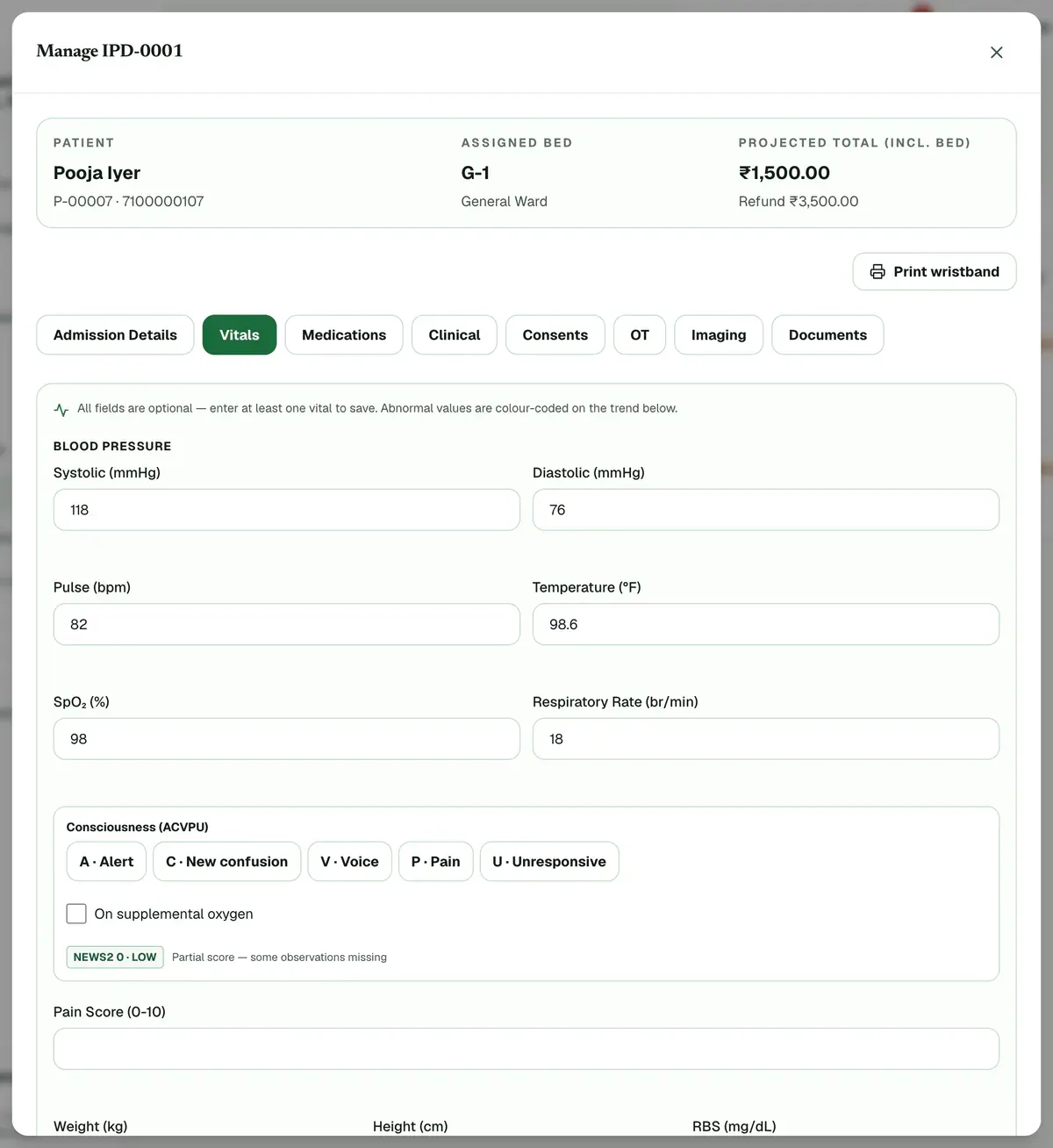
Step 4 of 7 Careful:A value outside the allowed range shows a message under its box. Correct it before you save.
Add the Consciousness (ACVPU) level and tick On supplemental oxygen if they apply.
Tip:The form shows a NEWS2 score as you type. If it asks for urgent review, saving alerts the doctor and nursing station.
Type a short note in Notes if the next person needs to know something.
Press Save Vitals. Your reading appears at the top of the Vitals Trend list.
If something goes wrong
Do I have to fill every box?
No. Every box is optional, but you must enter at least one reading before you can save.
What is the NEWS2 score?
NEWS2 is an early-warning score the form works out as you type. A score of 5 or more, or any single red reading, asks for urgent review. Saving then alerts the doctor.
Where can I see earlier readings?
Below the form, the Vitals Trend list shows every reading, newest first, with the name of the person who recorded it.
Related guides
Give medicines on the MAR
Open IPD and the Nursing tab, then press the patient’s card. The chart opens on Medications, which is the MAR. Press a dose marked due or overdue, add a note if needed, then choose Given, Held or Refused.
4 minIncluded in Nursing Home and aboveGet a consent signed
Open the admission with Manage, go to the Consents tab and press Take consent. Choose the form, fill in its details and pick who signs. Let the patient read it in English or Hindi, then collect the signatures on the pad and press Save signed consent.
5 minIncluded in Nursing Home and aboveMove a patient to another bed
Open IPD, find the patient’s red bed on the bed map and press Transfer. Choose the new ward, then a free bed, and press Save Changes. If your clinic asks for cleaning, the old bed stays amber until someone presses Mark ready after housekeeping.
3 minIncluded in Nursing Home and above
Was this guide helpful?
Last updated 23 Oct 2026By the Clinizy Care product teamSee the feature page