
Report a radiology study
- Admin and clinic owner
- Doctor
- Radiologist
Short answer
In Clinizy Care, open Radiology and pick the study from the worklist. Mark the patient arrived, start imaging and mark it done. Write the Findings and Impression, using a template if you like, then press Submit report. Finally press Verify & release. After release, any change is added as an addendum.
Before you start
- The imaging order must already be placed.
- For a contrast study, the patient’s consent is needed before imaging starts.
- Have the film or scan file ready if you want to attach it.
Steps
Open Radiology and pick a modality such as X-ray or Ultrasound (USG).
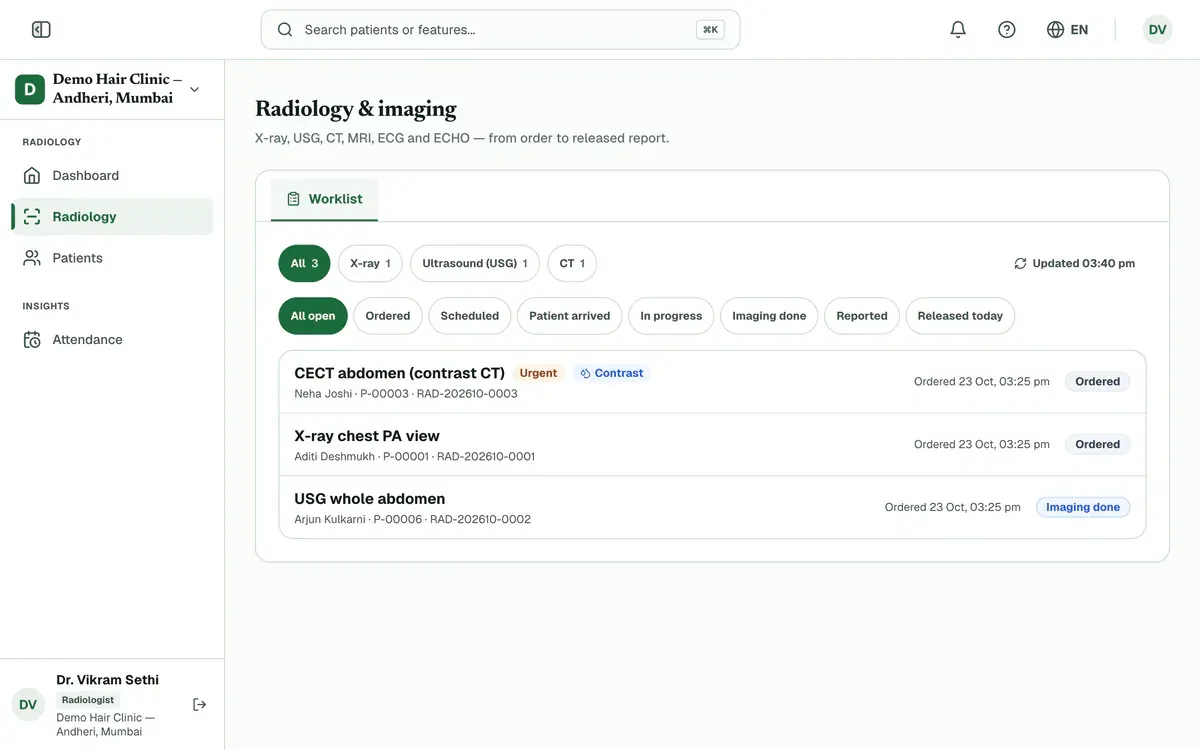
Step 1 of 8 Tip:STAT studies always come first.
Press a study in the list to open it. Use the status chips to narrow a long list.
Press Patient arrived, then Start imaging and Imaging done as the study moves along.
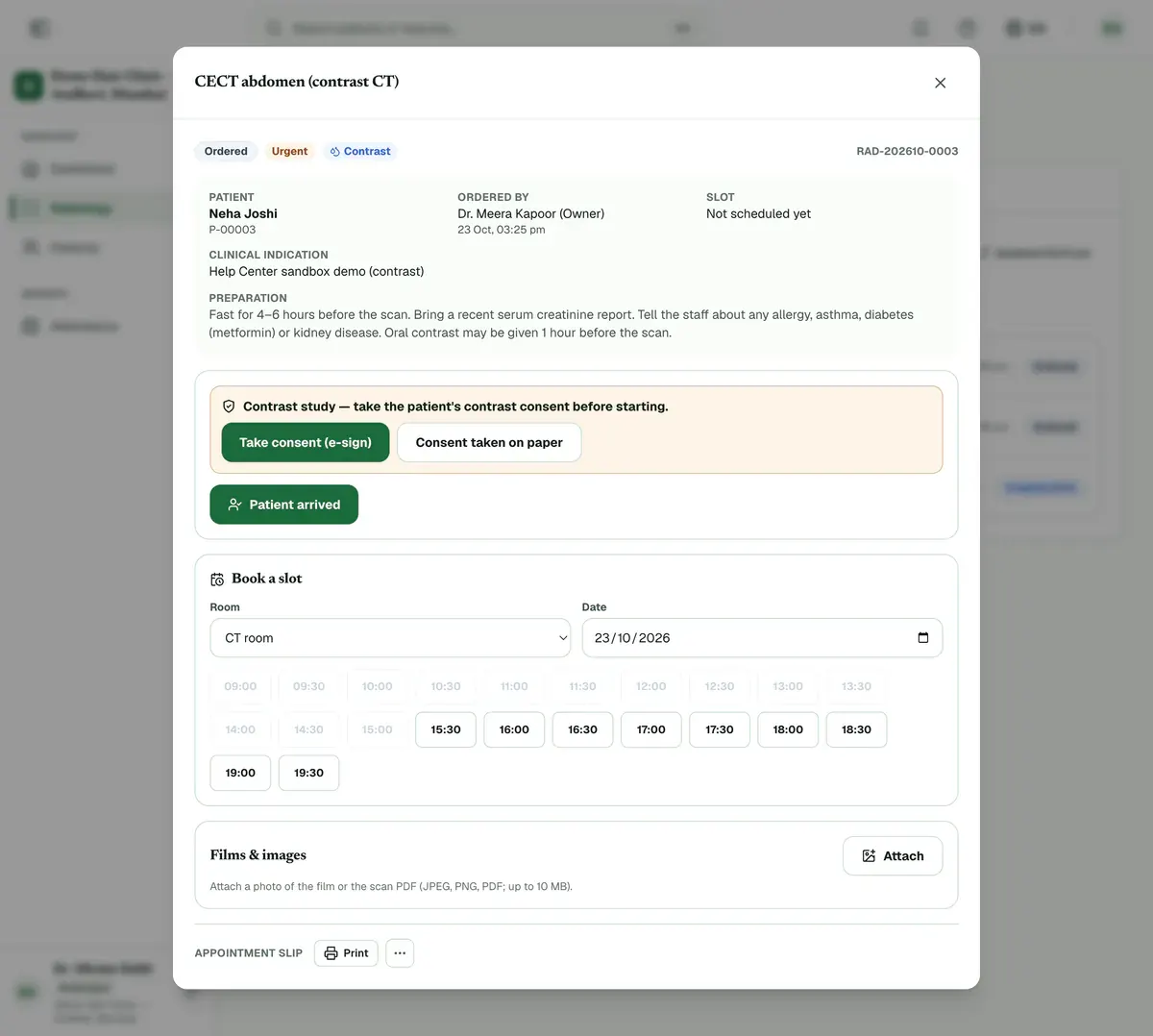
Step 3 of 8 Tip:A walk-in can be marked as arrived without a booked slot.
Careful:A contrast study cannot start until its consent is e-signed or recorded as taken on paper. Use Take consent (e-sign) or Consent taken on paper.
Press Attach to add a photo of the film or the scan as a PDF.
Tip:Files can be JPEG, PNG or PDF, up to 10 MB.
Pick a template if one fits, then write the Findings and the Impression.
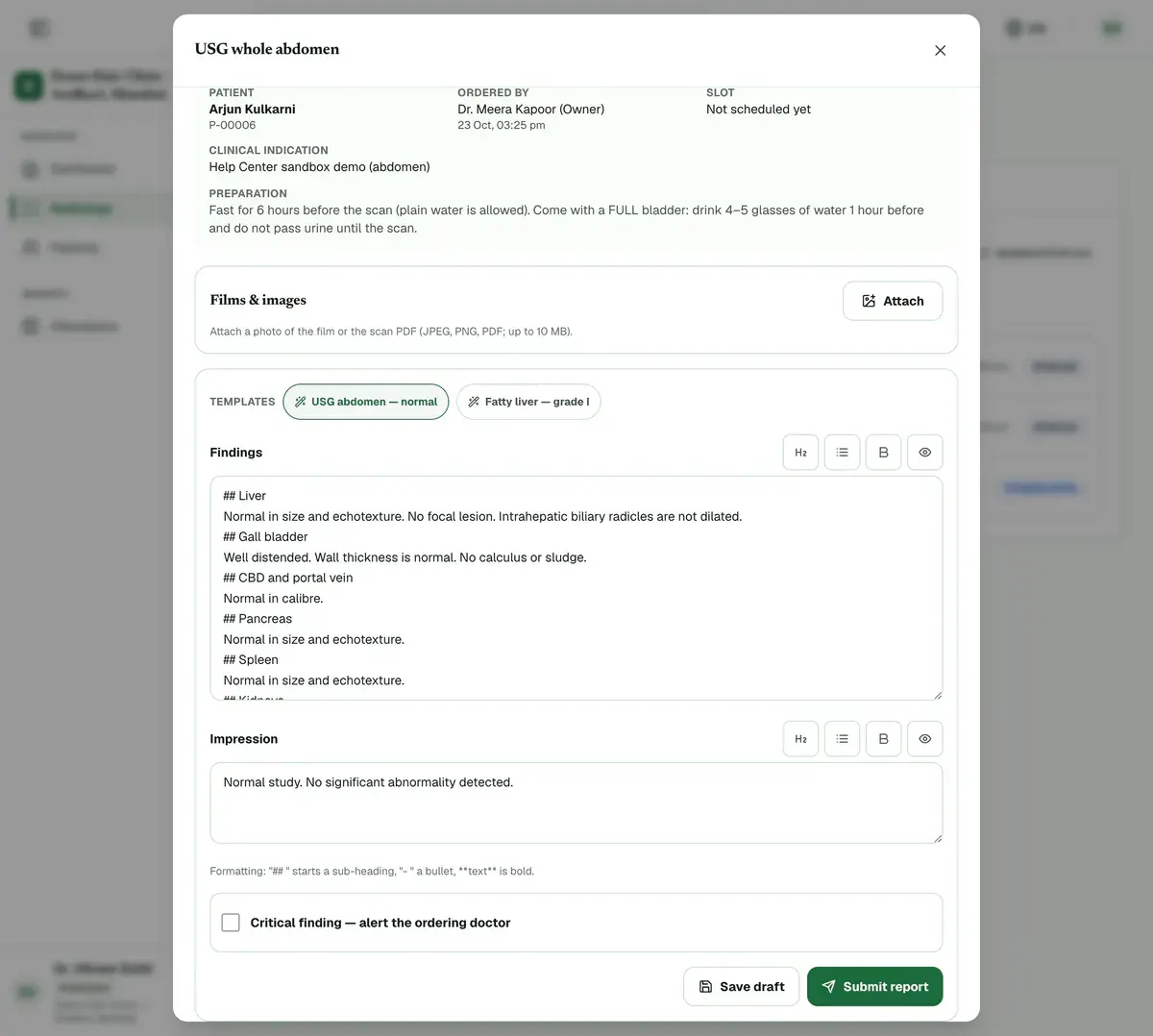
Step 5 of 8 Tip:The normal-study template is listed first. A template replaces what you typed, after you confirm.
Tick Critical finding — alert the ordering doctor if the doctor must act now, and write what they must act on.
Careful:The ordering doctor gets an in-app and WhatsApp alert when you submit.
Press Save draft to keep working later, or Submit report when the report is ready.
Careful:Submit report needs an impression, and a note if the finding is critical.
Check the report, then press Verify & release. After release, later changes are added as addenda.
If something goes wrong
Can I change a report after I release it?
Not directly. A released report never changes. Add an addendum instead, and it is saved as a new version. You can mark the addendum as critical too.
Why can I not release my own report?
Your clinic may require a second radiologist to verify every report. When that is on, the person who wrote the report cannot release it.
How do I give the released report to the patient?
Open the study and use Print or WhatsApp beside the report. The appointment slip can be printed from the same screen.
Related guides
Set up your radiology catalogue
Open Radiology and choose Studies & prices. Press Add study for a new study, or the pencil to edit one. Enter its price and GST, add patient preparation and report templates, and save. Then open Rooms & sign-off to set each room’s hours and slot length.
6 minIncluded in Nursing Home and aboveAct on a critical result
A number badge on Lab counts critical results waiting for review. Press Lab to open Orders showing only those orders. Open one, read the flagged values and tell the ordering doctor. A doctor or admin then verifies the result in Verification, and the count goes down.
3 minIncluded in Nursing Home and aboveVerify and release a report
Open Lab and choose Verification. Check each value against its reference range, then press Verify, or Reject back with a reason. When every test in an order is verified, open it in Orders, press Release report and send the report to the patient.
4 minIncluded in Nursing Home and above
Was this guide helpful?
Last updated 23 Oct 2026By the Clinizy Care product team