
Use prescription templates
- Admin and clinic owner
- Doctor
Short answer
In Clinizy Care, open Prescriptions and find the Template library. Press Use on a template to start a prescription with the medicines filled in, then choose the patient and check every dose. You can also copy a starter template or save your own prescription as a template.
Before you start
- Remember that a template only fills in the form. You still check it and finalize.
- A template needs a diagnosis and at least one fully written medicine.
Steps
Open Prescriptions and scroll to the Template library.
Search by name, diagnosis or medicine to find the template you need.
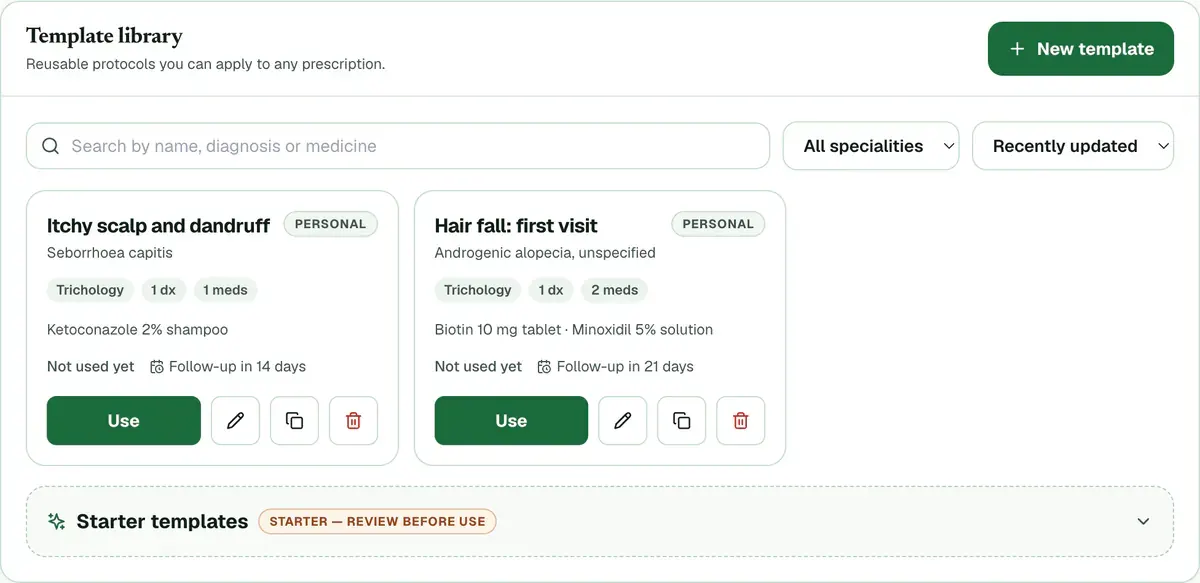
Step 2 of 8 Press Use on the template, then choose the patient.
Tip:The diagnosis, medicines, lab tests and advice come in filled. If the template has a follow-up interval, the follow-up date fills in too.
Check every dose and change anything that does not fit this patient.
Press Apply template inside an open prescription and pick a template to add it.
Tip:Nothing you typed is removed. Press Undo template to take the template out again.
Open Starter templates and press Copy to my templates on one.
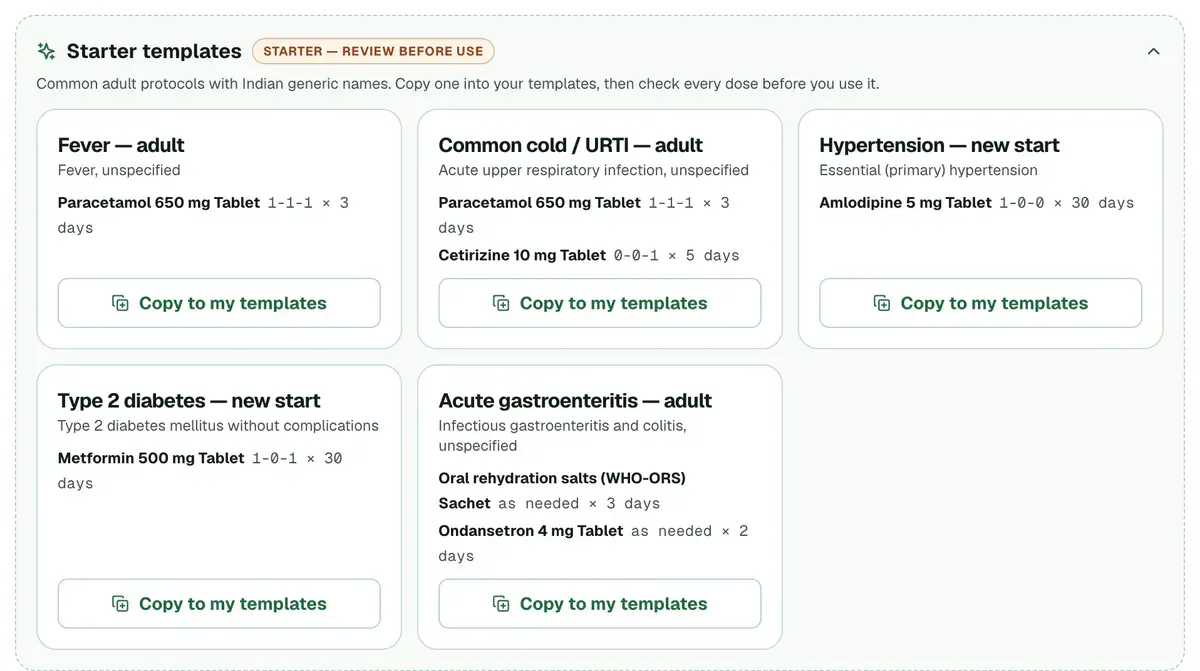
Step 6 of 8 Careful:A starter is only a starting point. Check every dose before you use it.
Press Save as template on a finished prescription, type a Template name and press Save template.
Press New template to write a template from scratch. Choose Only me or Everyone in this clinic.
Tip:Set a Follow-up interval (days) to pre-fill the follow-up date whenever the template is used.
If something goes wrong
Who can see my templates?
Only you, if you choose Only me. With Everyone in this clinic, every prescriber can use the template, but only you and an admin can edit or delete it.
Does a template change what I already typed?
No. A template adds to the prescription and skips duplicates. Press Undo template to take it out again.
Can I change a template later?
Yes. Press the pencil on a template you can edit. To change someone else’s template, press its copy icon and edit your own copy.
Related guides
Write a prescription
Open Prescriptions and choose a patient from Active Visits, or press New Rx to search for anyone. Add the diagnosis and each medicine with its dose, frequency, duration and route. Save a draft while you work, then press Finalize to issue and lock the prescription.
6 minIncluded in Clinic and abovePrint or share a prescription
Open Prescriptions and find the finalized prescription under Recent Prescriptions. Press Print to print it, or WhatsApp to send it to the patient. The menu on the row also has Preview, Save PDF and Email. Drafts cannot be printed or sent.
3 minIncluded in Clinic and aboveSet a follow-up date on a prescription
Open a prescription and find Follow-up Date under Labs & Advice. Pick a date that is today or later, then save the draft or finalize. The date shows on the prescription list, and doctors and reception see due and overdue follow-ups on their dashboards.
2 minIncluded in Clinic and above
Was this guide helpful?
Last updated 23 Oct 2026By the Clinizy Care product teamSee the feature page