
Write a prescription
- Admin and clinic owner
- Doctor
Short answer
In Clinizy Care, open Prescriptions and choose a patient from Active Visits, or press New Rx to search for anyone. Add the diagnosis and each medicine with its dose, frequency, duration and route. Save a draft while you work, then press Finalize to issue and lock the prescription.
Before you start
- Have the patient in today’s OPD queue, or know their name, UHID or phone number.
- Doctors need an MCI / NMC registration number on My Profile before they can finalize.
- Check the patient’s recorded allergies. The builder shows them while you prescribe.
Steps
Open Prescriptions. Under Active Visits, press Write Rx next to the patient.
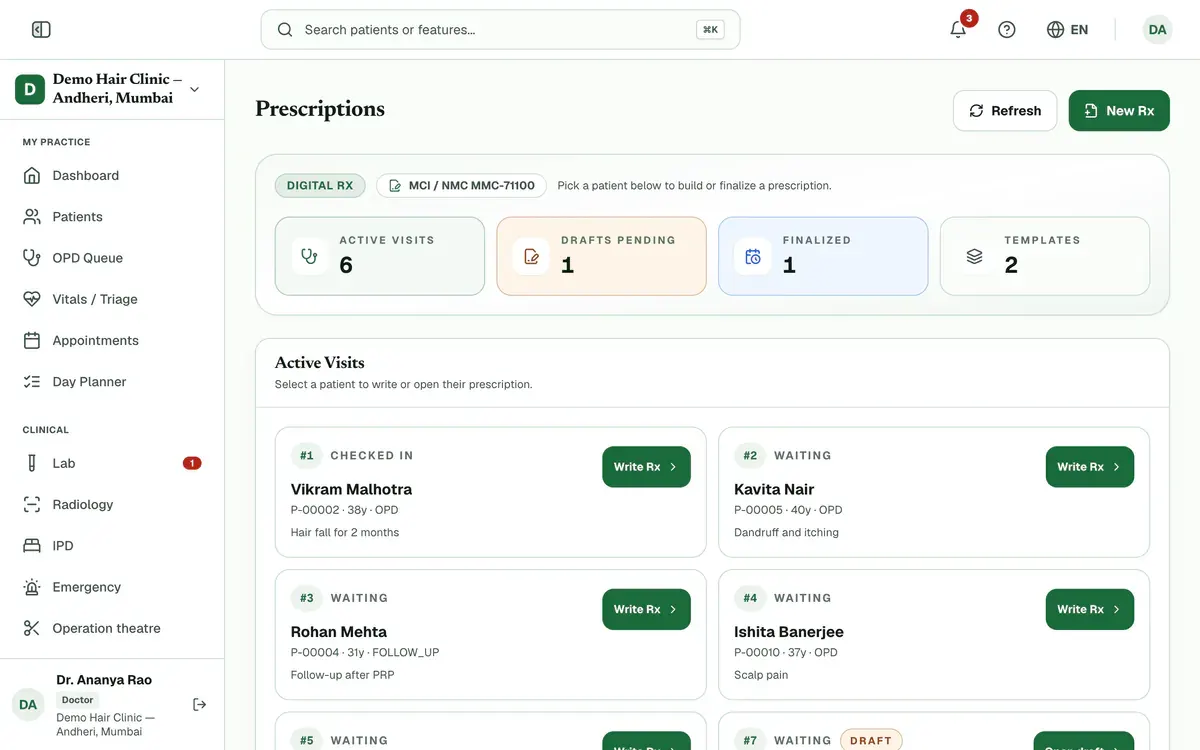
Step 1 of 7 Tip:For anyone not in the queue, press New Rx and search for them. Admins also pick the Prescribing doctor.
Search the Diagnosis by name or ICD-10 code and pick it.
Tip:If nothing matches, you can add what you typed as a custom diagnosis.
Careful:You need a diagnosis and at least one medicine to finalize.
Press Add medicine, then search the medicine name and pick it from the list.
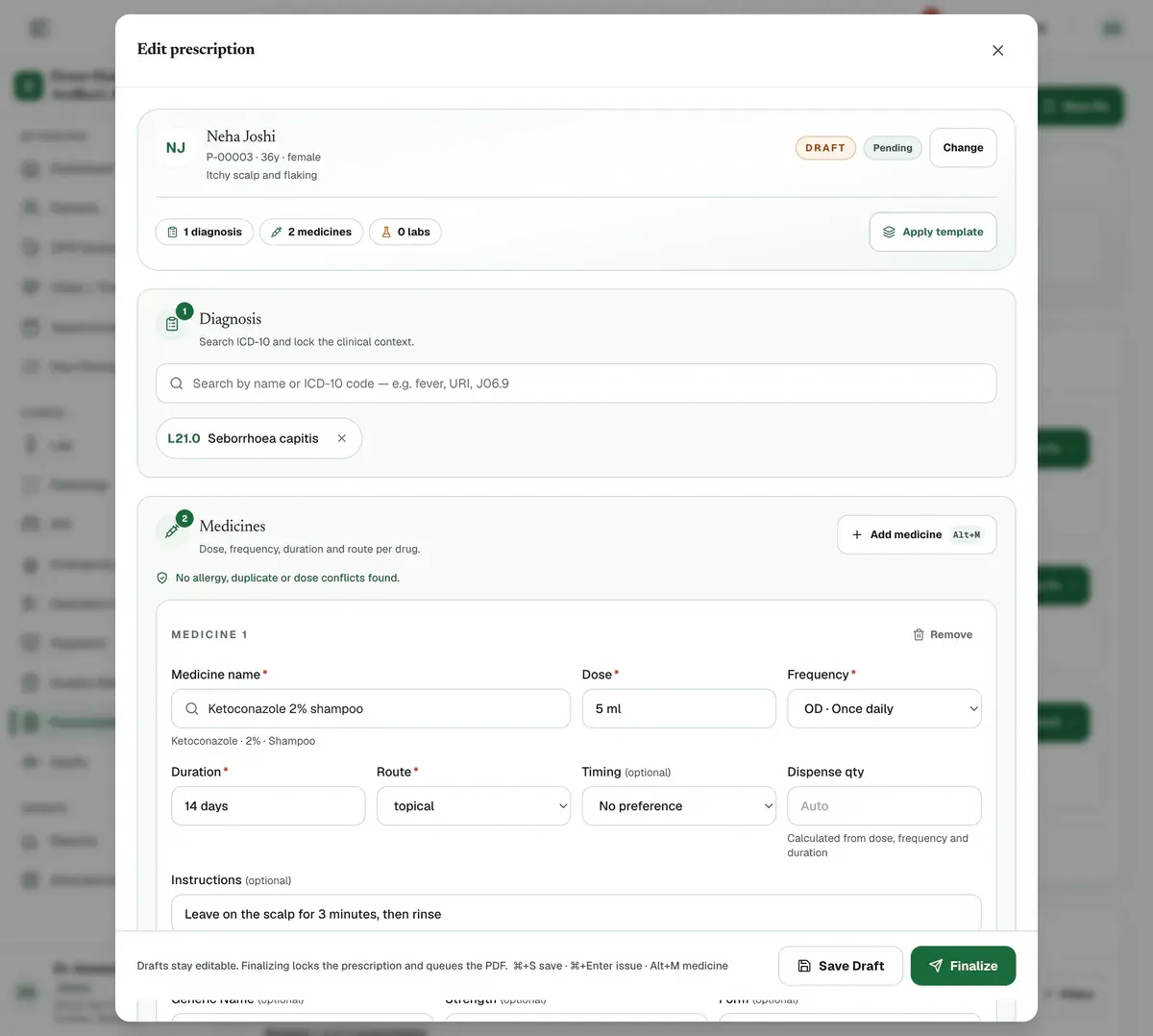
Step 3 of 7 Tip:If the medicine is not in the list, the name you typed is used as it is.
Fill Dose, Frequency, Duration and Route for each medicine.
Careful:All four are needed before you can finalize. A safety panel checks allergies, duplicates and doses as you go.
Add lab tests, Advice and a Follow-up Date if the patient needs them.
Press Save Draft to keep your work. A draft stays editable.
Tip:For a patient in today’s queue, your draft also saves itself a few seconds after you stop typing.
Press Finalize and confirm. The prescription locks and its PDF is prepared.
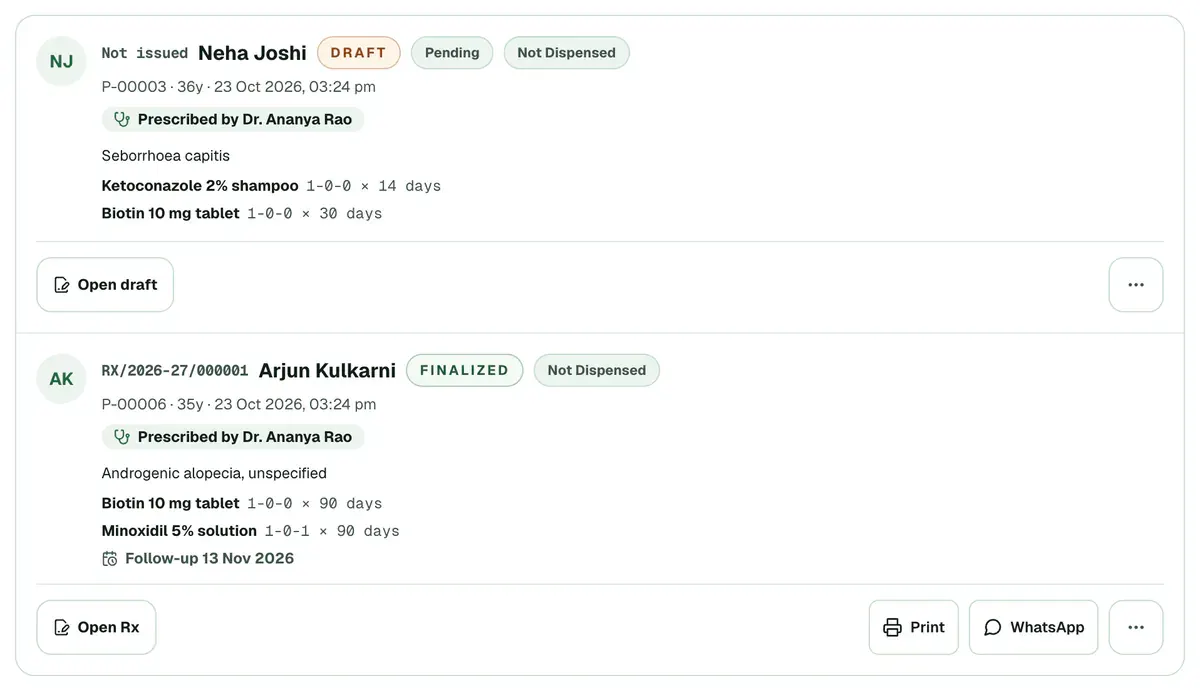
Step 7 of 7 Careful:Only a doctor, or an admin marked Also a consulting doctor, can finalize. Anyone else can save a draft for the doctor.
If something goes wrong
What if I close the window before saving?
Clinizy Care asks before it throws your work away. For anyone not in today’s queue, press Save Draft once to start the visit, and your draft then saves itself.
How do I fix a prescription after finalizing it?
Open it and press Issue a correction, then say what is being corrected. The new prescription replaces the old one, and both stay on record.
Can I repeat an earlier prescription?
Yes. Under Recent Prescriptions, open the menu on an earlier prescription and press Repeat. Choose the patient, then check every dose.
Related guides
Use prescription templates
Open Prescriptions and find the Template library. Press Use on a template to start a prescription with the medicines filled in, then choose the patient and check every dose. You can also copy a starter template or save your own prescription as a template.
4 minIncluded in Clinic and abovePrint or share a prescription
Open Prescriptions and find the finalized prescription under Recent Prescriptions. Press Print to print it, or WhatsApp to send it to the patient. The menu on the row also has Preview, Save PDF and Email. Drafts cannot be printed or sent.
3 minIncluded in Clinic and aboveSet a follow-up date on a prescription
Open a prescription and find Follow-up Date under Labs & Advice. Pick a date that is today or later, then save the draft or finalize. The date shows on the prescription list, and doctors and reception see due and overdue follow-ups on their dashboards.
2 minIncluded in Clinic and above
Was this guide helpful?
Last updated 23 Oct 2026By the Clinizy Care product teamSee the feature page