
Run quality checks
- Admin and clinic owner
Short answer
In Clinizy Care, open Quality (NABH) to run your incident register. Review each report, record the root cause, plan corrective actions and close the incident when every action is done. Then open Indicators to read your monthly NABH indicators and print or export them.
Before you start
- Sign in as the clinic admin, who runs the register by default.
- Have the facts of an incident ready: what happened, when and where.
Steps
Open Quality (NABH) from the left menu. The Incidents tab lists every incident.
Press Report an incident. Choose what happened and the harm, add when and where, describe the facts, then press Send report.
Tip:Turn on Report anonymously and your name is never saved. Note the incident number.
Use the status buttons to see incidents by stage: Reported, Under review, RCA, CAPA or Closed.
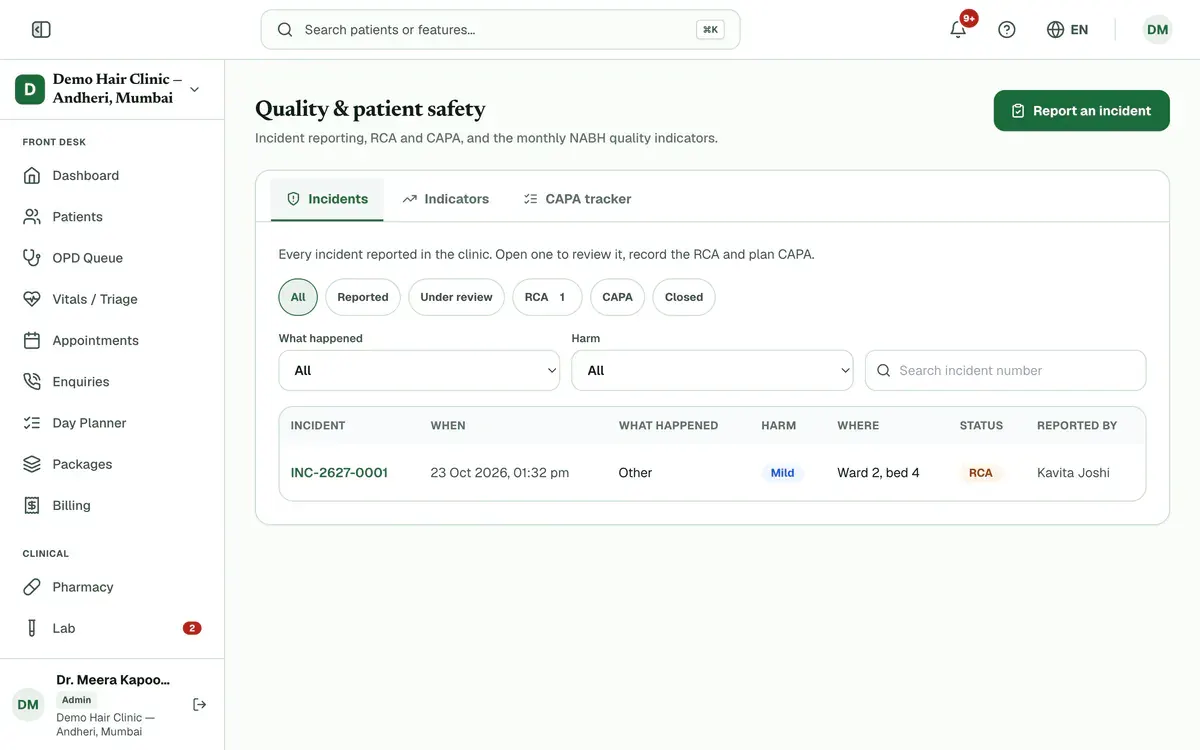
Step 3 of 8 Open an incident and press Start review. Check the facts and correct the type or harm if needed.
Press Start RCA. Fill in the whys, the contributing factors and the root cause, then press Save RCA.
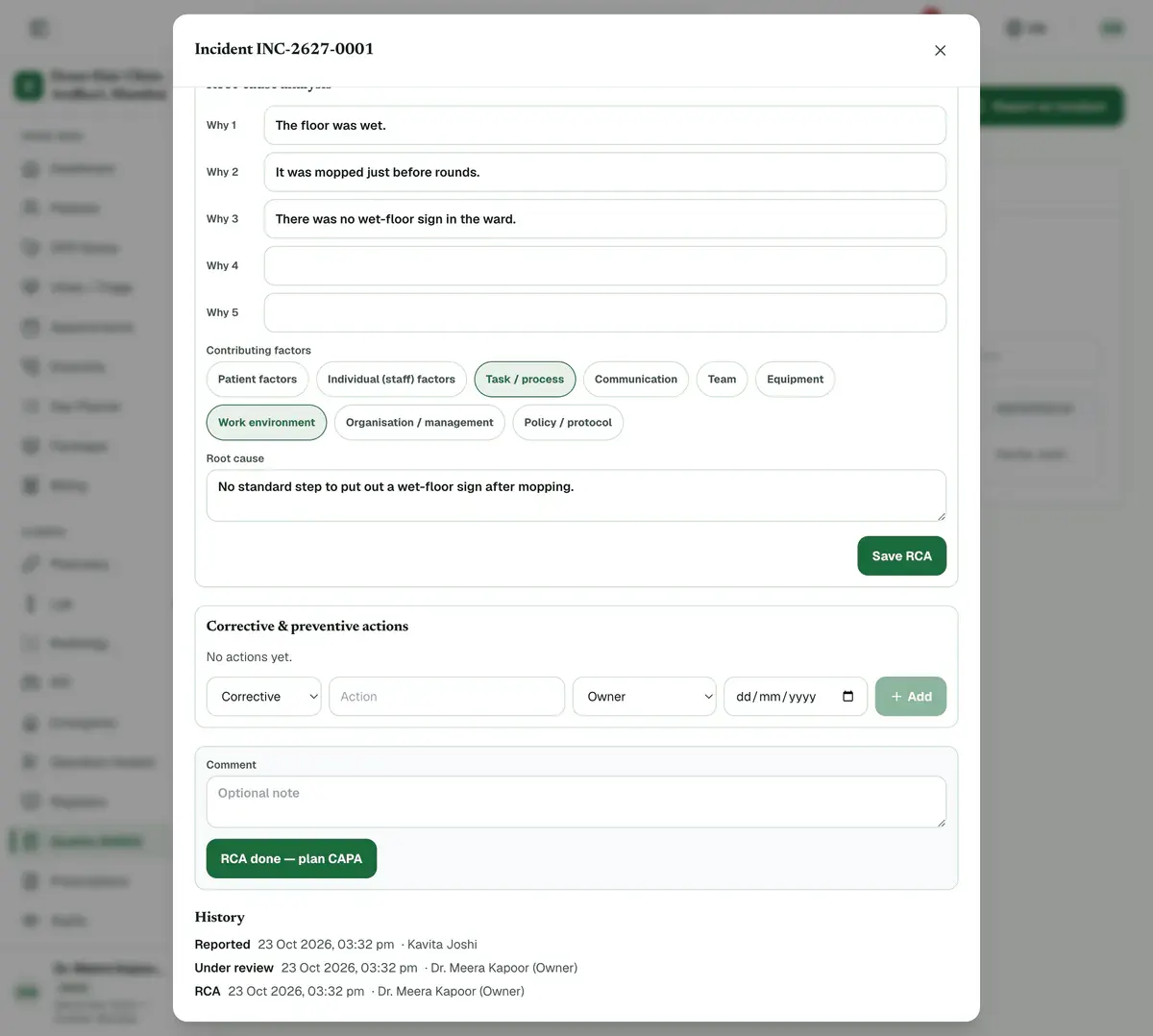
Step 5 of 8 Careful:Record at least one why and the root cause. You cannot move to CAPA without them.
Press RCA done — plan CAPA. Add each action with its type, owner and due date, then press Add.
Tip:The CAPA tracker tab lists every action. Overdue ones show in red.
Add a comment on how you know the actions worked, then press Close incident.
Careful:You cannot close while any action is still open or in progress.
Open the Indicators tab and pick the month. Press Print / PDF or Export CSV for your NABH file.
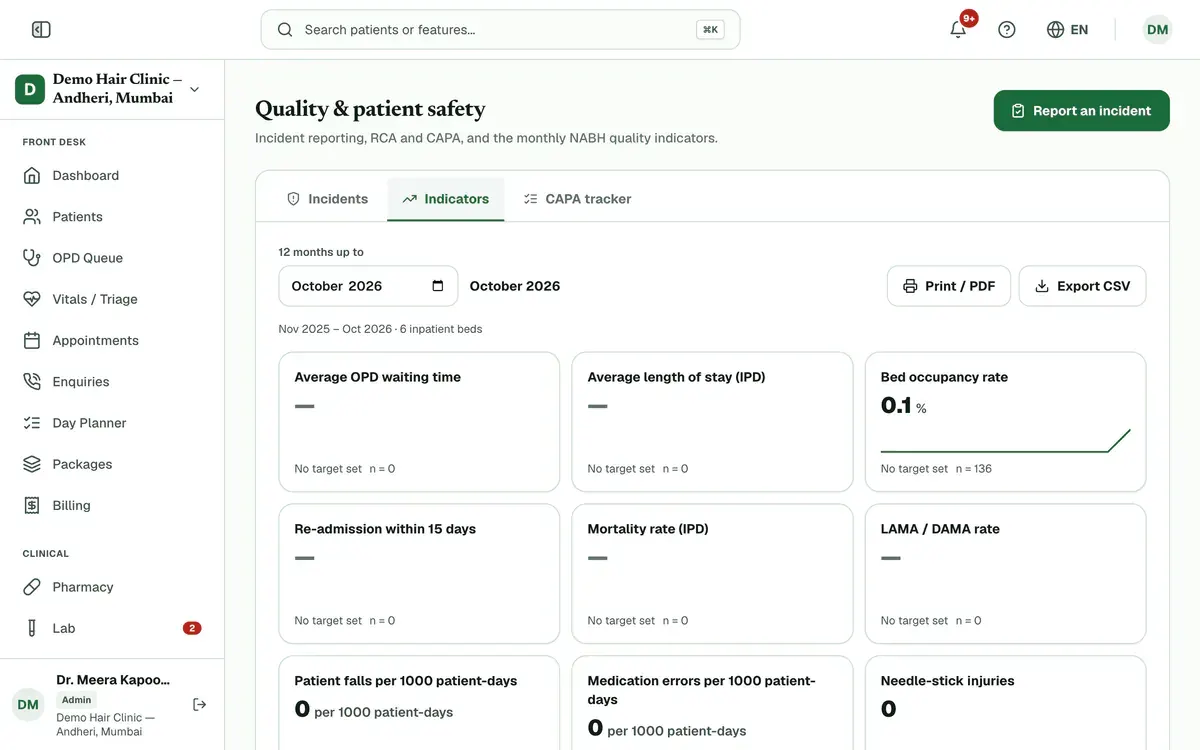
Step 8 of 8 Tip:Open a card, then a month, to see the records behind a number. A red border means off target.
If something goes wrong
Who can report an incident?
Every desk can. Staff see only their own reports, and by default only an admin runs the full register.
Can I close an incident without an RCA?
Yes, from Under review. Add a comment that says why no RCA is needed, then close it.
Where do anonymous reports appear?
In the register, with no reporter name. The person who reported keeps the incident number.
Related guides
Compare collections and revenue
Open Reports and set your dates. Three panels sit under the report buttons. Day-end Collections shows money received and refunded. Revenue reconciliation checks revenue against the payment ledger. Period-over-period compares your dates with the days right before. Your role and plan decide which panels you see.
5 minIncluded in Nursing Home and aboveManage add-ons
Open Settings and press Add-ons. See how many branches and doctor and staff seats you use. Choose the extra ones you need with the plus button, check the total and pay securely online. The add-on switches on as soon as the payment is confirmed.
4 minIncluded in Clinic and aboveManage attendance and shifts
Open Attendance and create your shifts first. Then give each person a weekly pattern in Roster, check and correct each day in Register, and approve or reject requests in Leave Approvals. Use Summary for monthly totals and a CSV file.
5 minIncluded in Clinic and above
Was this guide helpful?
Last updated 23 Oct 2026By the Clinizy Care product team