
Run the OPD queue
- Admin and clinic owner
- Doctor
- Nurse
- Receptionist
Short answer
In Clinizy Care, open OPD Queue and press New visit to add a walk-in patient and print the token. Reception presses Check In, the nurse records vitals, and the doctor presses Call next. The tiles at the top count waiting, in consultation, completed and no-show visits.
Before you start
- Register the patient first if they are new to the clinic.
- Know which doctor the patient will see.
- Reception, nurses and doctors each do their own step of the queue.
Steps
Open OPD Queue to see today’s queue. Pick a doctor or change the date to see another list.
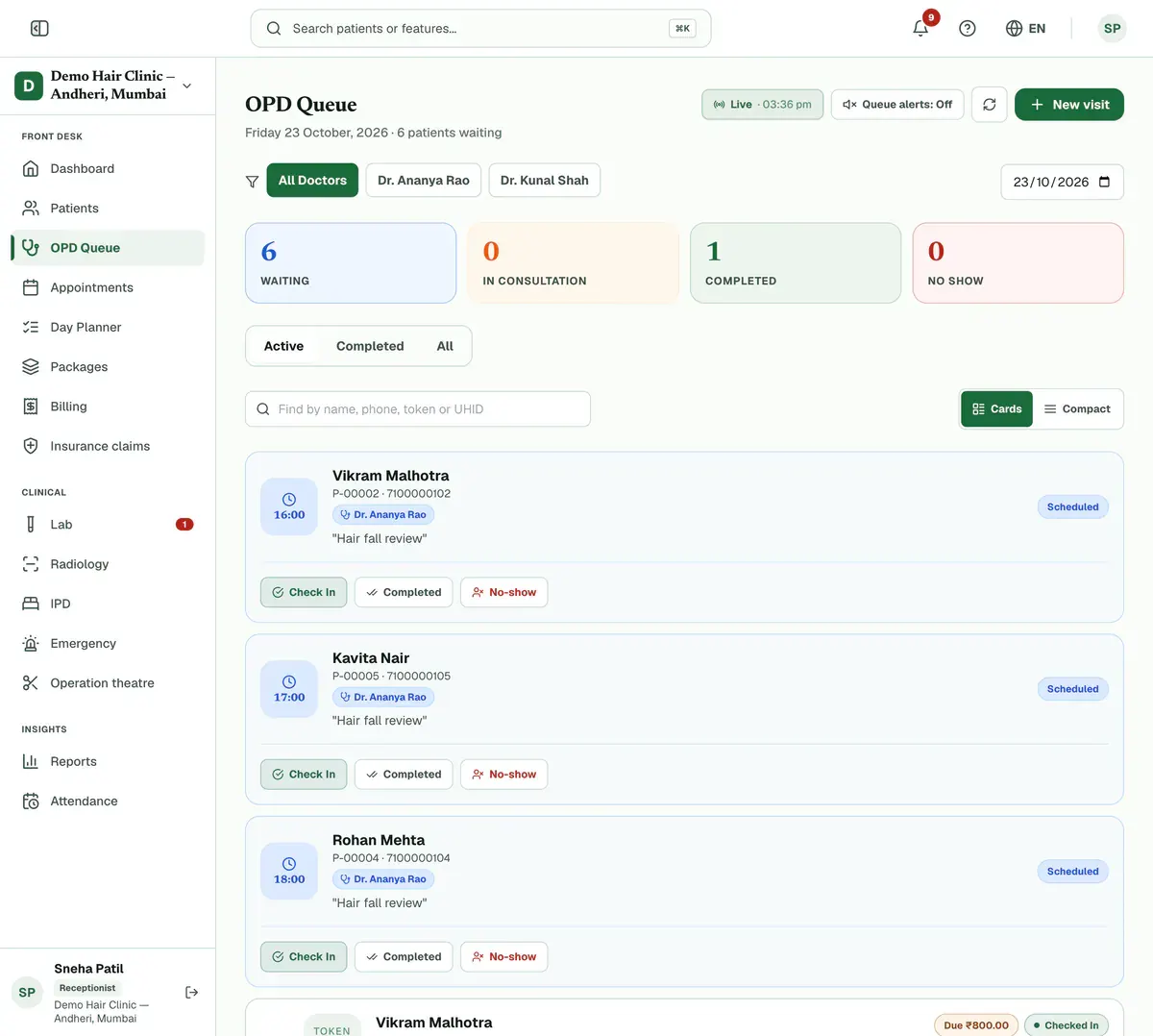
Step 1 of 8 Tip:Doctors see their own queue straight away. Press a tile at the top to show only that status.
Press New visit when a walk-in patient arrives, then search for the patient. Reception and admin do this.
Tip:Nurses see Check in patient instead, and only if your clinic has allowed it.
Choose the Visit Type and the doctor, add the Chief Complaint if you want, then press Add to Queue.
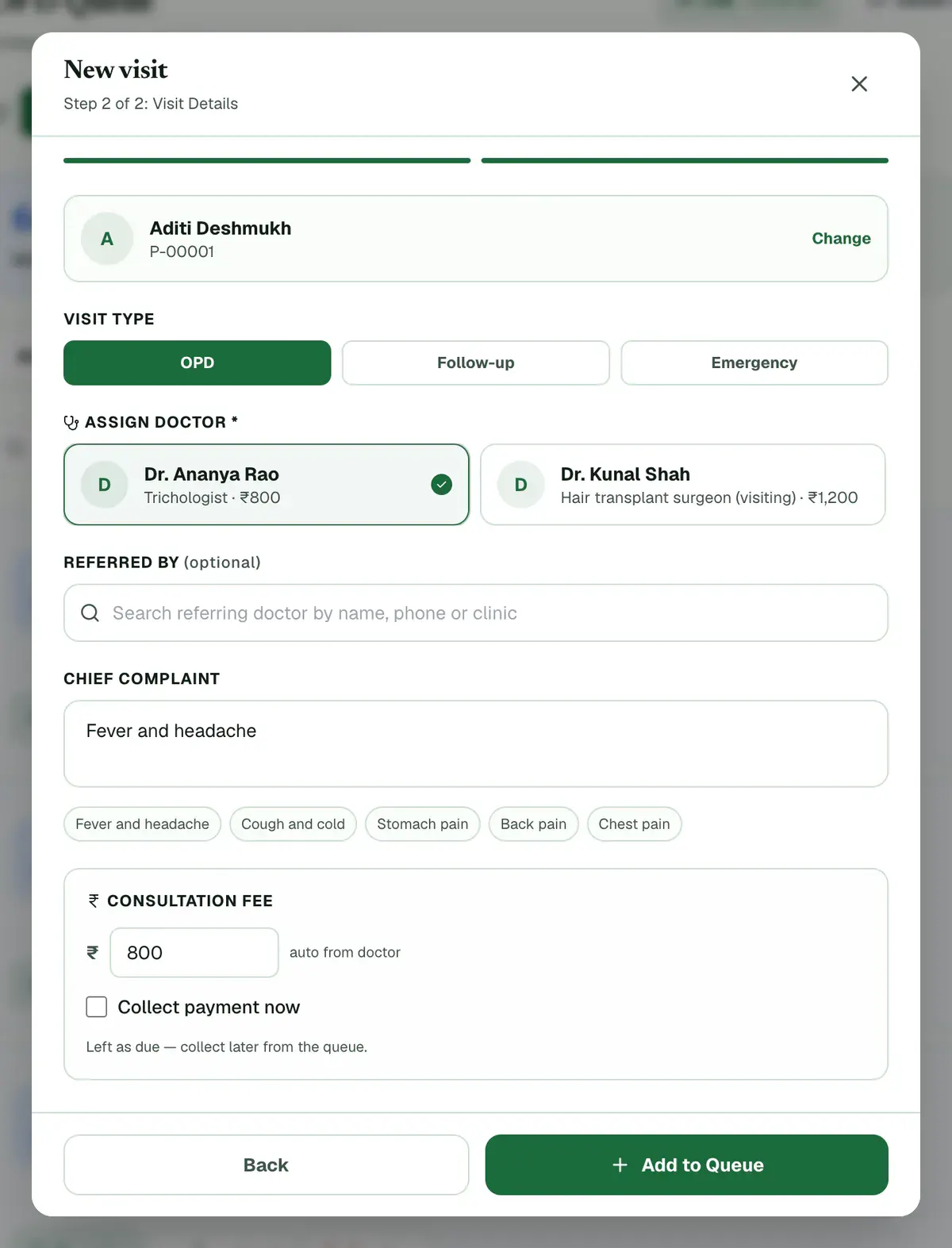
Step 3 of 8 Tip:The fee fills in from the doctor. Tick Collect payment now to take the payment at once.
Careful:If the patient is already in today’s queue, Clinizy Care asks before it adds another visit.
Press Print token and hand the slip to the patient. The patient now has a token number.
Tip:Press Enter to register the next patient for the same doctor.
Careful:If nothing prints, allow pop-ups in your browser.
Press Check In on the patient’s card when they are at the desk. Reception does this.
Press Record vitals on a waiting card to take the patient’s vitals. Nurses do this.
Tip:The Vitals pending and Ready for doctor buttons show who is waiting for each step.
Press Call next to bring the next patient in. The prescription page opens for that visit. Doctors do this.
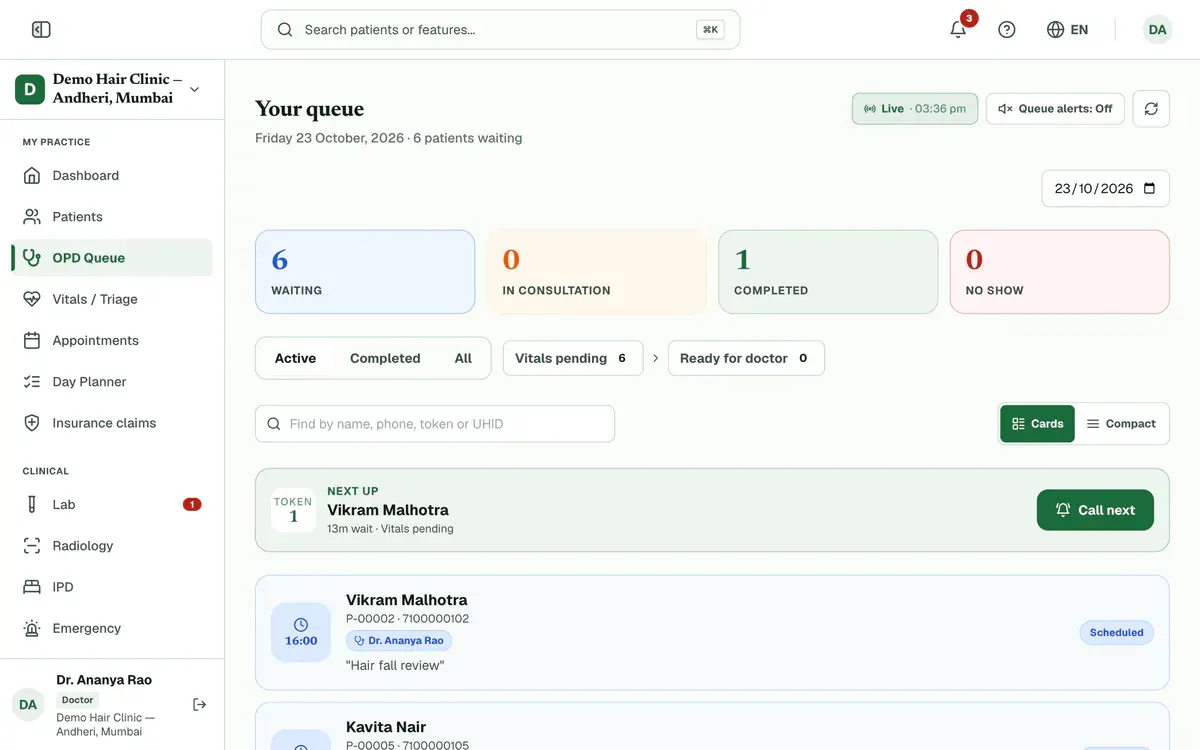
Step 7 of 8 Tip:If a consultation is still open, you are asked to complete it first.
Press Complete when the consultation ends.
Careful:If money is still due, Clinizy Care asks before it closes the visit.
If something goes wrong
Can an urgent patient go first?
Yes. Press Mark priority on the waiting card for an elderly, pregnant or child patient. They are seen before other waiting patients.
Why can I not see the Call next button?
It shows on your own queue when someone is waiting. Reception uses Check In instead, and nurses use Record vitals.
What if the patient is not registered yet?
Press Add a new patient in the New visit window and fill in the short form. The patient is then added to the queue straight away.
Related guides
Book an appointment
Open Appointments and press Book appointment. Choose the doctor and the date, then press Select on a free time. Search for the patient, add a reason if you want one, and press Confirm Booking. The booking then shows on the calendar.
3 minIncluded in Clinic and aboveFind a patient fast
Open Patients and type a name, phone number or UHID in the search box. The list updates as you type. Check the name, age and UHID on the row, then press the patient’s name to open the record. Use the filters when the list is long.
2 minIncluded in Clinic and abovePlan the day with the Day Planner
Open Day Planner to see every doctor and technician on one screen. Check who is free in Team now, then press + Book on a free time and fill in the side panel. Press the one button on each card as the patient arrives, and work through the follow-ups on the right.
4 minAdd-on: Today board
Was this guide helpful?
Last updated 23 Oct 2026By the Clinizy Care product teamSee the feature page