
Set up IPD packages
- Admin and clinic owner
- Billing staff
Short answer
In Clinizy Care, open Settings and choose IPD / surgery packages, or press Packages on the IPD page. Press New package, enter the code, name and price, then set bed-days, inclusions and exclusions. Save it. The billing desk applies the package from the admission’s Daily Charges tab.
Before you start
- Know the package price, its GST rate and bed-days, and what it covers.
- Only admins and billing staff can manage packages.
Steps
Open Settings and choose IPD / surgery packages. Billing staff press Packages on the IPD page.
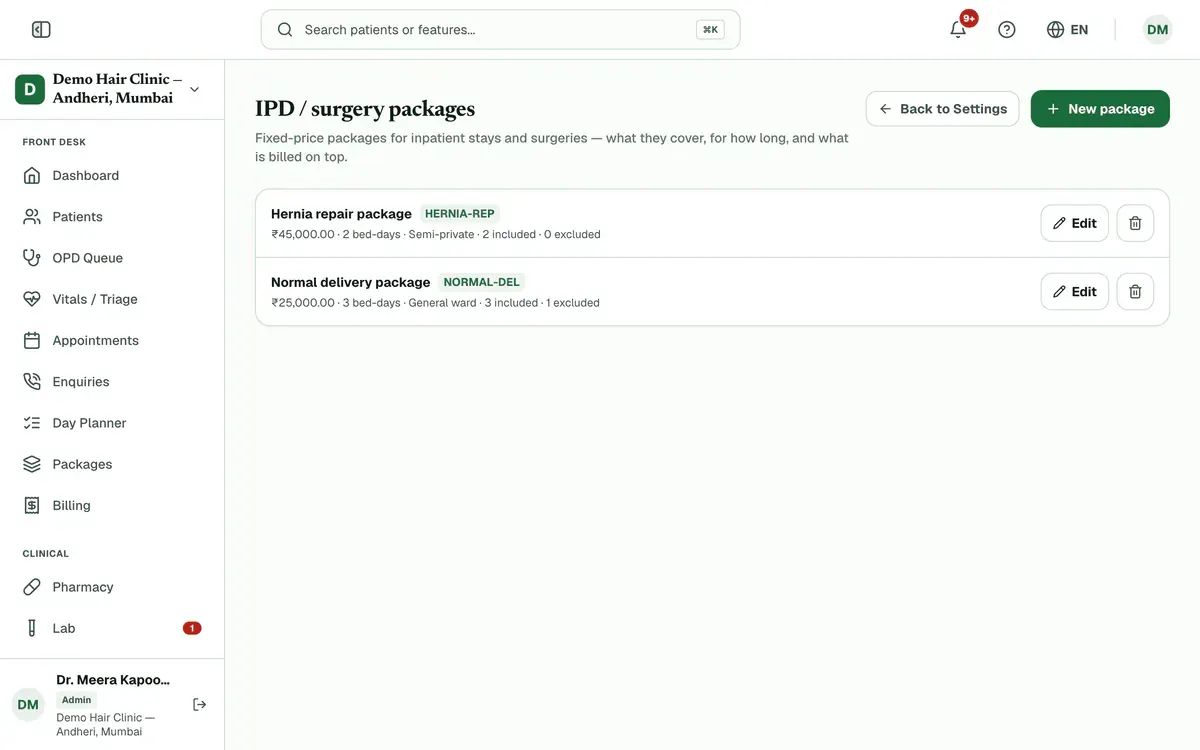
Step 1 of 8 Press New package, then enter the Code, Package name and Price (₹).
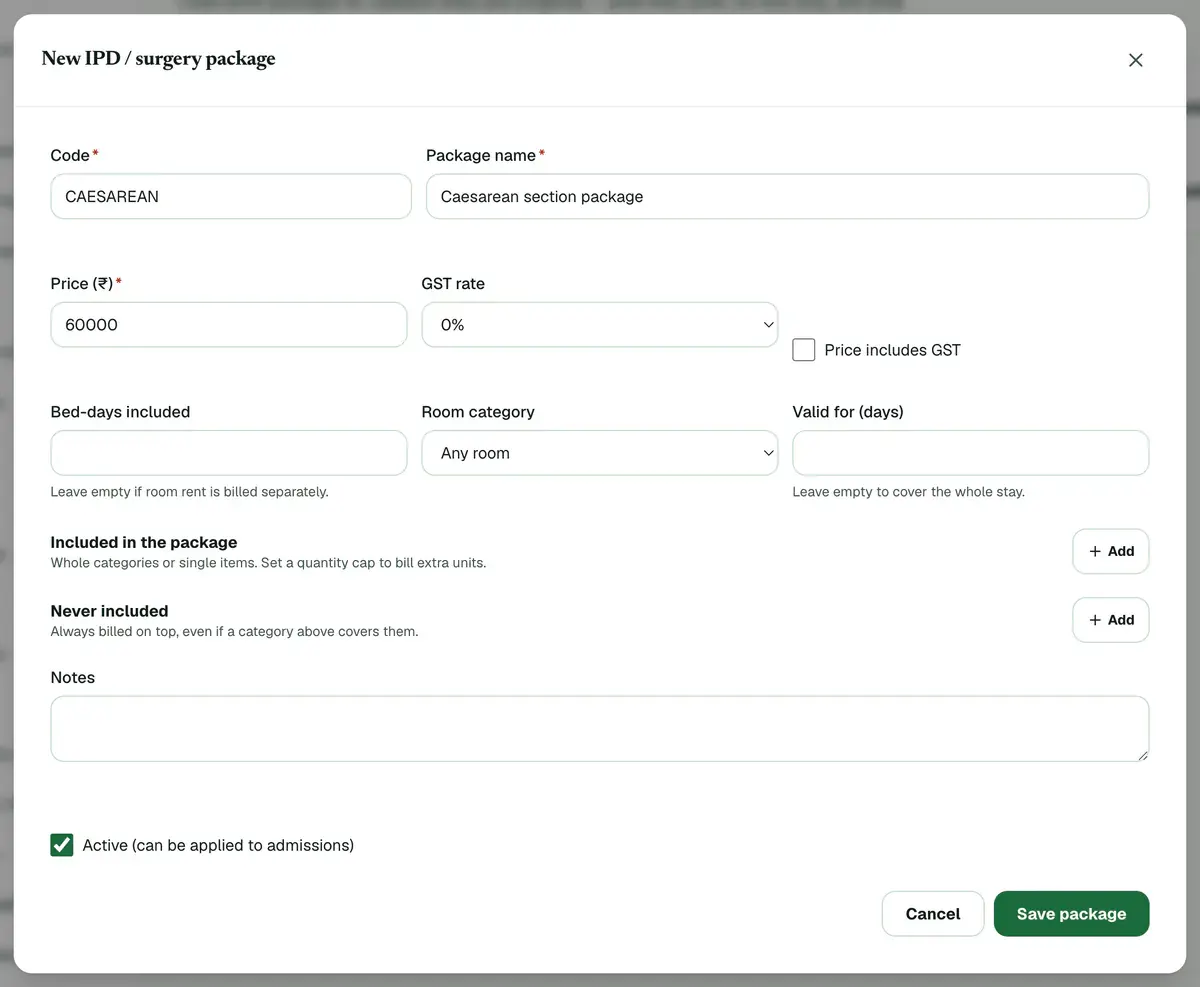
Step 2 of 8 Careful:All three are required.
Choose the GST rate, and tick Price includes GST if the price already has tax.
Set Bed-days included, Room category and Valid for (days) if they apply.
Tip:Leave bed-days empty if room rent is billed separately. Leave validity empty to cover the whole stay.
Add what the package covers under Included in the package: a whole category or single items.
Tip:Set a quantity cap to bill extra units.
Add anything that is always billed on top under Never included.
Keep Active (can be applied to admissions) ticked so staff can use the package, then press Save package.
Apply the package to a stay from the admission’s Daily Charges tab.
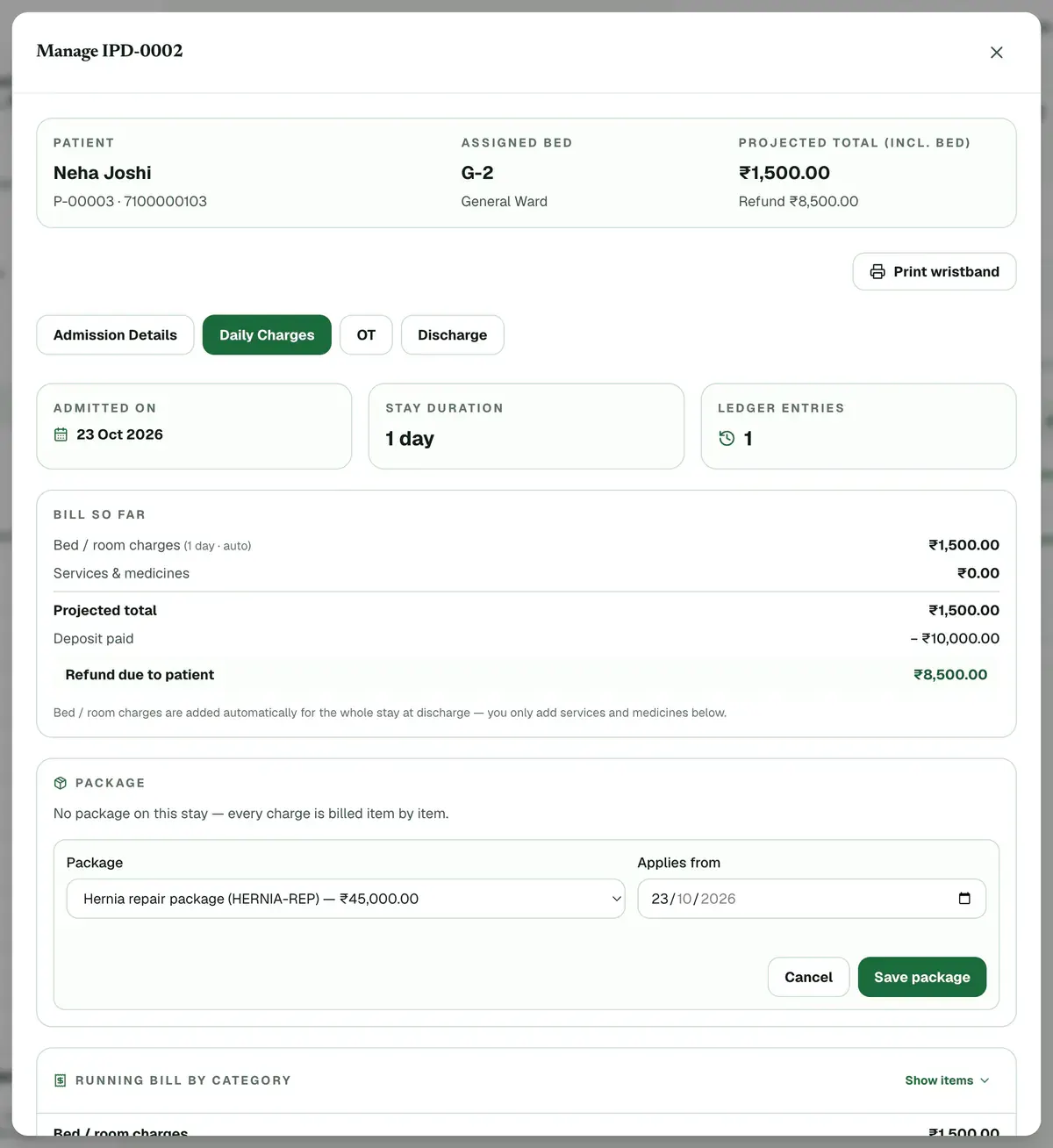
Step 8 of 8 Tip:Covered charges then bill at zero. Everything else bills as normal.
If something goes wrong
What happens to a bill when a package is on the stay?
Covered charges show at ₹0 and everything else bills as normal. The running bill tags each line as included in the package or over it.
Can I delete a package that is already in use?
Yes. Admissions already on the package keep their terms, but it can no longer be applied to new ones.
How do I stop using a package without deleting it?
Press Edit on it and untick Active (can be applied to admissions). It then shows as Inactive and staff cannot apply it.
Related guides
Discharge a patient and finish the bill
Open IPD, press Manage on the admission and add any deposits or charges. Open the Discharge tab and check the final bill. Give a discount if needed, choose the discharge type, press Discharge Patient and confirm. The bed is freed and the final bill is created.
6 minIncluded in Nursing Home and aboveSet discount limits and fee sharing
Open Settings and press Finance controls. Turn on the Ask for approval above a limit toggle, set the limit in Above % and Above ₹, and give a role its own limit if needed. Read the NMC note before fee sharing, then press Save settings to apply the rules to every desk.
5 minIncluded in Nursing Home and aboveUse the bed map
Open IPD and stay on the Bed Map tab. The counts at the top show occupied, free, cleaning, reserved and out-of-use beds. Each tile has a colour: red has a patient, green is free, amber needs cleaning, blue is reserved and grey is out of use. Press Manage on a red bed to open that stay.
3 minIncluded in Nursing Home and above
Was this guide helpful?
Last updated 23 Oct 2026By the Clinizy Care product teamSee the feature page