
Set up your clinic profile
- Admin and clinic owner
Short answer
In Clinizy Care, open Settings and press Facility profile. Add your clinic name, address and working hours, and verify your GSTIN. Then press Save Changes to save. Next, open the Departments tab for services and fees, and the Branding tab for your logo and stamp.
Before you start
- Sign in as the clinic admin.
- Keep your GSTIN, address and phone number handy.
- Keep your logo and stamp ready as PNG, JPG or WebP files.
Steps
Open Settings from the left menu, then press Facility profile.
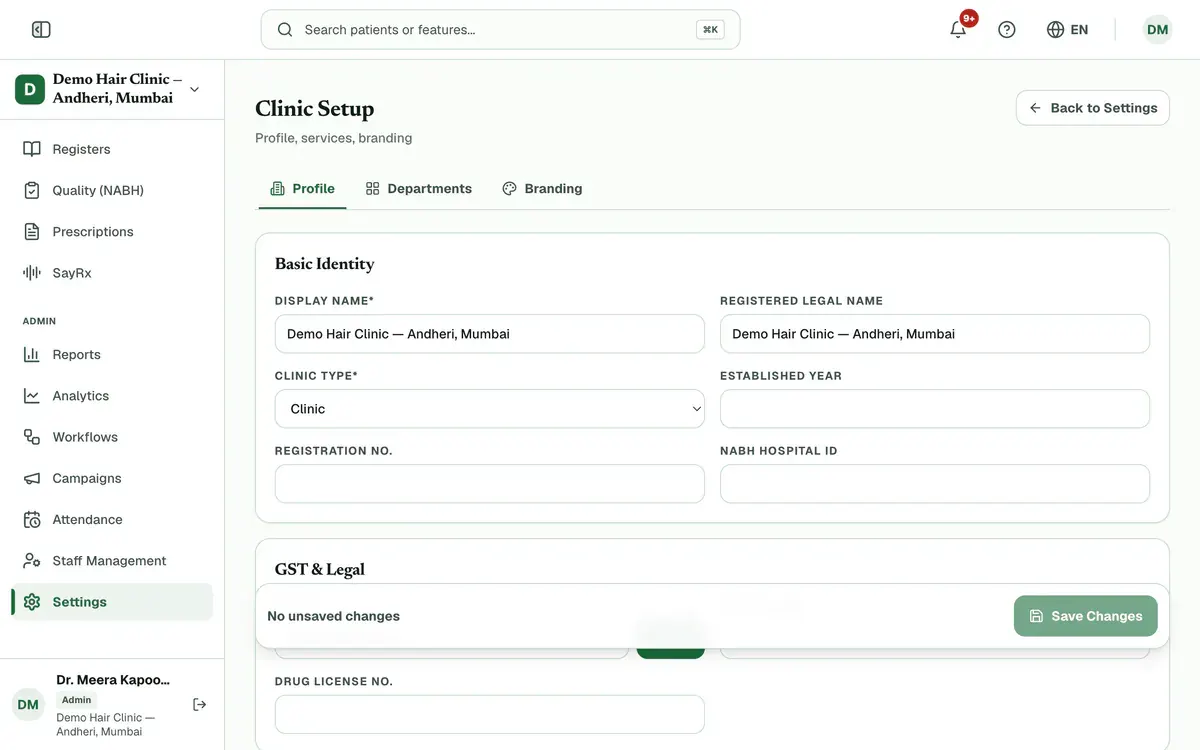
Step 1 of 8 Tip:The page has three tabs: Profile, Departments and Branding.
Enter your clinic’s display name and pick the clinic type under Basic Identity.
Enter your GSTIN under GST & Legal, then press Verify.
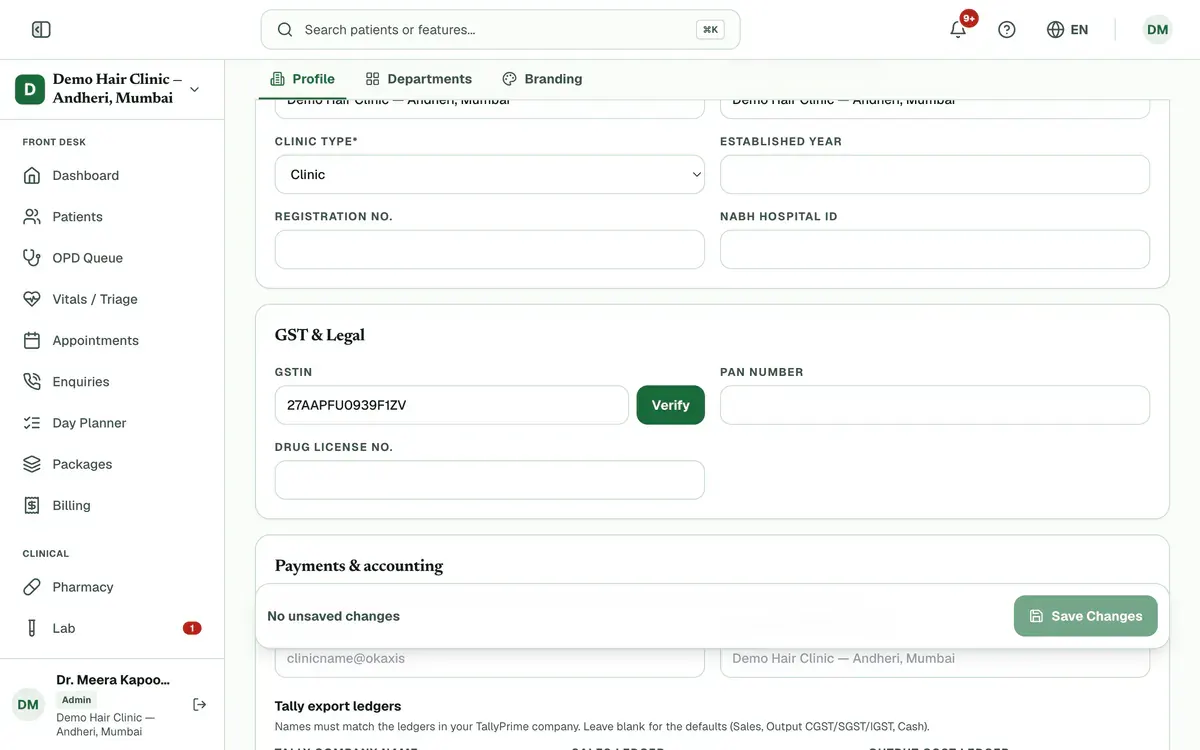
Step 3 of 8 Tip:If the GSTIN is active, you see its legal name. Press Use this legal name to copy it into your profile.
Add your Address and Contact Details.
Tip:Use a 6-digit PIN code and a 10-digit mobile number that starts with 6, 7, 8 or 9.
Set Working Hours for each day. Press Copy Mon to all to reuse Monday’s timings.
Press Save Changes. The bar at the bottom shows how many fields you changed.
Careful:Save before you leave the page. Clinizy Care warns you if you leave with unsaved changes.
Open the Departments tab, pick a department and add or edit its services and fees.
Tip:Press + Add Service to add a service with its rate.
Open the Branding tab. Under Clinic Images, press Browse to choose your logo and stamp, then press Save Changes.
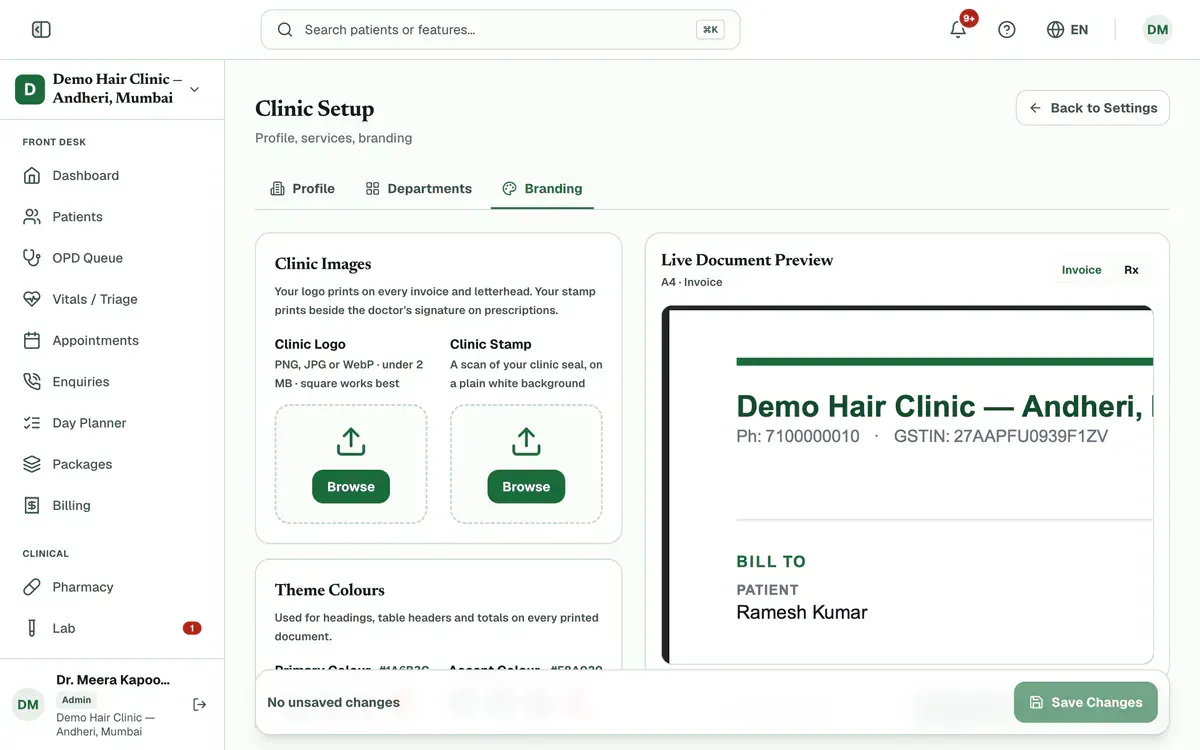
Step 8 of 8 Tip:A logo can be a PNG, JPG or WebP file under 2 MB. The stamp works best as a scan on a plain white background.
If something goes wrong
Do I need a GSTIN?
Without a GSTIN, your bills are not GST tax invoices. Add it here to issue compliant GST invoices.
Where do I add a doctor’s MCI or NMC number?
Not on this page. Open Doctors & registration in Settings, or edit the doctor in Staff Management.
Why is the save button greyed out?
It works only after you change something. The bar says No unsaved changes until you edit a field.
Related guides
Choose what each role can see
Open Settings and press Roles & permissions. Pick a role, then switch each permission on or off. The What this role will see panel shows the menu that role will get before you save. Press Save changes and confirm. Signed-in staff get the change within a few minutes, with no new login needed.
4 minIncluded in Clinic and aboveSet your security rules
Open Settings and press Security policies. Turn on two-factor sign-in for your own account, then set the password, session, device and lockout rules. Press Save policy to apply them to all staff. You can also sign out any device from the same page.
5 minIncluded in Clinic and aboveUse the settings hub
Open Settings to find every clinic setting in one place. The top shows your setup progress and plan. Below, cards are grouped by topic: setup, communication, security and billing. Press any card to open it. Start with Facility profile, then check Plan & subscription.
3 minIncluded in Clinic and above
Was this guide helpful?
Last updated 23 Oct 2026By the Clinizy Care product team