
Turn on an automation
- Admin and clinic owner
Short answer
In Clinizy Care, open Workflows to see automatic reminders and messages grouped by area. Check your messaging allowance, then use the switch on a card to turn one on. You confirm before anything is sent. Press a card to see its settings, past runs and recent messages.
Before you start
- Check how many messages you have left in your allowance.
- Read what the automation does and when it runs.
Steps
Open Workflows from the left menu.
Check Messaging allowance at the top. A running automation sends real messages.
Find an automation in its group, such as Patient engagement or Billing & GST. Read what it does and when it runs.
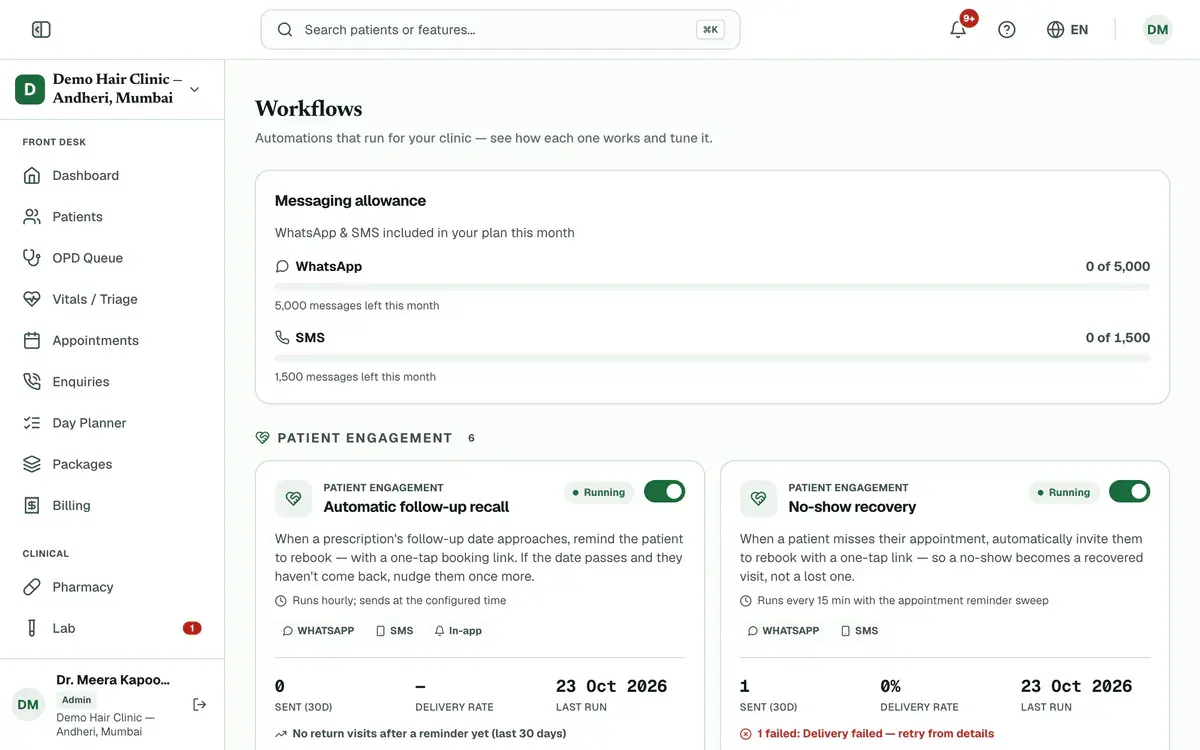
Step 3 of 8 Tip:Each card shows messages sent, the last run and any failures.
Use the switch on the card to turn the automation on.
Read the message that appears, then press Turn on.
Careful:After this, the automation sends real messages on its own schedule. Standard messaging charges apply.
Press the card to open its details. You see how it works, its past runs and its recent messages.
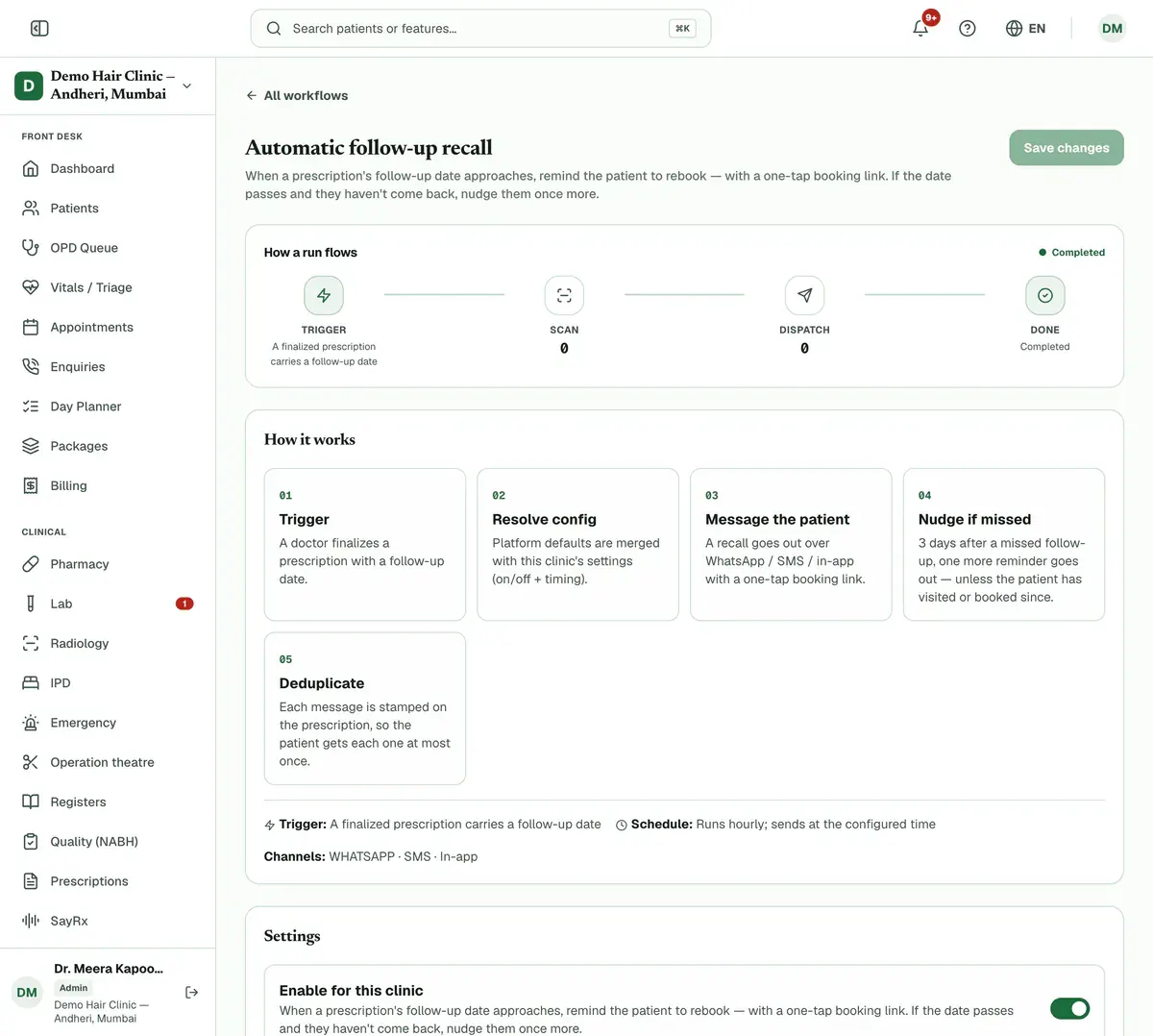
Step 6 of 8 Change the delivery channels or timing if the details offer them, then press Save changes.
Look at Run history and Recent messages. A failed message shows why it failed.
Tip:Some failed messages also show a Retry button.
If something goes wrong
Does turning one on cost money?
Its messages use your messaging allowance, and standard messaging charges apply. Clinizy Care tells you this before you confirm.
How do I turn an automation off?
Use the same switch on the card. Turning one off needs no confirmation.
What does Run now do?
On a scheduled automation, it sends the messages to matching patients right away. You find it on the details page, and Clinizy Care asks you to confirm first.
Related guides
Compare collections and revenue
Open Reports and set your dates. Three panels sit under the report buttons. Day-end Collections shows money received and refunded. Revenue reconciliation checks revenue against the payment ledger. Period-over-period compares your dates with the days right before. Your role and plan decide which panels you see.
5 minIncluded in Nursing Home and aboveManage add-ons
Open Settings and press Add-ons. See how many branches and doctor and staff seats you use. Choose the extra ones you need with the plus button, check the total and pay securely online. The add-on switches on as soon as the payment is confirmed.
4 minIncluded in Clinic and aboveManage attendance and shifts
Open Attendance and create your shifts first. Then give each person a weekly pattern in Roster, check and correct each day in Register, and approve or reject requests in Leave Approvals. Use Summary for monthly totals and a CSV file.
5 minIncluded in Clinic and above
Was this guide helpful?
Last updated 23 Oct 2026By the Clinizy Care product team