
Use search and shortcuts
- Admin and clinic owner
- Doctor
- Nurse
- Receptionist
- +6
Short answer
In Clinizy Care, press Ctrl+K (⌘K on a Mac) or press the search bar to find a patient by name, phone number or UHID, or to jump to any page you can use. Type bill, queue, book or rx before a name to start a task. Press ? to see every keyboard shortcut.
Before you start
- Sign in to Clinizy Care first.
- Have a patient’s name, phone number or UHID ready.
Steps
Press Ctrl+K (⌘K on a Mac), or press the search bar at the top. On a phone, press the search icon.
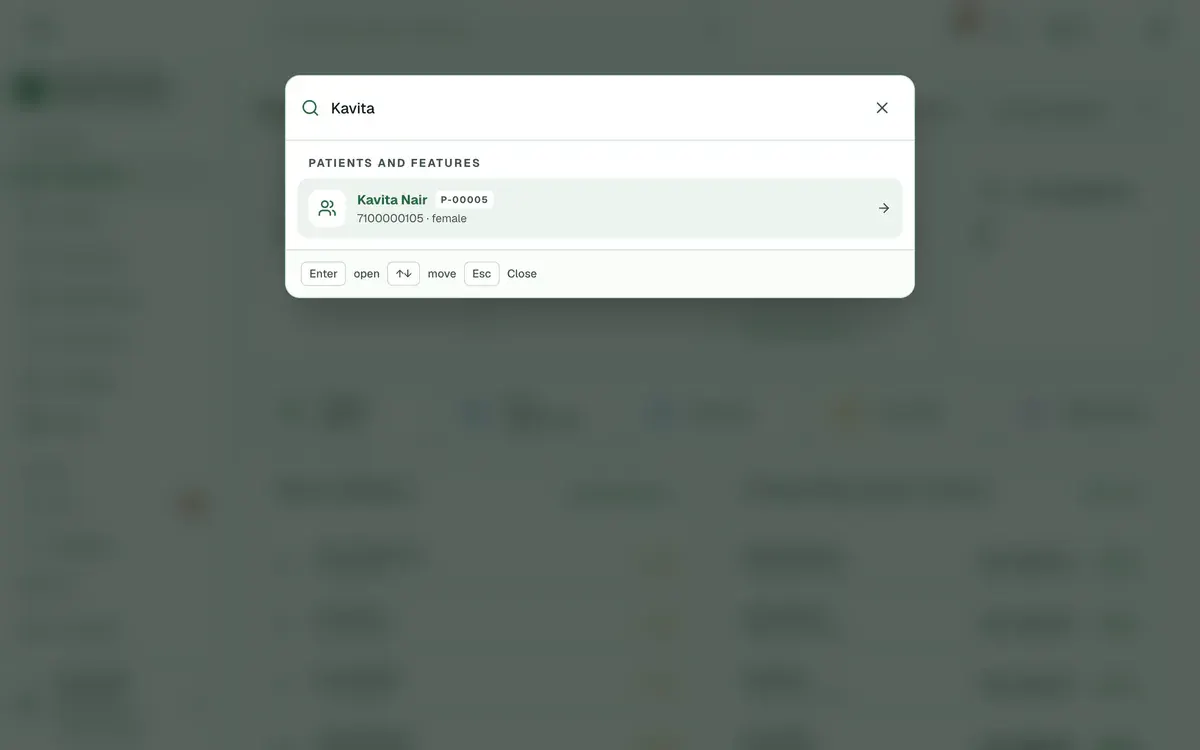
Step 1 of 7 Type at least two letters of a name, the first digits of a phone number, or a full UHID like P-00123.
Tip:Phone numbers match from the first digit. A UHID needs the whole code, starting with P-.
Start a task by typing bill, queue, book or rx before the patient’s name, then press Enter on the result.
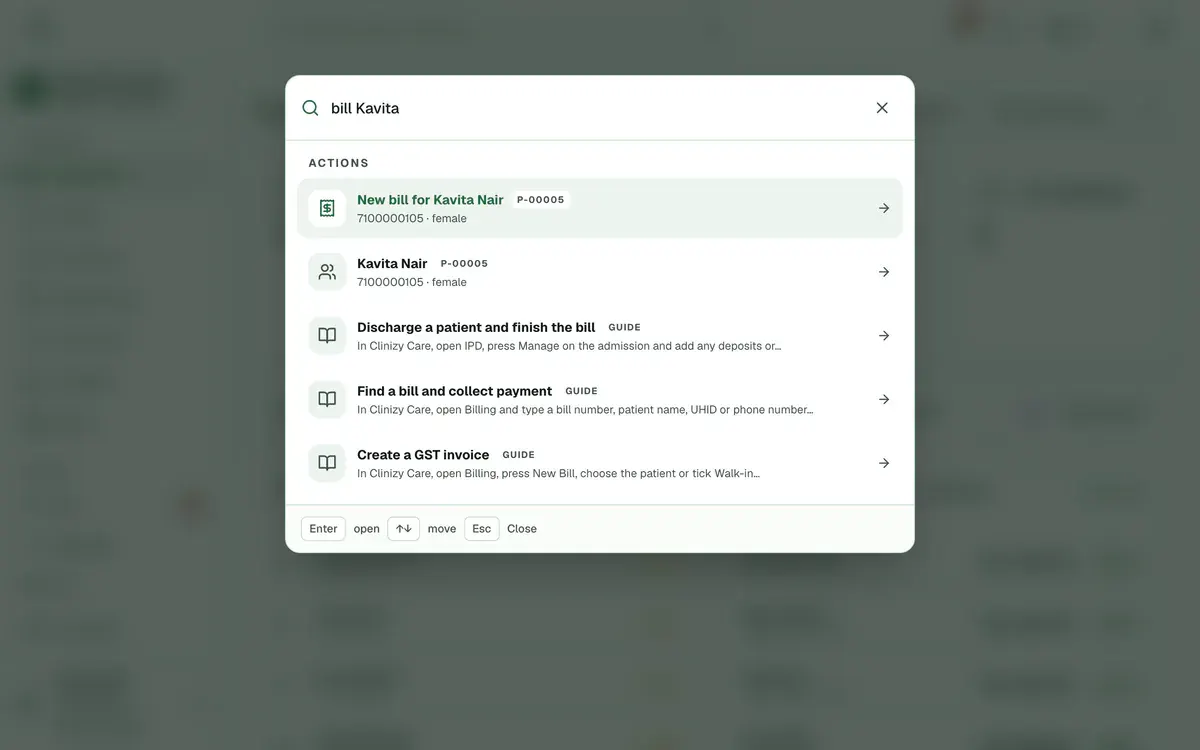
Step 3 of 7 Tip:Each task shows only when your role can do it and your plan includes it.
Type a page name, such as billing, to jump to it. Matching help guides show up too.
Use the up and down arrow keys to move, Enter to open a result and Esc to close.
Press ? to see every keyboard shortcut. You can also open Help and support and choose Keyboard shortcuts.
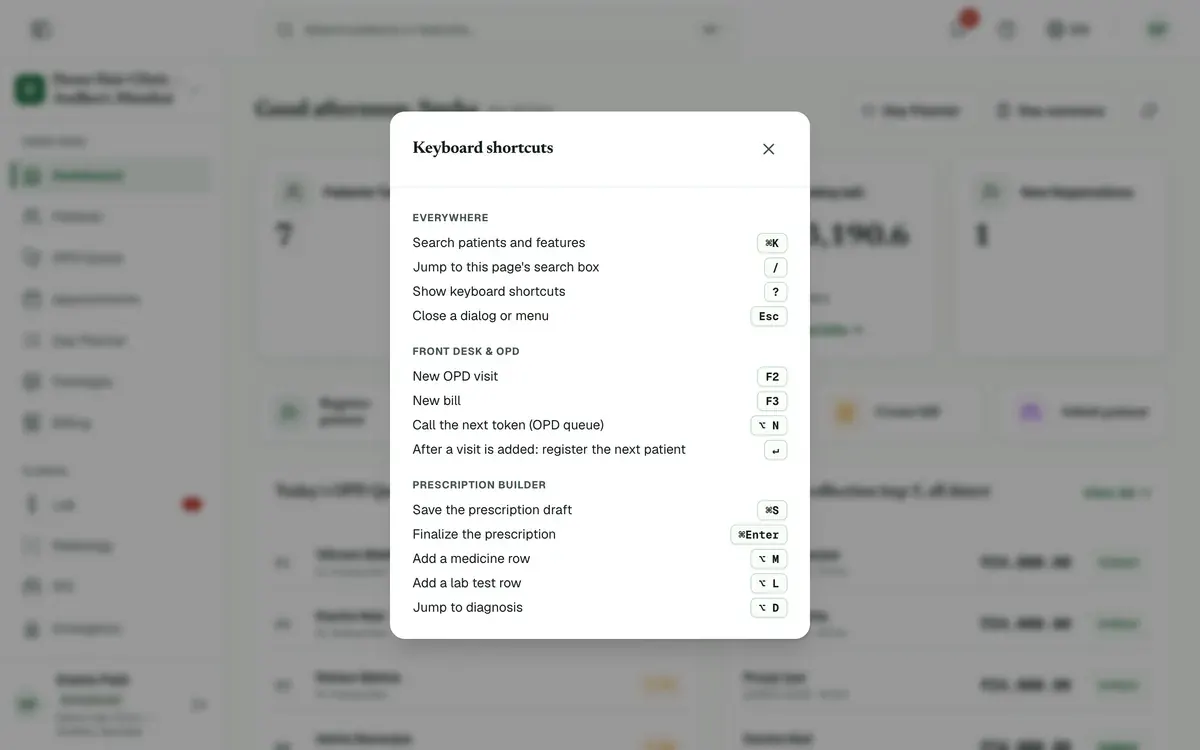
Step 6 of 7 Tip:The ? key works when you are not typing in a box.
Use F2 for a new OPD visit, F3 for a new bill, and / to jump to the search box on a page.
Careful:F2 and F3 work only for roles that can add visits or bills.
If something goes wrong
What can I search for?
You can find patients by name, phone or UHID, pages from the menu, and help guides. You see only the pages your role can open.
Why does search not find my patient?
Type at least two characters. Type a phone number from its first digit, and a UHID in full, starting with P-. Check the spelling of the name too.
Who can use the F2 and F3 keys?
F2 starts a new OPD visit for reception, admins and nurses your clinic has allowed to add visits. F3 starts a new bill for roles that can create bills.
Related guides
Add staff and give them roles
Open Staff Management and press Add Staff. Enter the person’s name, mobile number and role, then save. Clinizy Care sends them a WhatsApp welcome and shows, live, whether it arrived. The welcome has no password, so copy the temporary password and share it with them. Edit, reset or deactivate staff on the same page.
5 minIncluded in Clinic and aboveChange the language
Press the globe button in the top bar. On a phone, press More and use the Language row instead. Choose English, Hinglish or हिन्दी. The menus and buttons change straight away. Your choice is saved in that browser only, so repeat it on any other device you use.
2 minIncluded in Clinic and aboveCheck your notifications
Press the bell in the top bar to open Notifications. Press an alert to mark it read, or press its link to go to the right page. Use the tabs and Unread only to find what matters, and press Mark all read when you have seen everything.
2 minIncluded in Clinic and above
Was this guide helpful?
Last updated 23 Oct 2026By the Clinizy Care product team