
Manage a patient’s treatment package
- Admin and clinic owner
- Billing staff
- Receptionist
Short answer
In Clinizy Care, open Packages and switch to Patients. Tabs such as Due or overdue and Expiring soon show who needs a call. Each row has Book and Record, and its menu can freeze, extend or cancel the package. The same actions are on the patient’s Treatment packages card.
Before you start
- Admins, receptionists and billing staff can freeze, unfreeze and cancel. Only the clinic admin can extend validity.
- Know the reason first. Freezing, extending and cancelling each ask for one.
Steps
Open Packages and switch to Patients.
Tip:The cards at the top show how many packages are active and how many sessions were done this month.
Pick a tab. Due or overdue lists sessions due today or missed. Expiring soon lists packages that end within 7 days.
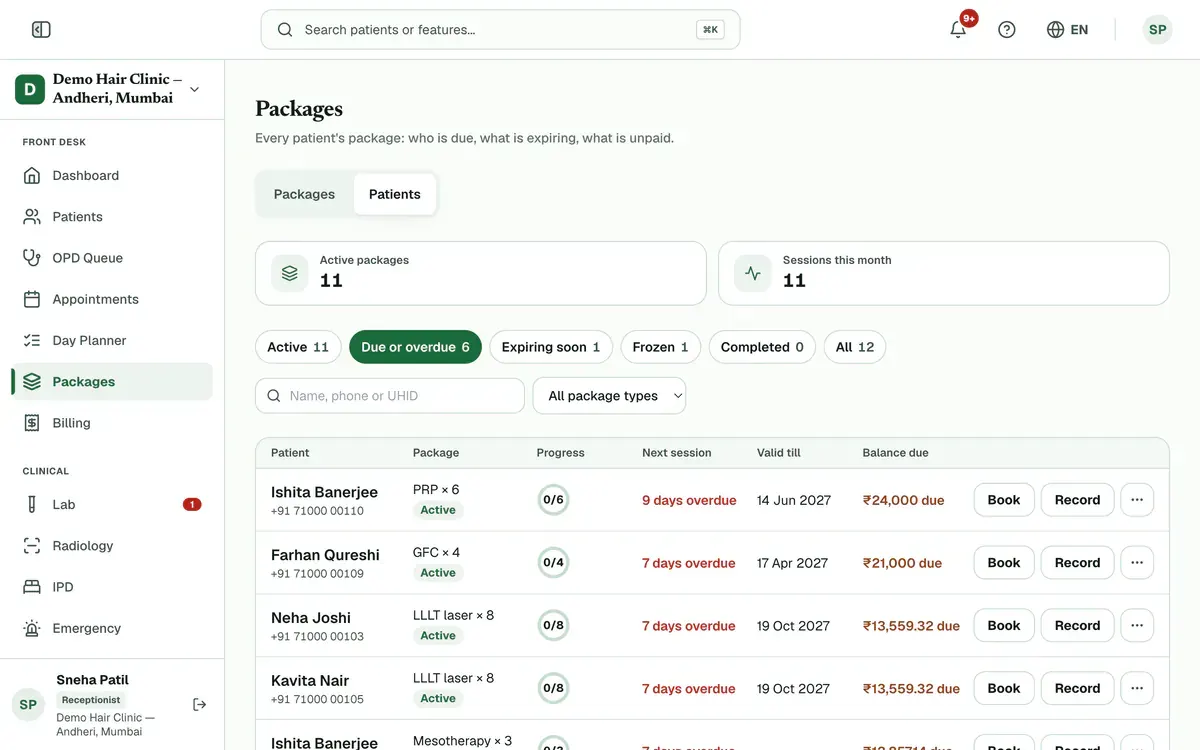
Step 2 of 8 Tip:Search by name, phone or UHID, or pick one package type. The Day Planner has the same lists in its Packages tab.
Press Book to book the next session, or Record if the session is already done.
Open the row’s three-dot menu for Collect payment, Freeze, Extend validity, View bill or Cancel package.
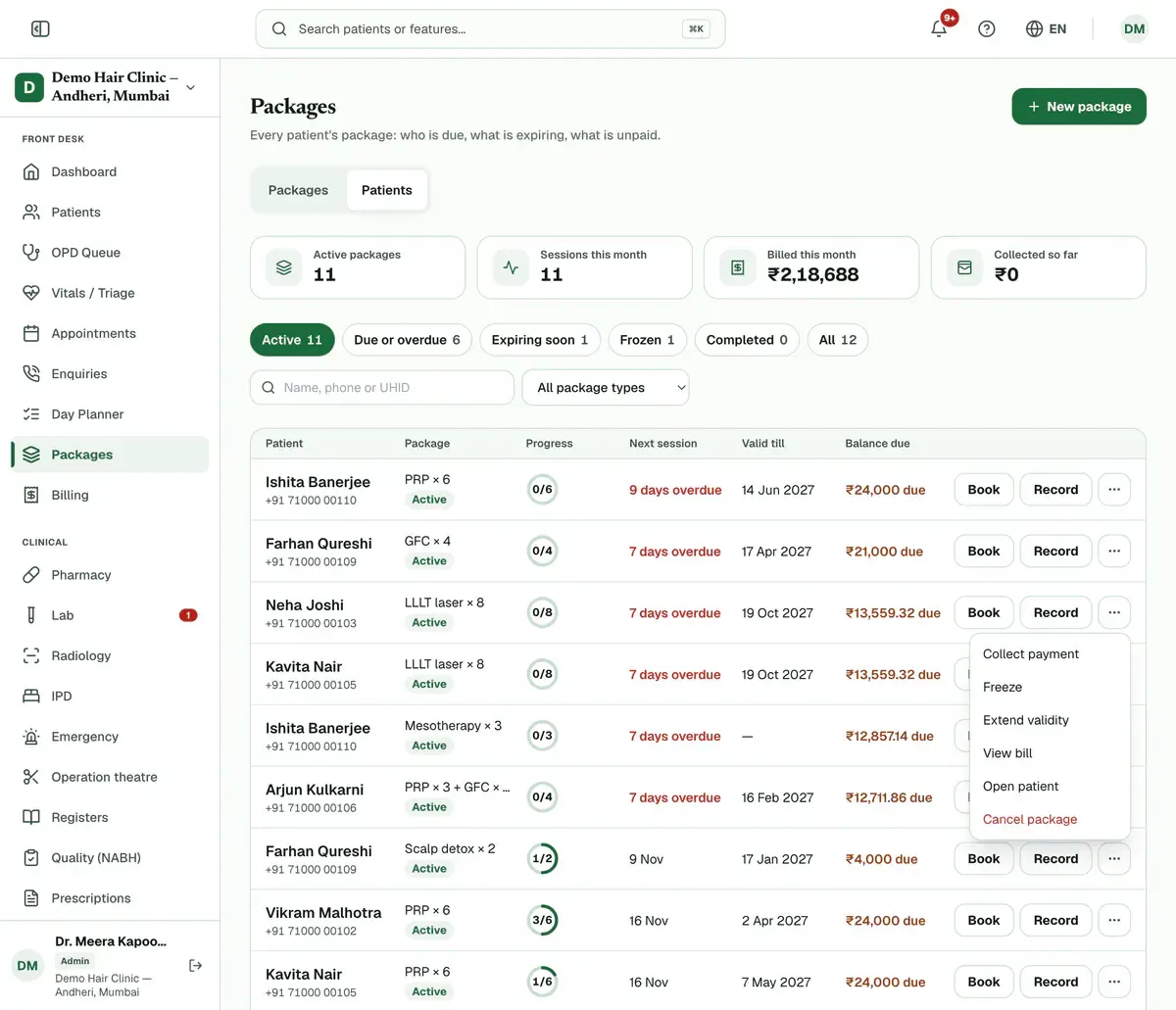
Step 4 of 8 Tip:The menu shows only what fits the package right now. For example, a package with no balance has no Collect payment.
Choose Freeze when the patient needs a break, such as travel or illness. Type the reason and press Freeze package.
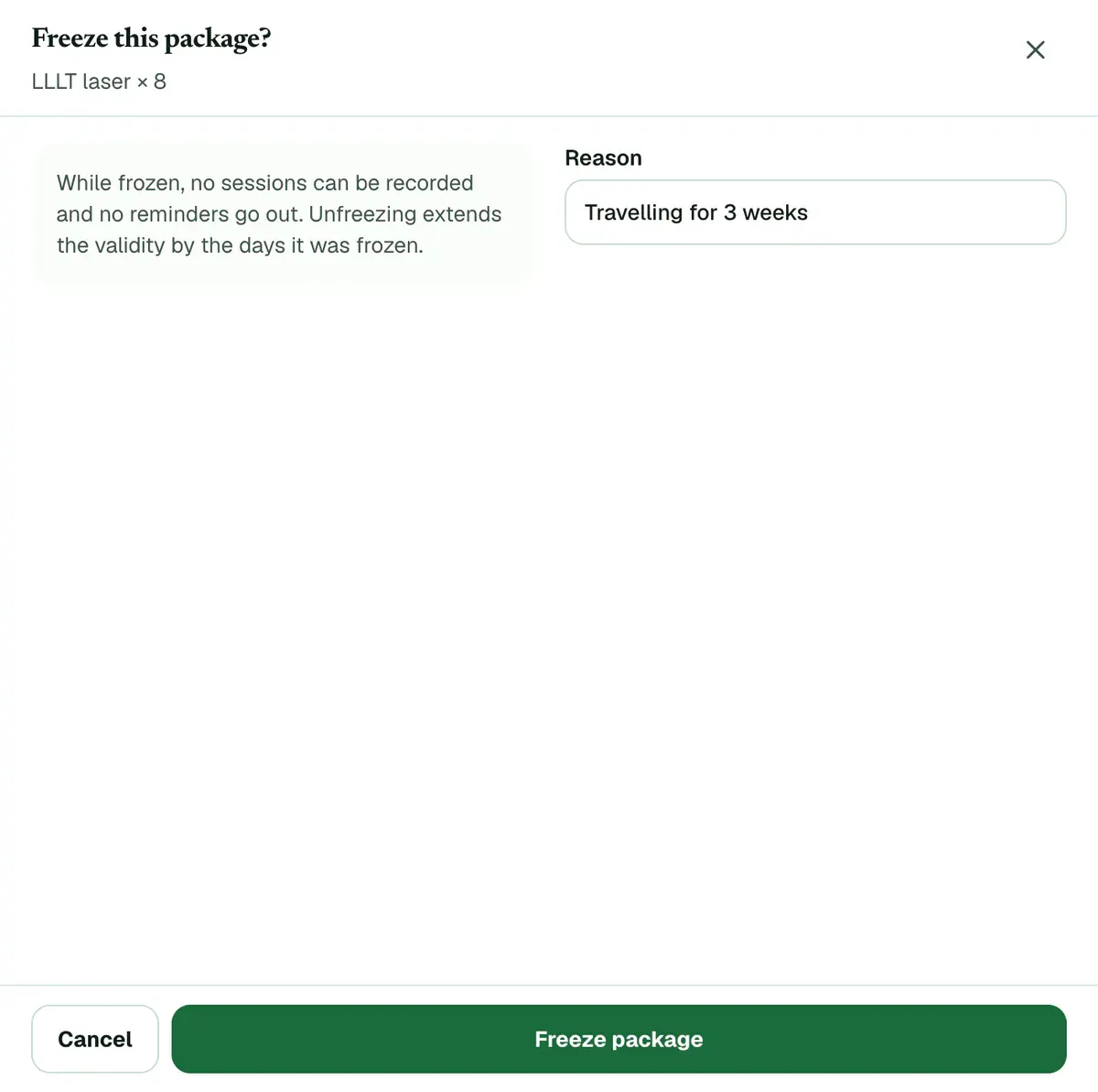
Step 5 of 8 Tip:While frozen, no session can be recorded and no reminders go out.
Press Unfreeze on the row when the patient is back. The validity grows by the days it was frozen.
Tip:Find frozen packages in the Frozen tab. A session that fell due during the freeze is due today.
Choose Extend validity to give more time. Pick 7, 15, 30 or 60 days or Other, type a reason and confirm.
Careful:Only the clinic admin sees this. An expired package with sessions left becomes active again from today.
Choose Cancel package only when the patient stops for good. Pick a reason and press Cancel package.
Careful:Cancelling refunds nothing. Collected money stays on the bill, and an unpaid bill stays open until someone cancels it in Billing.
If something goes wrong
Who can freeze, extend or cancel a package?
Admins, receptionists and billing staff can freeze, unfreeze and cancel. Only the clinic admin can extend validity. Technicians see packages on the patient’s record only.
Does the patient get reminders about their package?
Yes, while package reminders are on for your clinic. WhatsApp reminders go the day before a session is due, three days after a missed date, and seven days before a package with sessions left expires.
Can I do this from the patient’s record?
Yes. The Treatment packages card on the patient’s record has Book next, Record session and the same three-dot menu.
What happens to the money when a package is cancelled?
Nothing changes on the bill by itself. Collected money is not refunded and an unpaid bill stays open. Settle a refund or cancel the bill in Billing.
Related guides
Sell a treatment package to a patient
Open the patient’s profile, find the Treatment packages card and press Sell package. Choose the package, check the payable amount, then press Sell and bill. Take the payment in the form that opens, or choose to collect later, and press Book first session to book the first session.
4 minAdd-on: Treatment packagesRecord a treatment package session
Press Complete on the patient’s card in your Day Planner, or press Record session on the Treatment packages card in the patient’s record. Check who did the session and the stock used, add a note if you like, then press Save session. The sessions left and the next due date update on their own.
3 minAdd-on: Treatment packagesSet up the treatment packages your clinic sells
The clinic admin opens Packages and presses New package. Type the name, the number of sessions, the gap between them, how long it stays valid and the price with GST. Add the stock each session uses and any aftercare advice, then press Save package. Staff can then sell it from any patient’s record.
5 minAdd-on: Treatment packagesFind a bill and collect payment
Open Billing and type a bill number, patient name, UHID or phone number in the search box. Press a status chip such as Unpaid to narrow the list. Open the bill, press Record Payment, enter the amount and how it was paid, and confirm. The bill moves to Partial or Paid.
4 minIncluded in Clinic and above
Was this guide helpful?
Last updated 26 Oct 2026By the Clinizy Care product team