
Record a treatment package session
- Admin and clinic owner
- Nurse
- Receptionist
- Technician
Short answer
In Clinizy Care, press Complete on the patient’s card in your Day Planner, or press Record session on the Treatment packages card in the patient’s record. Check who did the session and the stock used, add a note if you like, then press Save session. The sessions left and the next due date update on their own.
Before you start
- The patient needs an active package. The front desk sells it from the patient’s record.
- Record the session on the day it is done. The next session date is counted from the day you record it.
- In the Day Planner, press Check in when the patient arrives. Complete shows once they are checked in.
Steps
Press Complete on the patient’s card in your Day Planner when the session ends, then press Mark completed.
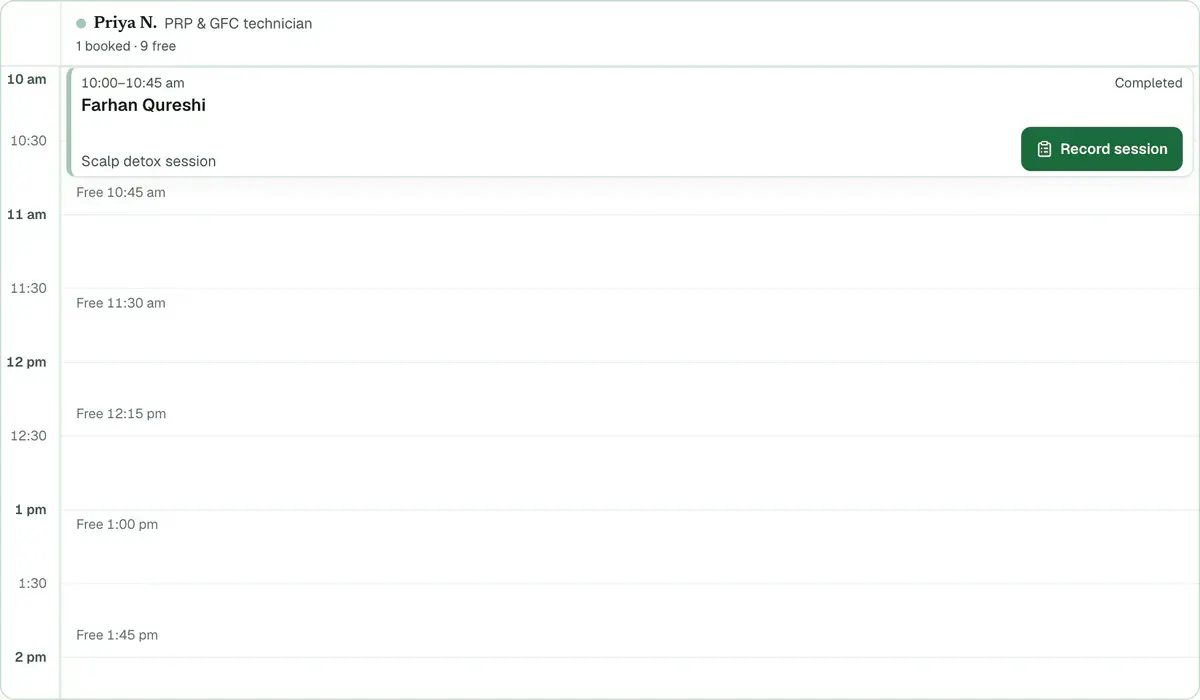
Step 1 of 8 Tip:The Record session form opens by itself when the patient has an active package. If you close it, the card shows Record session. Press it to open the form again.
Use the patient’s record when there was no appointment: press Record session on the Treatment packages card.
Tip:This is also the way in if your clinic has no Day Planner. The front desk can also press Record on the Packages page.
Check the line under the title. It shows which session this is and the name of the package.
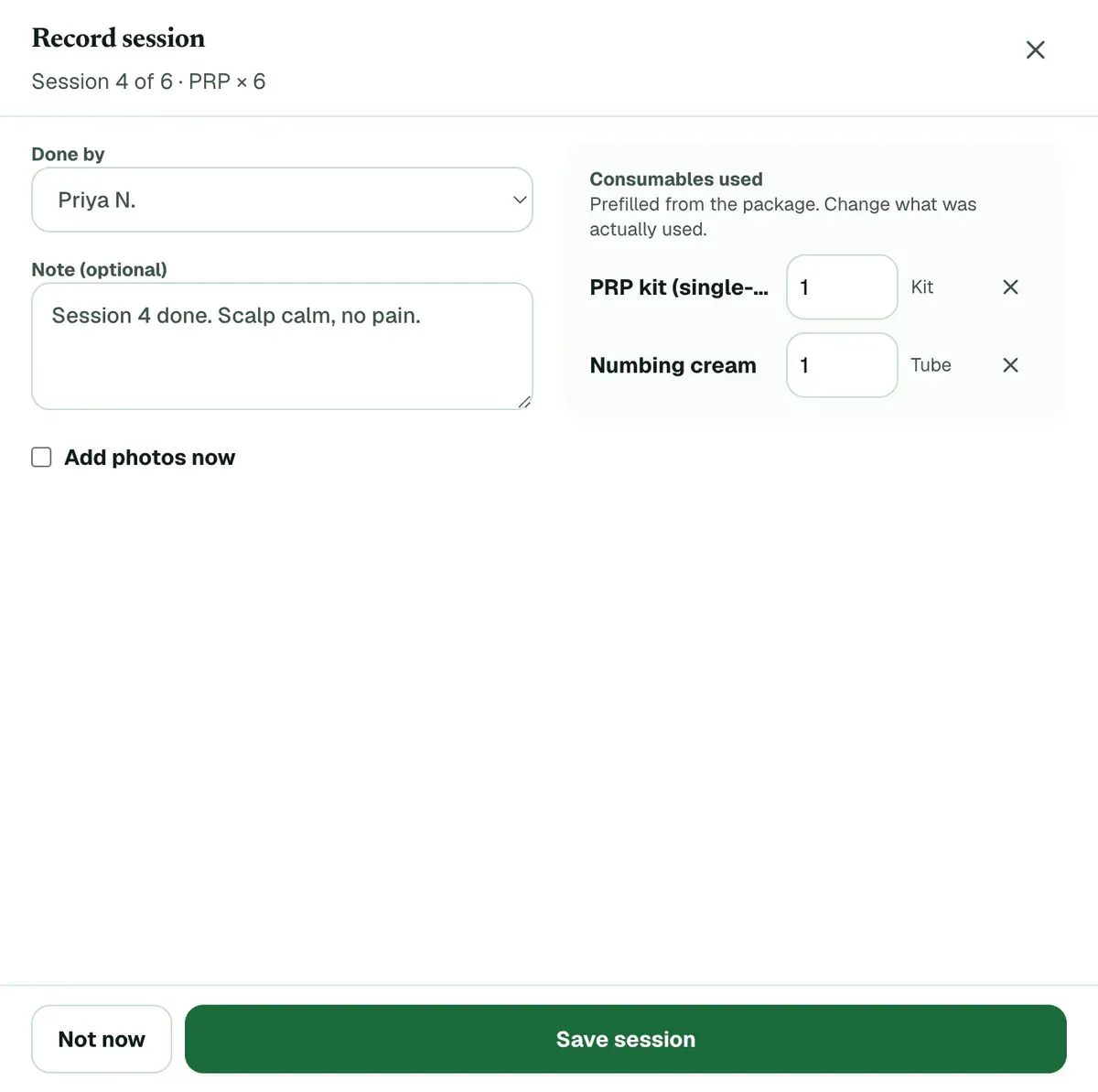
Step 3 of 8 Tip:A patient with two or more packages gets a Package list. Pick the one you treated.
Choose who did the session in Done by. A technician or doctor finds their own name there already.
Tip:Only doctors and technicians are in this list.
Check Consumables used. Change a number, or remove an item that was not used.
Careful:Saving takes these items off stock. If stock is short, the session is still saved and a warning names the item.
Add a short note in Note (optional) if needed, for example how the patient felt.
Tip:Tick Add photos now to take the visit’s photos as soon as you save.
Press Save session.
Tip:Not now closes the form without saving. You can record the session later from the patient’s record.
Check the package card. It now shows one more session done and the date of the next one.
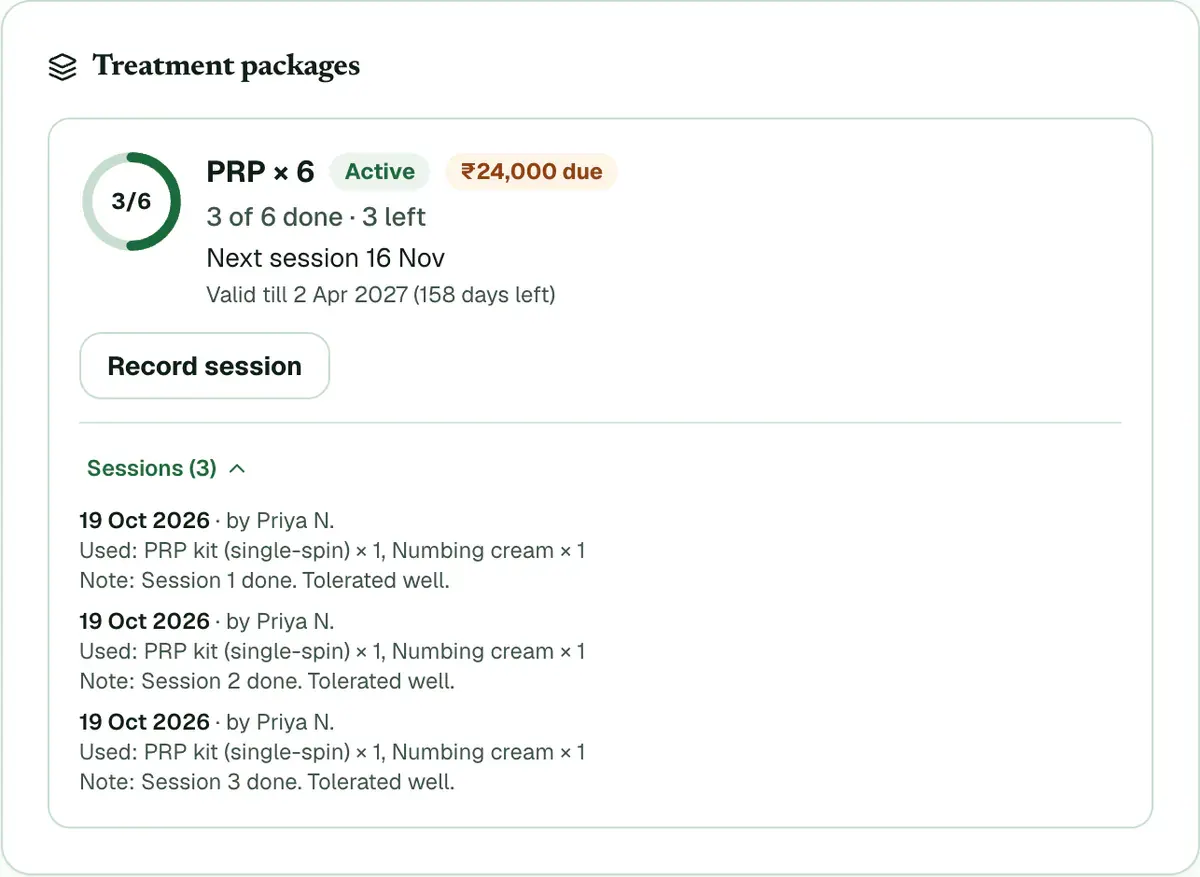
Step 8 of 8 Tip:Open the list of sessions on the card to see each date, who did it, the items used and the note.
If something goes wrong
Does the patient get a message after the session?
Yes, on WhatsApp, if your clinic sends WhatsApp messages. A package with aftercare instructions sends them after every session, with a check-in the next morning. Otherwise, a package with a fixed gap sends the next due date. After the last session, the patient hears the package is complete.
Will the patient be reminded about the next session?
Yes, while package reminders are on for your clinic. The patient gets a WhatsApp reminder the day before the next session is due, and one more nudge three days after a missed date.
Why can I not record a session for this patient?
The package is not active. A frozen, expired, completed or cancelled package takes no sessions. Ask the front desk to unfreeze it, or the clinic admin to extend it.
Can a doctor or nurse record a session?
Yes. They open the patient’s record and press Record session on the Treatment packages card. A nurse then chooses the doctor or technician who did it.
What if I saved a session on the wrong package?
Tell your clinic admin at once. A saved session cannot be removed from the screen, so check the package name and the session number before you save.
Related guides
Sell a treatment package to a patient
Open the patient’s profile, find the Treatment packages card and press Sell package. Choose the package, check the payable amount, then press Sell and bill. Take the payment in the form that opens, or choose to collect later, and press Book first session to book the first session.
4 minAdd-on: Treatment packagesManage a patient’s treatment package
Open Packages and switch to Patients. Tabs such as Due or overdue and Expiring soon show who needs a call. Each row has Book and Record, and its menu can freeze, extend or cancel the package. The same actions are on the patient’s Treatment packages card.
4 minAdd-on: Treatment packagesSet up the treatment packages your clinic sells
The clinic admin opens Packages and presses New package. Type the name, the number of sessions, the gap between them, how long it stays valid and the price with GST. Add the stock each session uses and any aftercare advice, then press Save package. Staff can then sell it from any patient’s record.
5 minAdd-on: Treatment packagesTake and compare clinical photos
Open the patient’s record, find the Photos card and press Add photos. Take or choose a photo for each view, then press Save photos. Once there are two sessions, press Compare to look at any two together. The card shows only if your clinic has the photo gallery, which comes with the hair and skin packs.
5 minAdd-on: Clinical photo gallery
Was this guide helpful?
Last updated 26 Oct 2026By the Clinizy Care product team