
Set up the treatment packages your clinic sells
- Admin and clinic owner
Short answer
In Clinizy Care, the clinic admin opens Packages and presses New package. Type the name, the number of sessions, the gap between them, how long it stays valid and the price with GST. Add the stock each session uses and any aftercare advice, then press Save package. Staff can then sell it from any patient’s record.
Before you start
- Only the clinic admin can add or change packages.
- Add the items a session uses, such as kits or creams, to your Pharmacy stock first, so you can pick them here.
Steps
Open Packages from the menu and press New package.
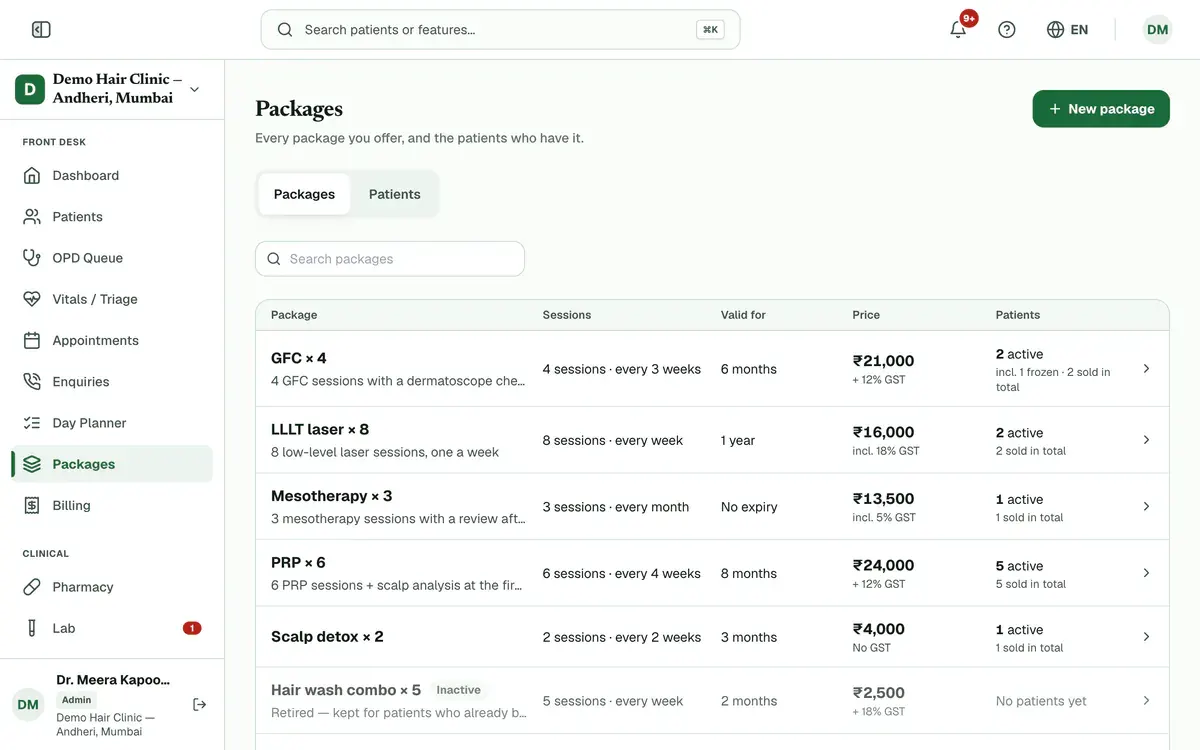
Step 1 of 8 Tip:The list shows every package you offer, with its price and how many patients have it. Press a package to see its details.
Type the Package name. Write what the patient gets in What's included (optional).
Tip:Staff see this text when they pick the package to sell.
Write Aftercare instructions (optional) if patients need advice after each session.
Tip:The patient gets this on WhatsApp after every session, then a check-in the next morning. Use the language your patients read, in up to 280 characters.
Enter the Number of sessions and the Gap between sessions. For example, 6 sessions, 4 weeks apart.
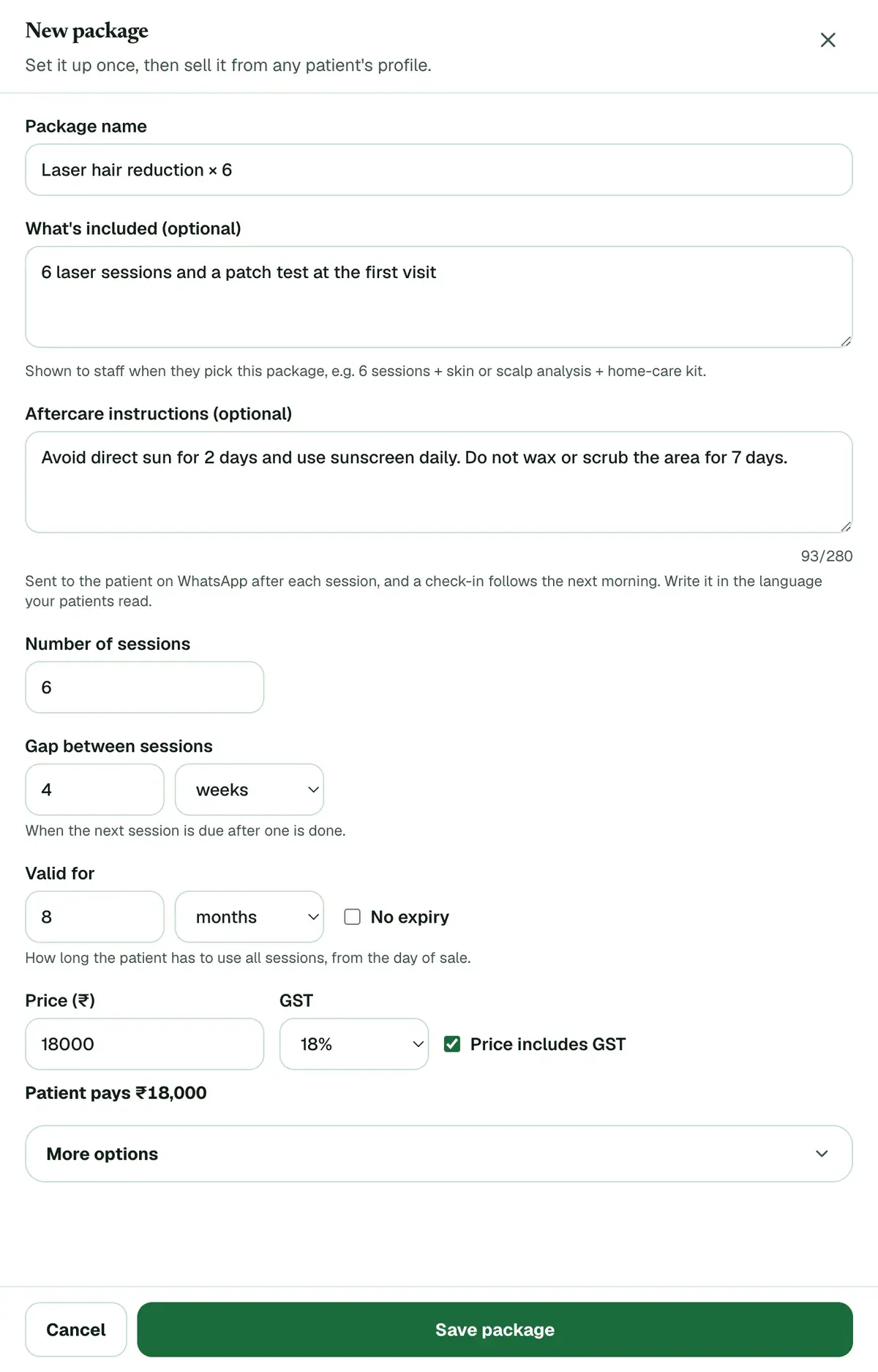
Step 4 of 8 Tip:Leave the gap empty if sessions can be booked any time. Then no due date or reminder is set after a session.
Set Valid for: how long the patient has to use every session, counted from the day of sale.
Tip:Tick No expiry if the package never runs out.
Enter the Price (₹) and choose the GST rate. Untick Price includes GST if GST should be added on top.
Tip:Price includes GST is ticked at the start. The amount the patient pays shows under the price.
Open More options and search for each stock item one session uses. Set how many each session takes.
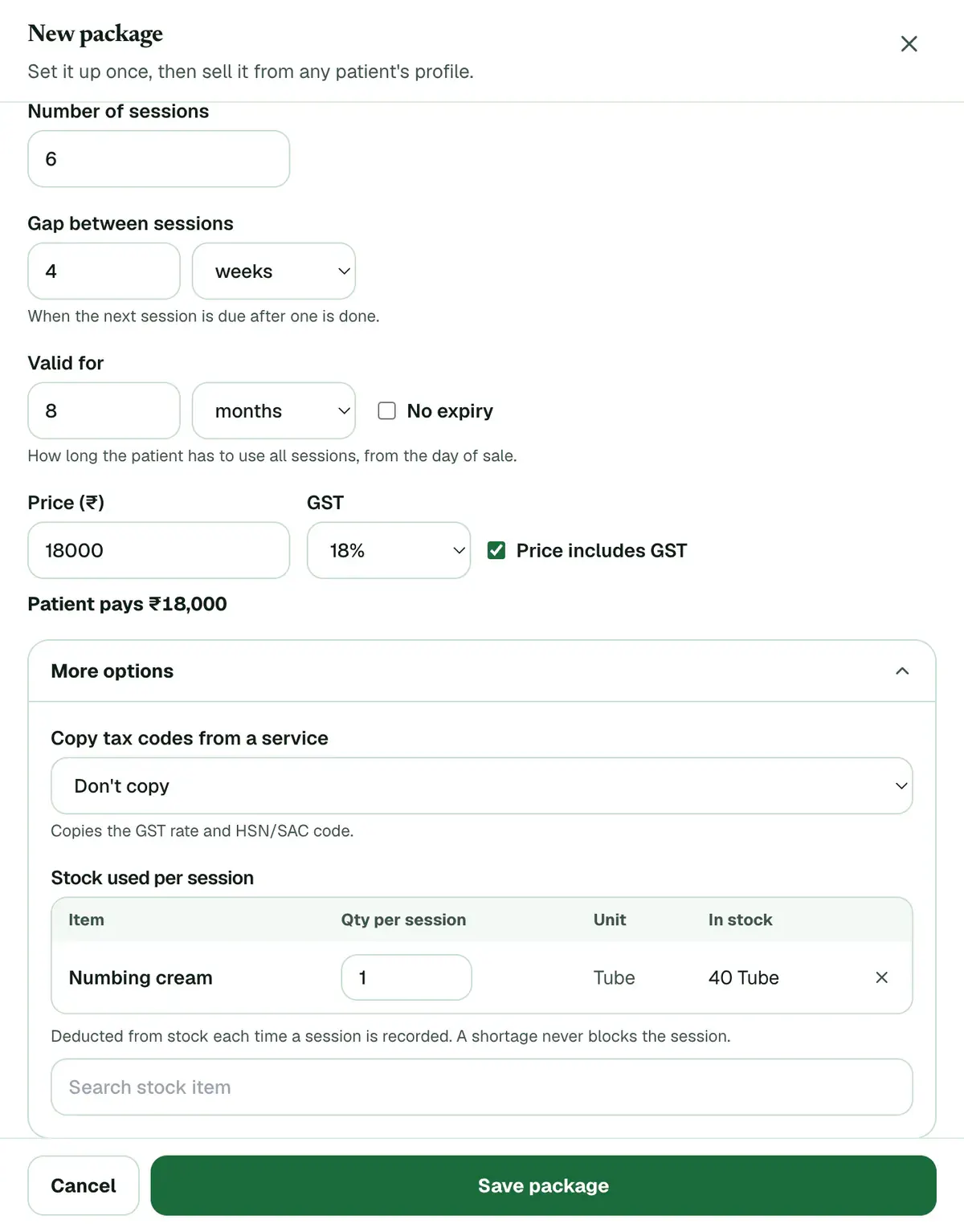
Step 7 of 8 Tip:These items come off stock each time a session is recorded. A shortage never stops a session.
Press Save package. The package can now be sold from any patient’s record.
If something goes wrong
Does editing a package change what patients already bought?
No. Patients who bought it keep their sessions, gap, validity, price and stock list. Only the aftercare advice is shared: the newest text goes out after every session.
How do I stop selling a package?
Press it in the Packages list, then press Deactivate. It can no longer be sold. Patients who already have it keep it.
Can the front desk sell a package that is not on the list?
Yes. While selling, they choose Custom for this patient and type the sessions and price for that one patient.
Related guides
Sell a treatment package to a patient
Open the patient’s profile, find the Treatment packages card and press Sell package. Choose the package, check the payable amount, then press Sell and bill. Take the payment in the form that opens, or choose to collect later, and press Book first session to book the first session.
4 minAdd-on: Treatment packagesRecord a treatment package session
Press Complete on the patient’s card in your Day Planner, or press Record session on the Treatment packages card in the patient’s record. Check who did the session and the stock used, add a note if you like, then press Save session. The sessions left and the next due date update on their own.
3 minAdd-on: Treatment packagesManage a patient’s treatment package
Open Packages and switch to Patients. Tabs such as Due or overdue and Expiring soon show who needs a call. Each row has Book and Record, and its menu can freeze, extend or cancel the package. The same actions are on the patient’s Treatment packages card.
4 minAdd-on: Treatment packagesReceive stock and add batches
Open Inventory and search for the medicine. If it is new, press Add Medicine first. Then press Add Batch on its row and enter the batch number, expiry date, quantity, MRP and purchase price. The stock is ready to sell as soon as you save.
4 minIncluded in Clinic and above
Was this guide helpful?
Last updated 26 Oct 2026By the Clinizy Care product team