
Raise a purchase order
- Admin and clinic owner
- Pharmacist
Short answer
In Clinizy Care, open Procurement and press New PO. Choose the supplier, add each medicine with its quantity and rate, and create the order. Open it and press Mark as ordered. When the goods arrive, press Receive goods and enter each batch, expiry date and MRP. The stock is added to your inventory.
Before you start
- Know your supplier, or have their details ready to add them.
- List the medicines to order, with the quantity and rate of each.
Steps
Open any Pharmacy page, then choose Procurement in the tab bar at the top.
Tip:Admins open Pharmacy from the left menu. Pharmacists can use Point of Sale.
Press New PO.
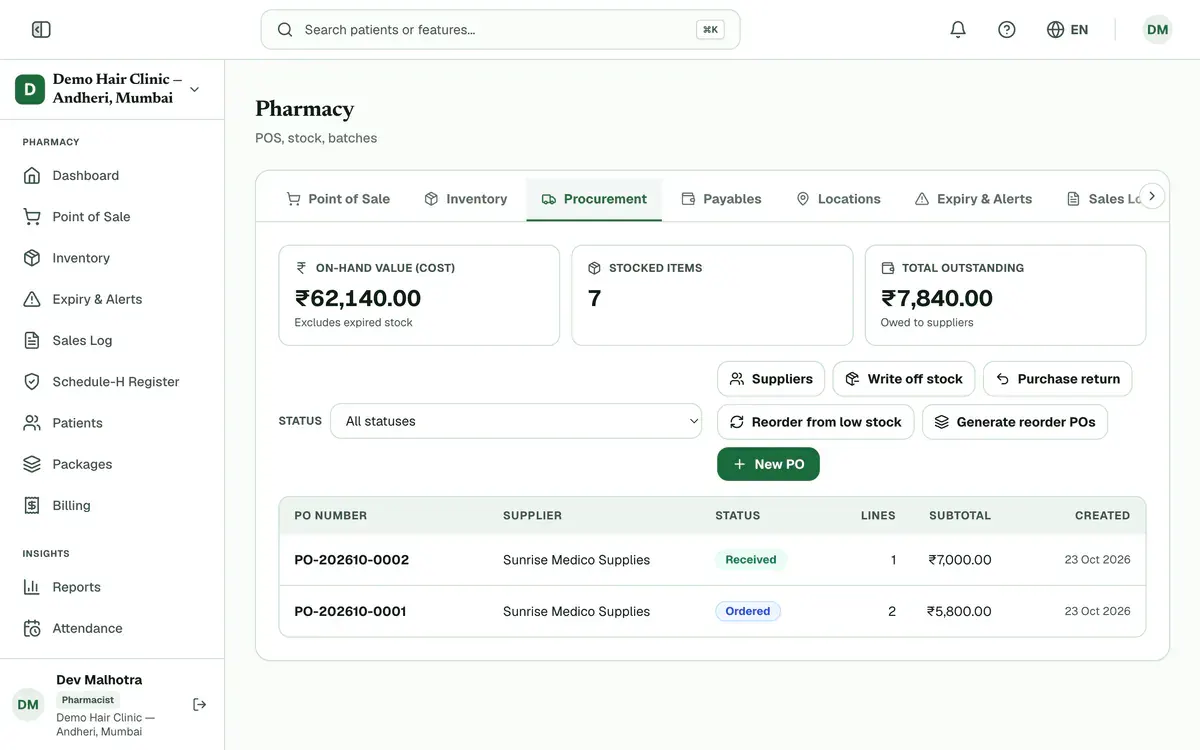
Step 2 of 8 Tip:To start from your low-stock medicines, press Reorder from low stock instead.
Choose the supplier.
Tip:If the supplier is not listed, press Add supplier to add them.
Search for each medicine, then enter its quantity and rate. Press Add line for more medicines.
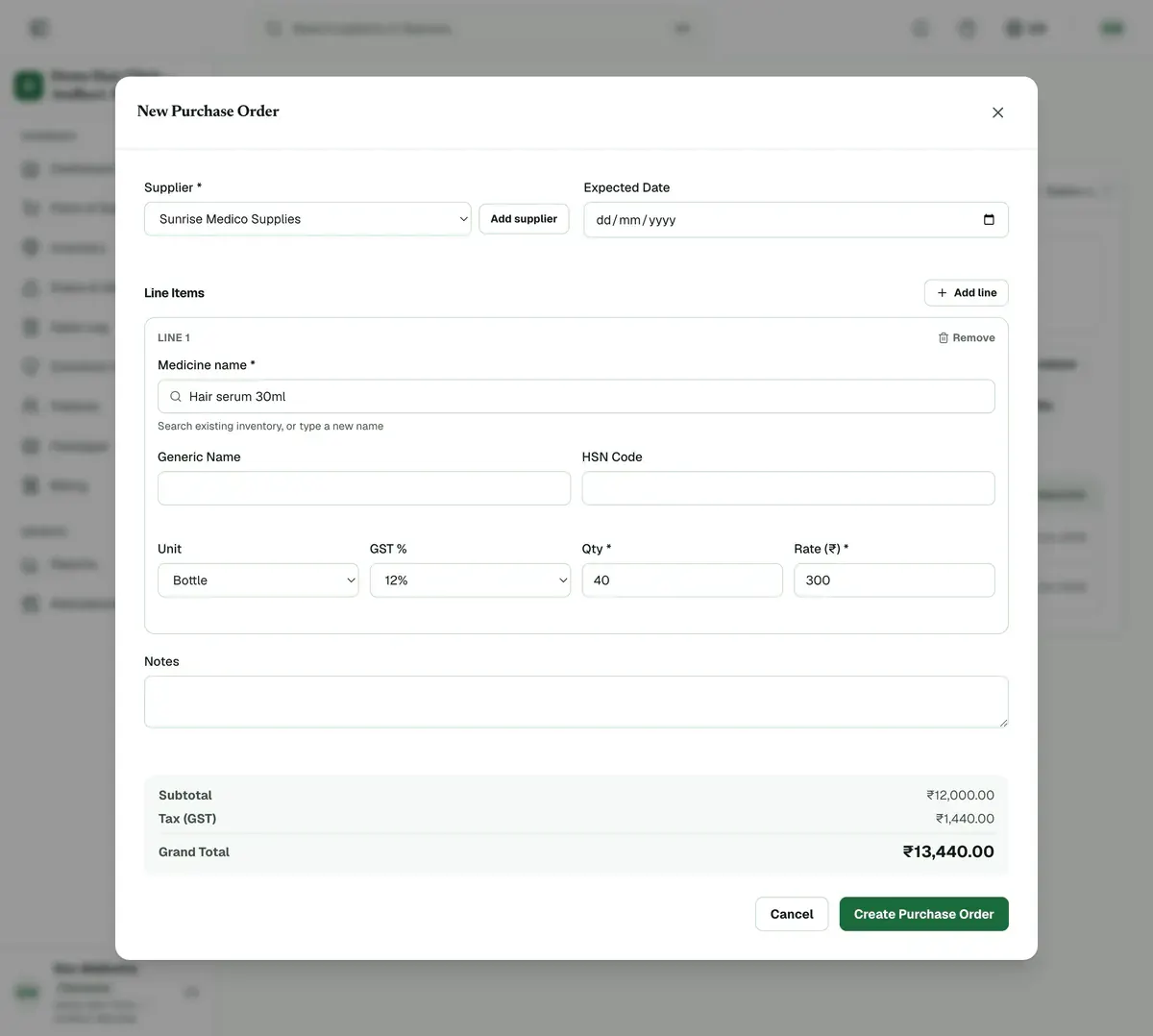
Step 4 of 8 Tip:The subtotal, GST and total show at the bottom.
Press Create Purchase Order. The order is saved as a draft.
Open the order from the list and press Mark as ordered when you place it with the supplier.
Tip:Press Download PDF to get a copy to send.
Open the order when the goods arrive and press Receive goods.
Tick each medicine received, enter its batch, expiry date, quantity and MRP, then press Receive Goods.
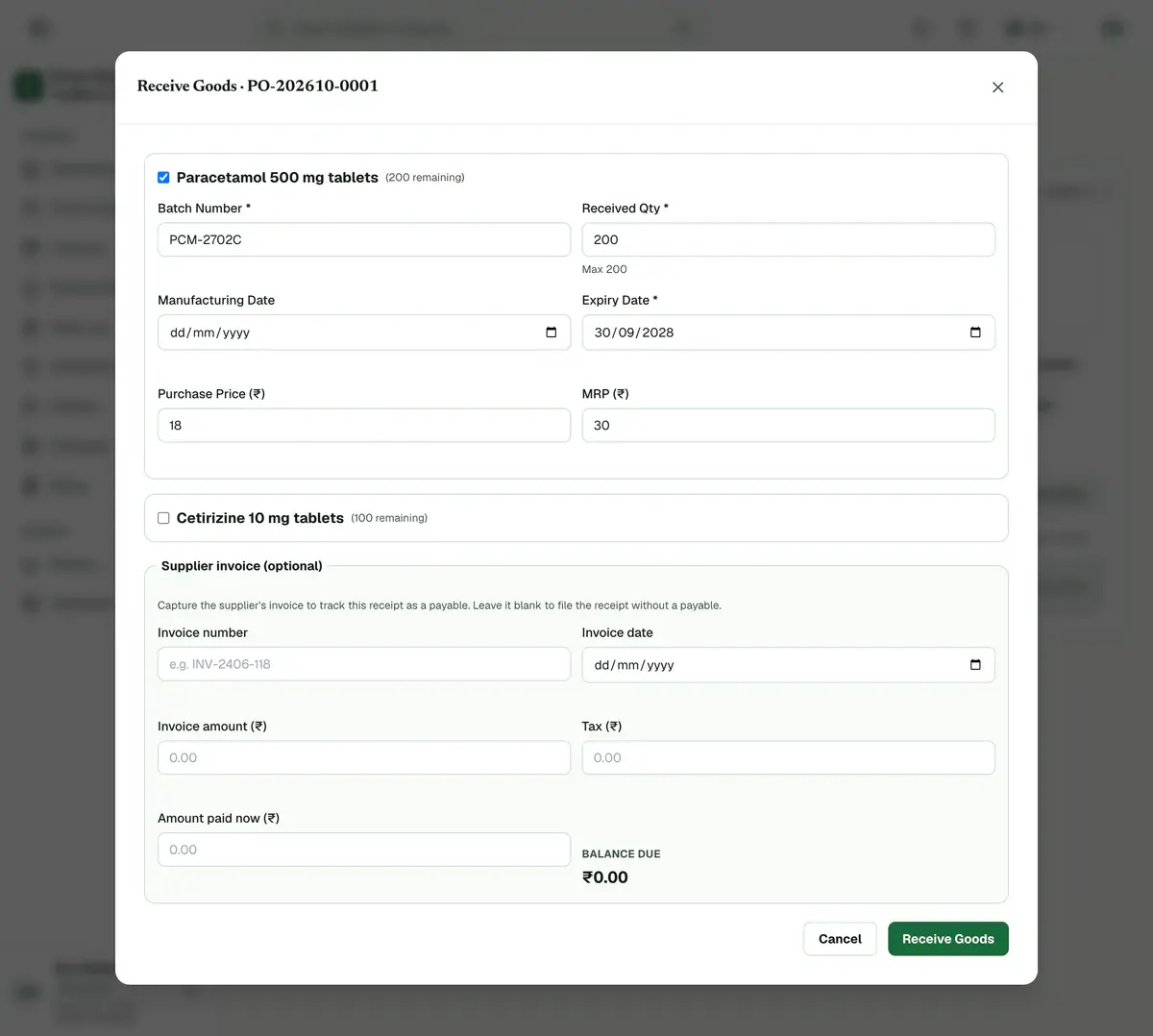
Step 8 of 8 Tip:Fill in the supplier invoice here if you want to pay it later from Payables.
Careful:The expiry date must be in the future, and the quantity cannot be more than what is left to receive.
If something goes wrong
Can I change an order after I create it?
Yes, while it is a draft. Open it and press Edit. Once it is marked as ordered, you can only receive goods or cancel it.
What if only part of the order arrives?
Receive the part that came. The order shows as Partially received and stays open, so you can receive the rest later.
Does an order need approval?
Only if your clinic turned approval on. Then the draft is submitted for approval, an admin approves it, and only then can you place it.
Related guides
Adjust or return stock
Open Procurement. To remove damaged, expired or miscounted units, press Write off stock, choose the batch and quantity, and give a reason. To send goods back to a supplier, press Purchase return, choose the receipt and batch, and give a reason. Both are saved with a record.
4 minIncluded in Nursing Home and abovePay a supplier
Open Payables to see what you owe each supplier. Find the invoice and press Record payment on its row. Check the amount, choose how you paid, add a reference if you have one, and confirm. The balance on that invoice goes down, and a part payment is allowed.
3 minIncluded in Nursing Home and aboveDispense medicines
Open Point of Sale from the left menu. Pick the patient or a walk-in customer, then scan or search each medicine to add it. Check the batch and quantity, enter the payment, and press Complete Sale. Stock goes down at once, and the receipt is ready to print or send.
4 minIncluded in Clinic and above
Was this guide helpful?
Last updated 23 Oct 2026By the Clinizy Care product teamSee the feature page