
Register a new patient
- Admin and clinic owner
- Nurse
- Receptionist
Short answer
In Clinizy Care, open Patients, press New Patient and fill in the patient’s name, phone number, date of birth and gender. Then press Register Patient to save. The new record opens straight away with its own UHID, the patient’s unique hospital ID, so reception, the doctor and billing can all find the patient later.
Before you start
- Have the patient’s full name and mobile number ready.
- Ask for their date of birth and gender.
- Ask if they have any allergies.
Steps
Open Patients from the left menu, then press New Patient.
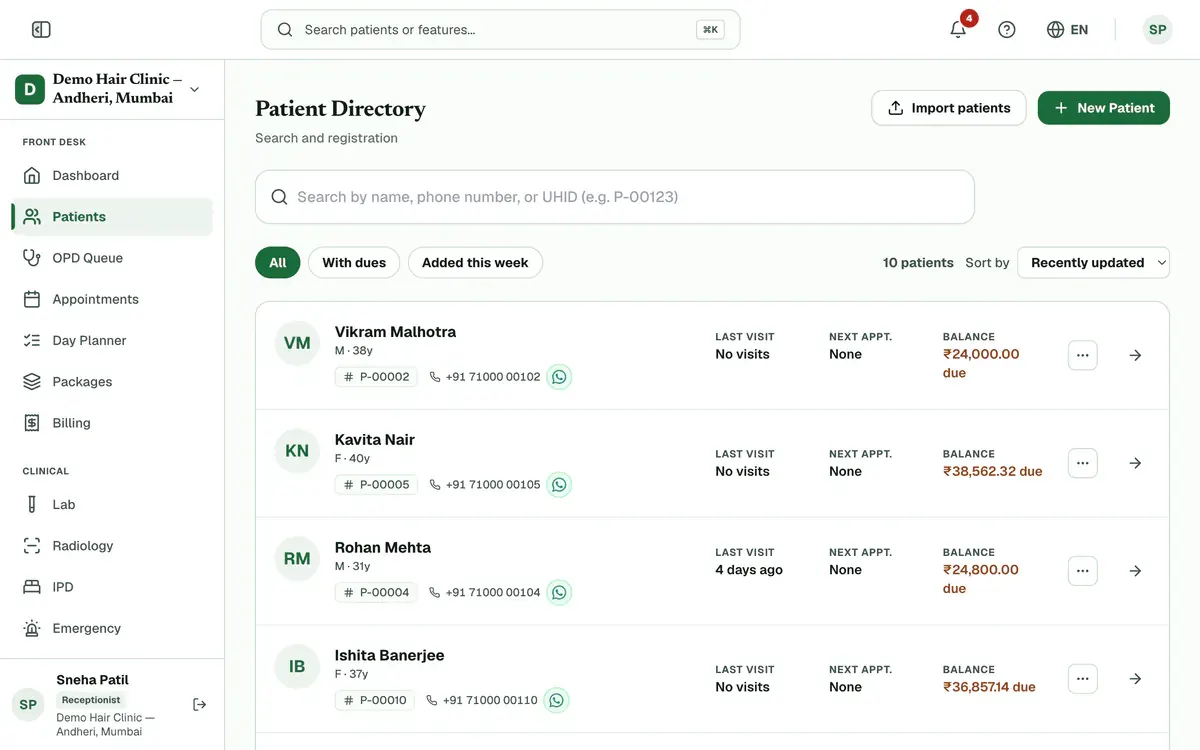
Step 1 of 4 Fill in the four required fields: full name, phone number, date of birth and gender.
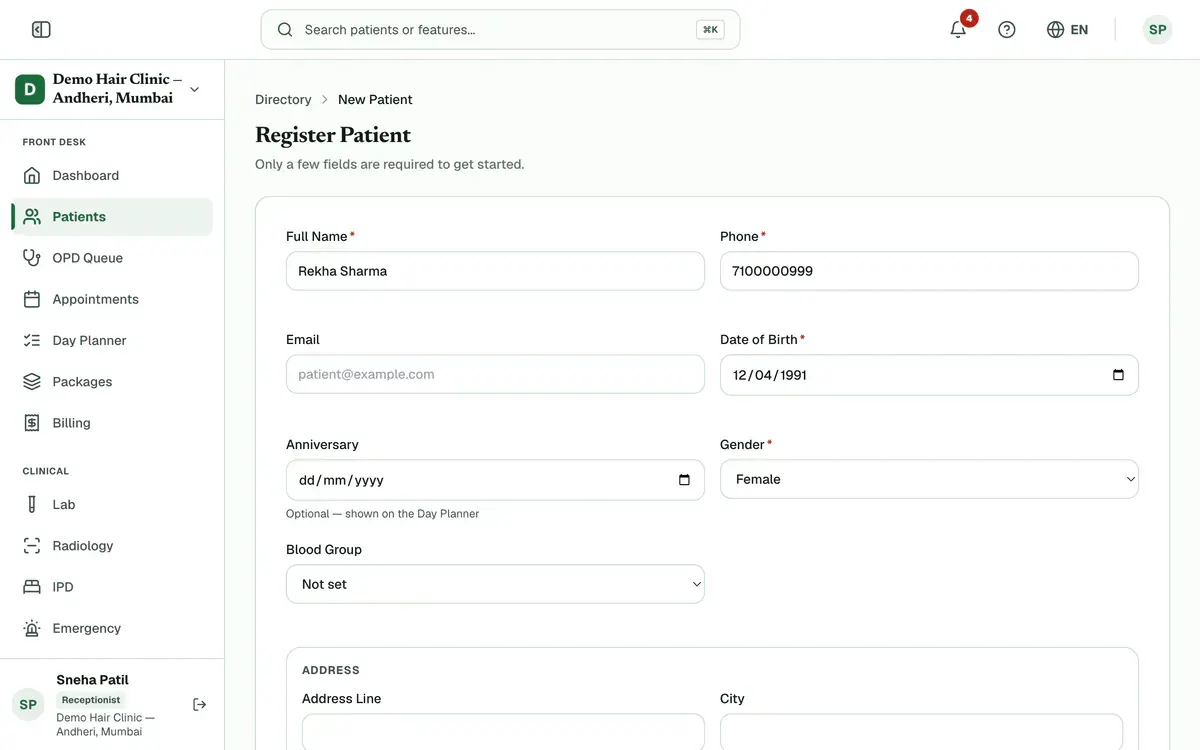
Step 2 of 4 Tip:Use a 10-digit mobile number that starts with 6, 7, 8 or 9.
Add the address, emergency contact and Allergies if you have them.
Tip:Always note allergies. The doctor sees them when writing a prescription.
Press Register Patient to save the record.
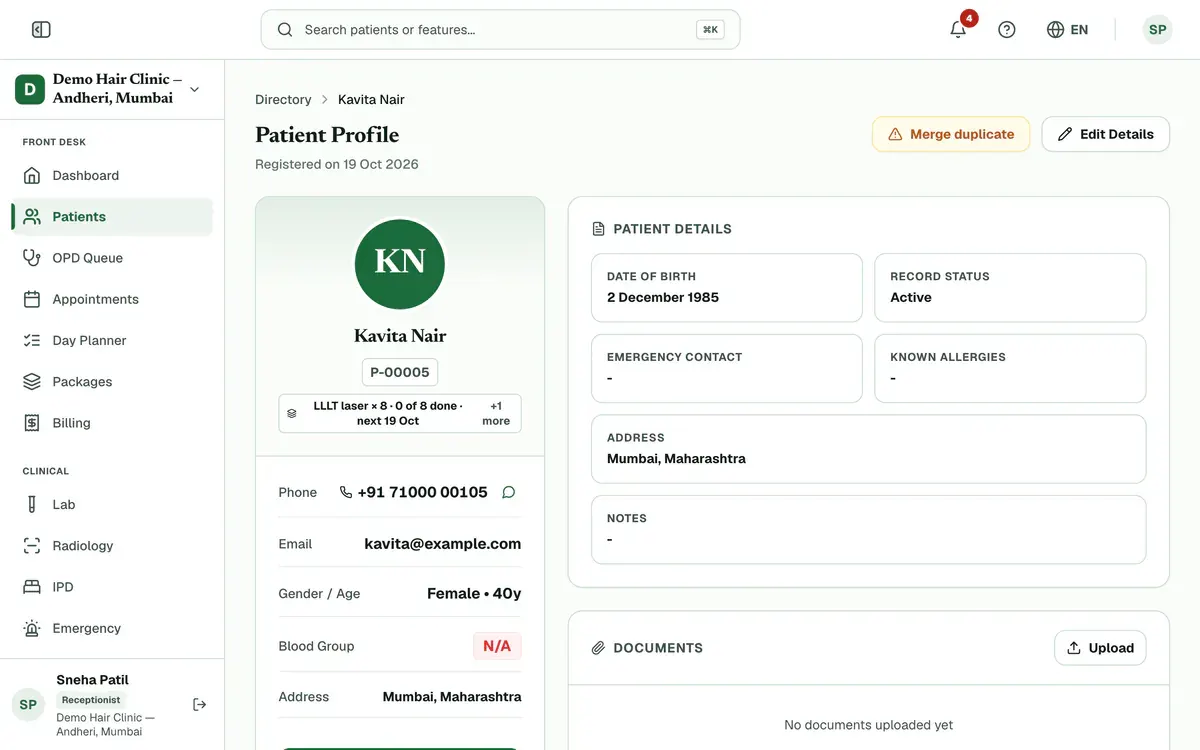
Step 4 of 4 Careful:If a warning says a patient with the same name or phone already exists, open that record instead. Press Register anyway only if this is a different person.
If something goes wrong
What if the patient is already registered?
Open the existing record instead. Clinizy Care warns you when a patient with the same name or phone already exists, and you can still press Register anyway if it is a different person.
Which fields are required?
Four fields are required: name, phone number, date of birth and gender. Everything else, such as address, emergency contact and allergies, is optional.
Can I register a patient from my phone?
Yes. Clinizy Care runs in any browser, so you can register a patient from a phone, a tablet or a computer.
Related guides
Find a patient fast
Open Patients and type a name, phone number or UHID in the search box. The list updates as you type. Check the name, age and UHID on the row, then press the patient’s name to open the record. Use the filters when the list is long.
2 minIncluded in Clinic and aboveCorrect a wrong patient detail
Open the patient’s record and press Edit Details. Change the wrong detail, such as the phone number, date of birth or allergies, then press Save Changes. If someone else saved the record first, Clinizy Care tells you and keeps what you typed, so nothing is lost.
3 minIncluded in Clinic and aboveRead a patient’s full record
Open Patients, search for the patient and press their name. The card on the left shows who they are and warns about allergies. On the right you will find the visit history, documents, prescriptions, lab orders, appointments and bills. You see only the parts your role needs.
4 minIncluded in Clinic and above
Was this guide helpful?
Last updated 23 Oct 2026By the Clinizy Care product teamSee the feature page